
[AF] Group User Import CSV prompts error “Address conflict or illegal format”
Problem Description
After filling in the corresponding IP and MAC and importing them into the AF Local, a message pops up saying "Failed to add user…"
Path: [Authentication System] – [Local Users] – [Groups/Users] – [Import] – [CSV Format File Import] – [Start Import]
Warning Info
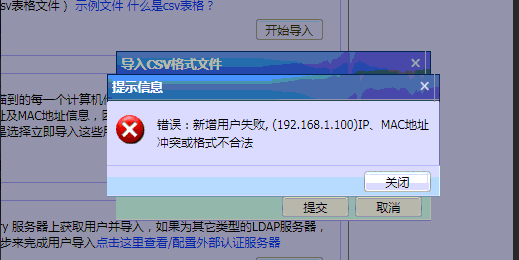
906525c3dd513638b9.png (12.67 KB)
Process——
- After exporting the template, the normal import template test is normal
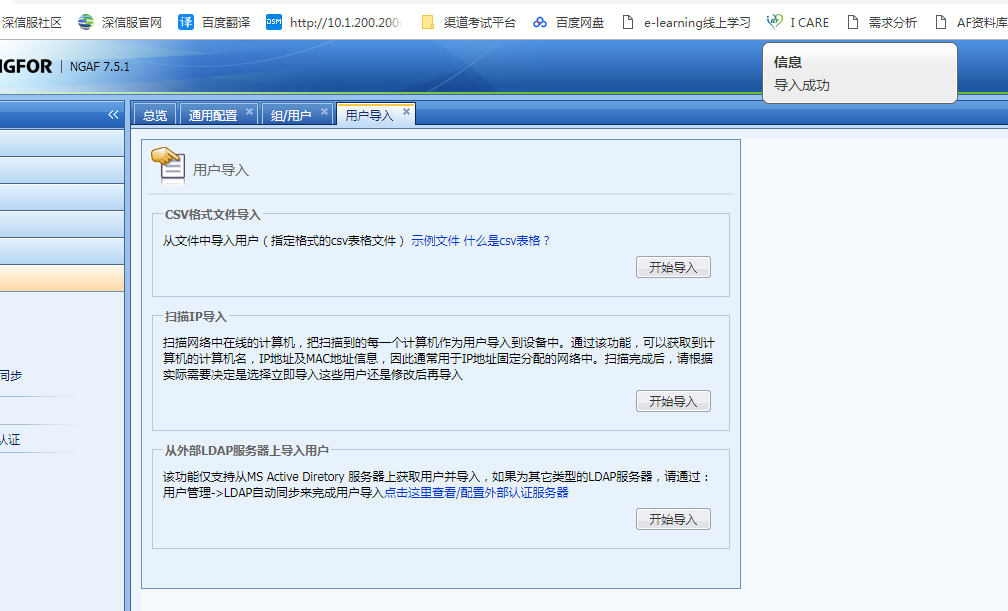
709615c3dd2d799e43.png (70.84 KB) - Check the CSV format content that failed to import
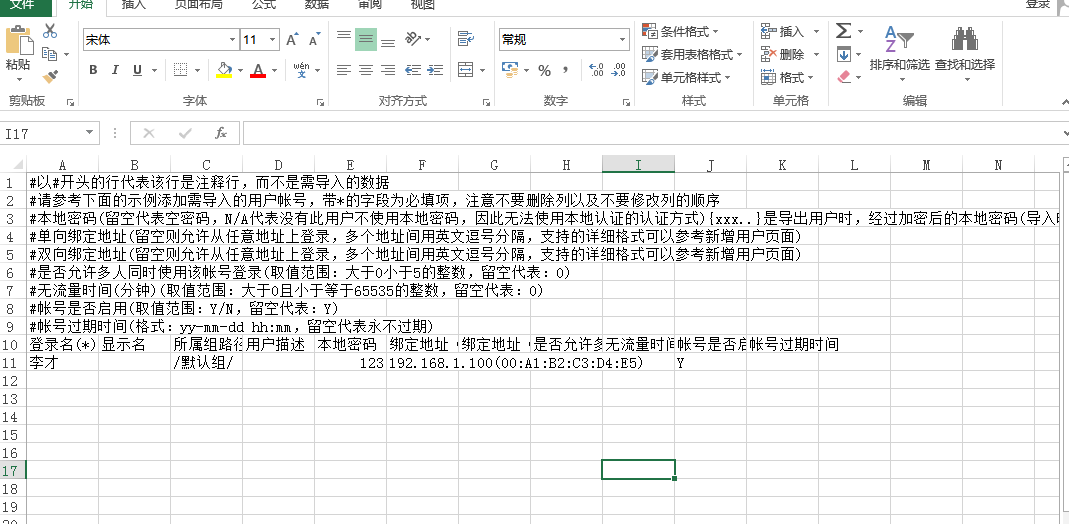
907195c3dd555ce321.png (42.18 KB)
Root cause
The MAC Address format is incorrect. The imported MAC format must use "-". ":" cannot be recognized.
solution
To change the MAC format in CSV format, use "-"
Original Link
https://support.sangfor.com.cn/cases/list?product_id=13&type=1&category_id=633&isOpen=true