
[AF] How to configure web password blasting for https data above AF8.0.35
Problem Description
How to crack web passwords in https data configuration of AF8.0.35 and above
Effective troubleshooting steps
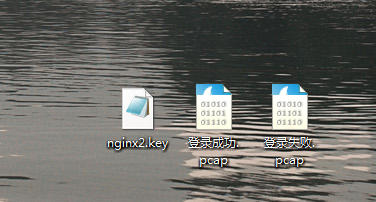
- Capture the traffic accessing the https service on the Local. You need one set of data on failed logins and one set of data on successful logins. Find the customer Obtain the public and Private Key of the server, which will be used for decryption with wireshark later.
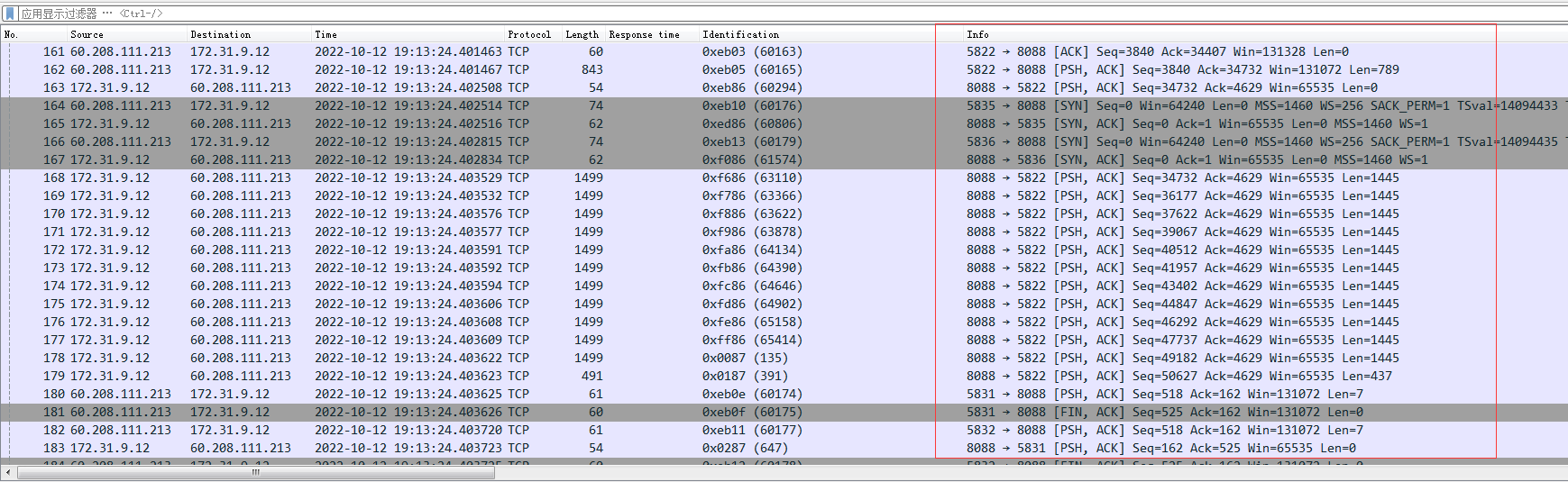
- The customer reported that a web service used port 8088 for encryption. Here is a detail: if Wireshark does not convert the data of port 8088 into SSL protocol, we cannot see its handshake packet.
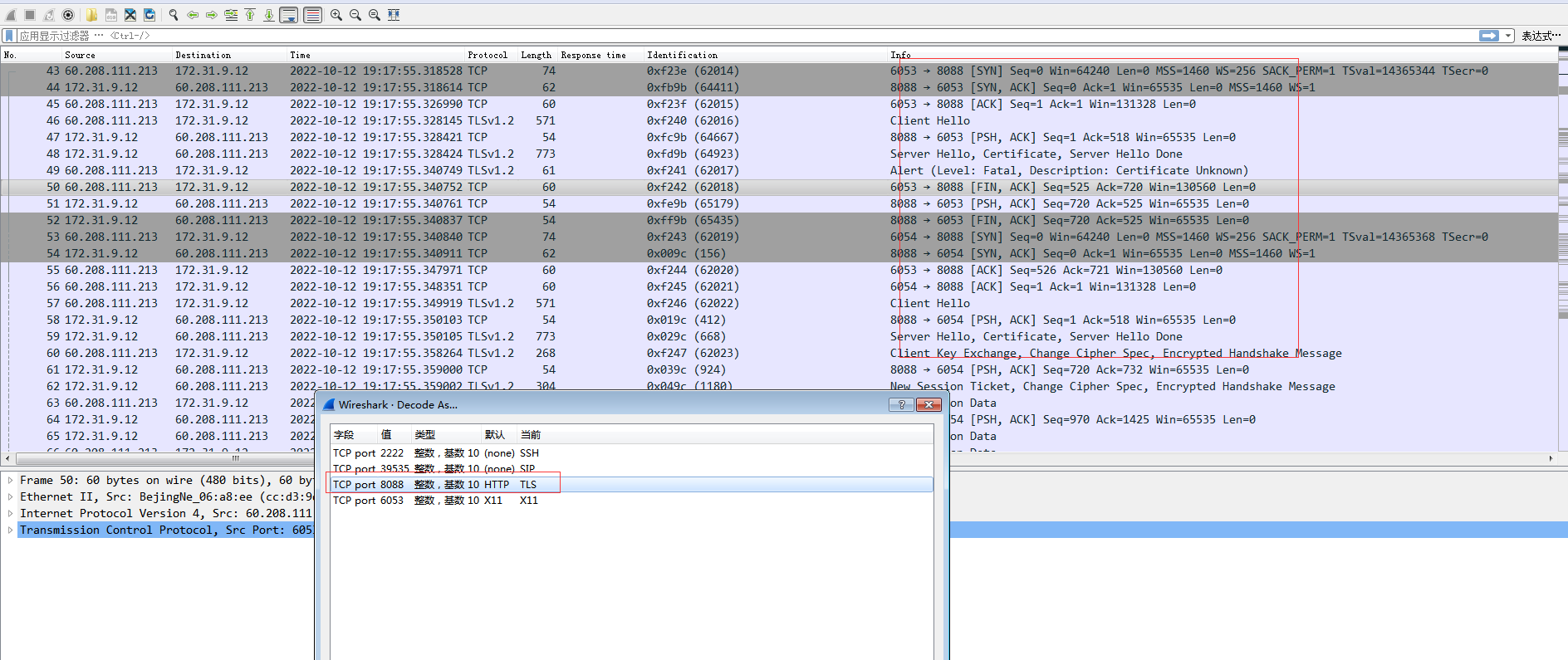
- Transcode port 8088. Different versions of Wireshark select different protocols. Some versions are called SSL and some are called TLS. After decoding, the handshake packet shown in the following figure appears.
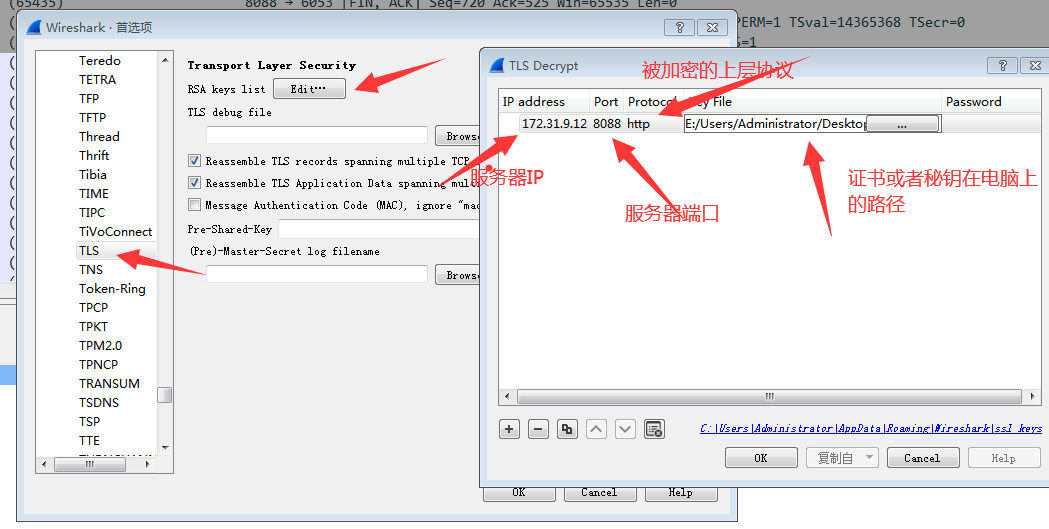
- Import Certificate server certificate into Wireshark for Decryption.
Click Edit -> Preferences -> Protocols -> SSL (some versions only have TLS), and then import the Public Key.
5. Then filter the content in Wireshark. http.request.method == "POST". The password submission is completed through a POST request. 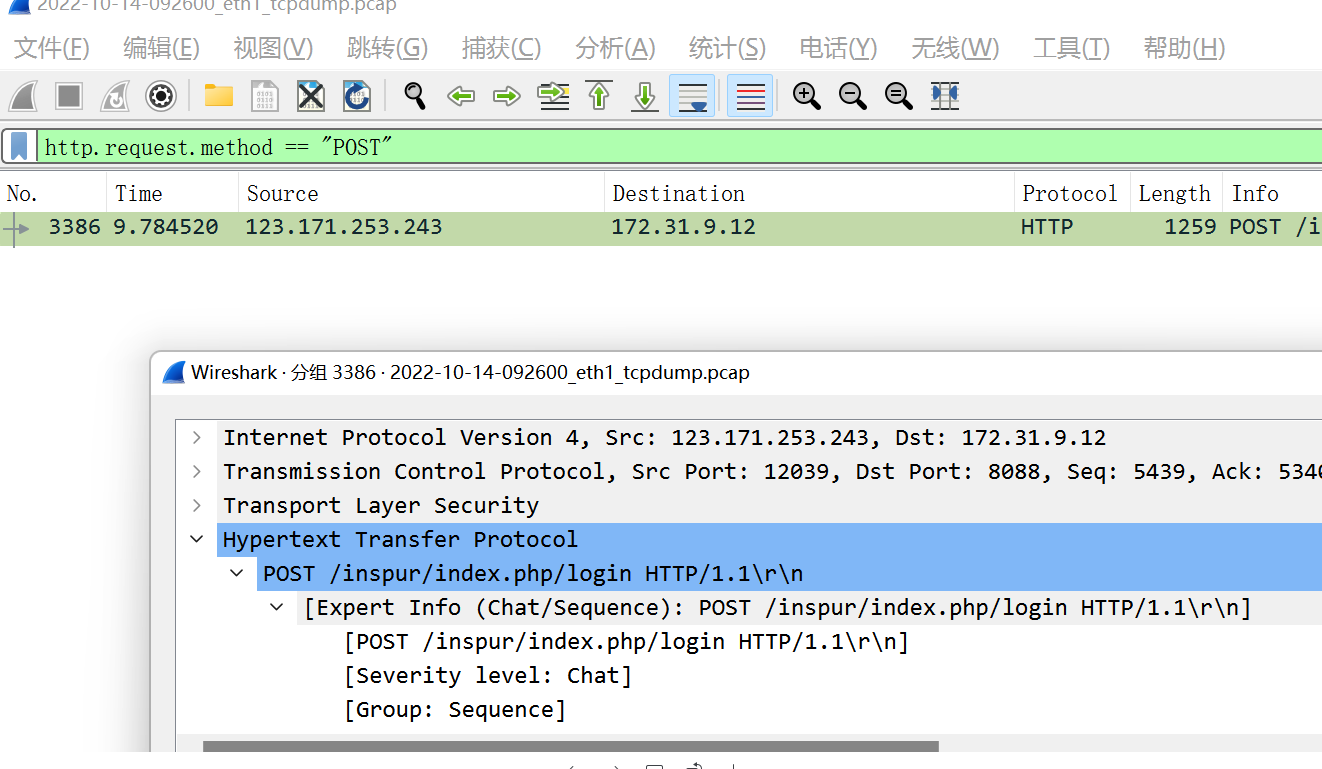
6. After Decryption is completed, you can see the test account password entered at the application level of the data packet, indicating that wireshark Decryption is successful. 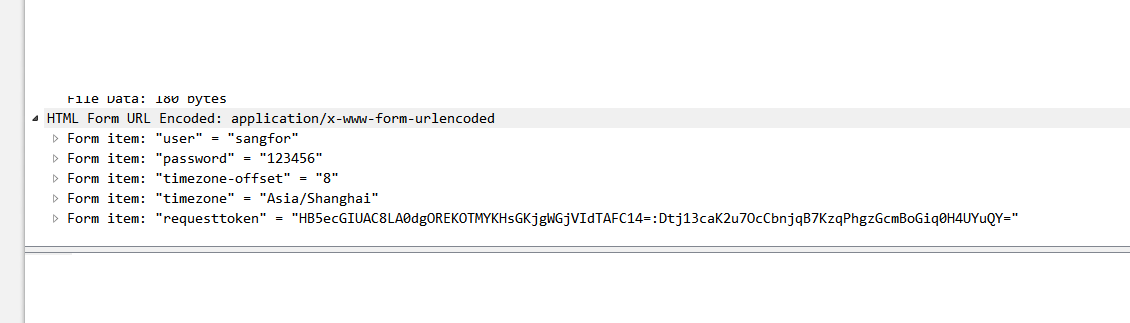
7. After completing the wireshark Decryption, it is only initially usable. To configure the web password cracking, you need to configure it according to the packet responded by the server. You need to compare the normal login and abnormal login packets, and the difference at the data packet level.
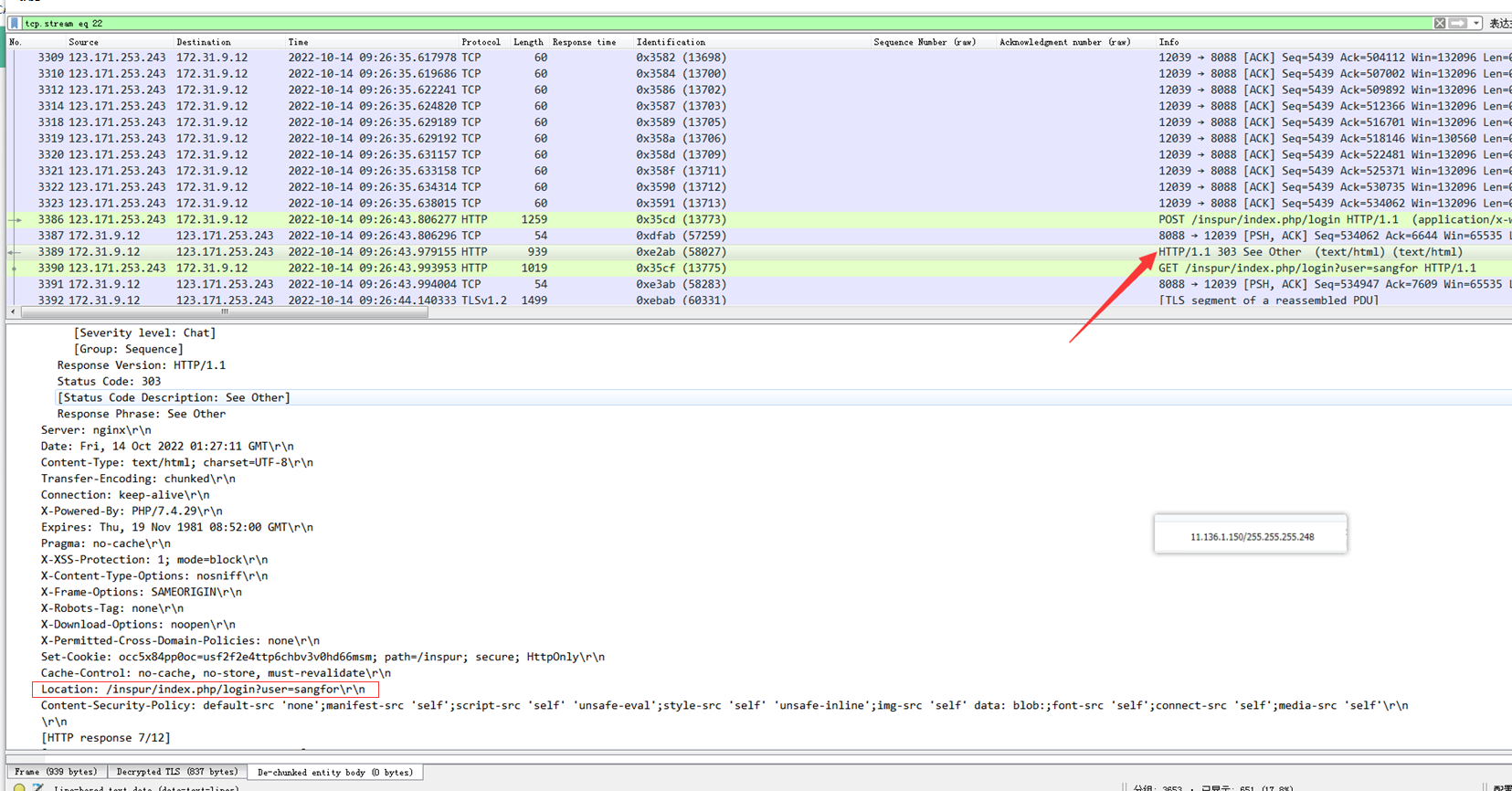
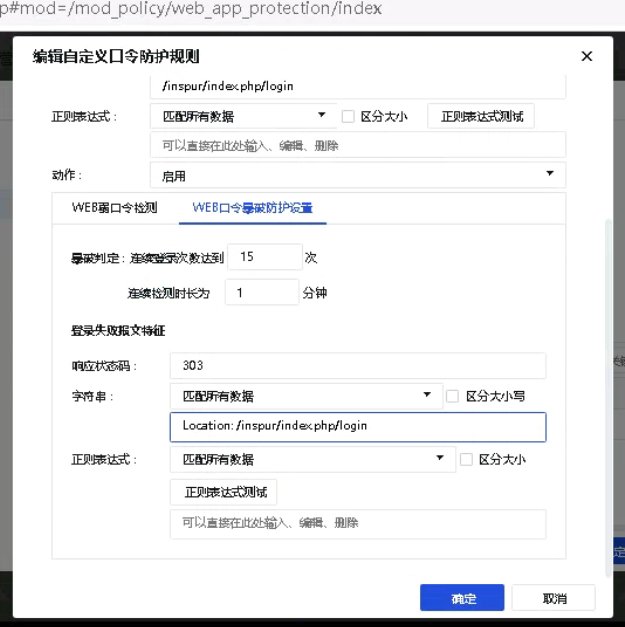
8. Check the response data packet of the failed login, the localtion field is /inspur/index.php/login?user=sangfor
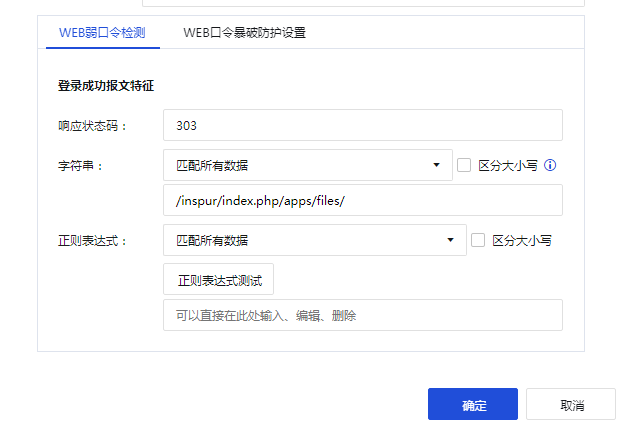
9. Check the response data packet of successful login. Its location field is https://x.x.x.x:8088/inspur/index.php/apps/files/. The x here represents the coded IP Address. 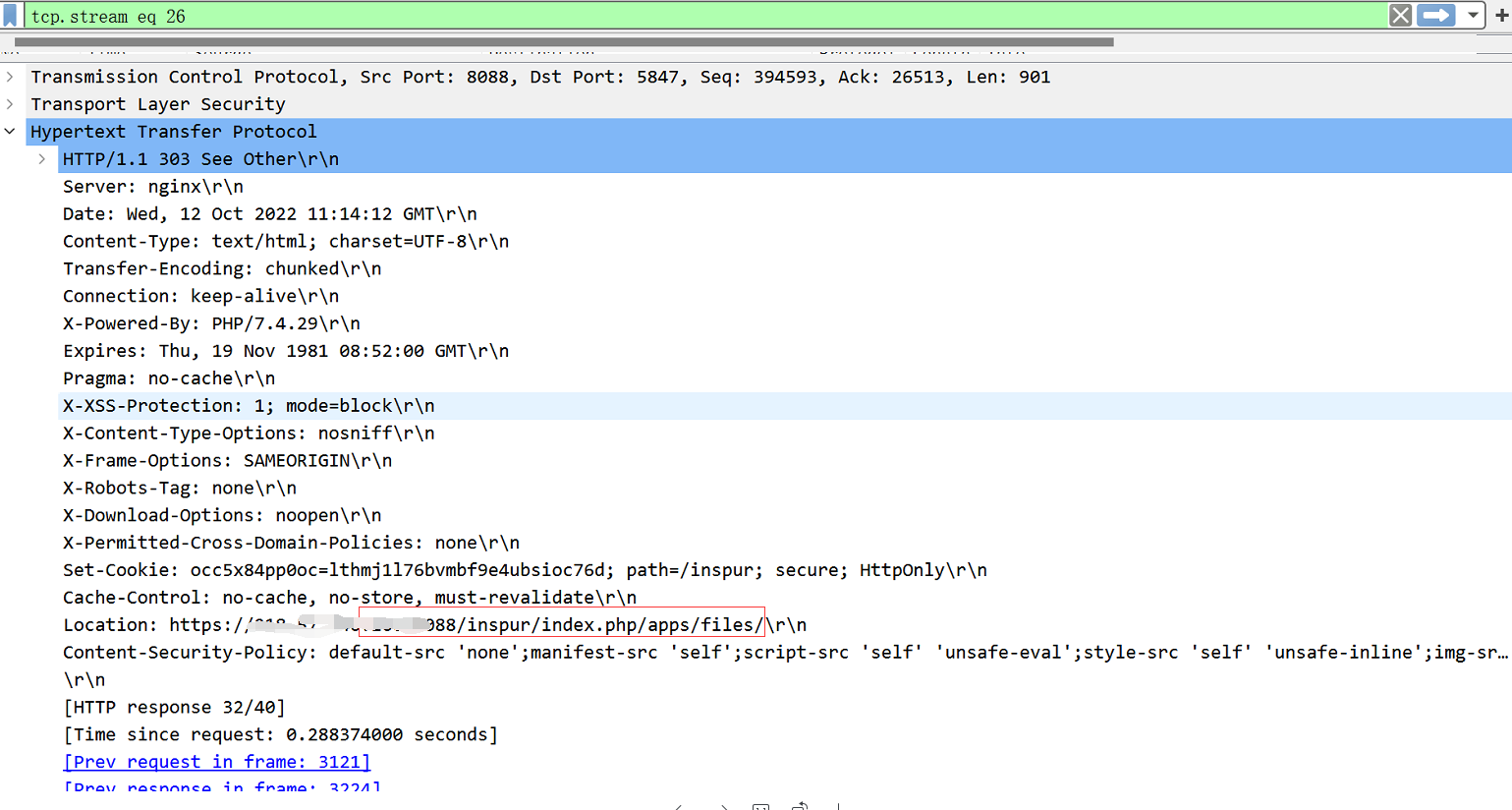
10. Obtain the difference between the abnormal and normal, configure the web password blasting.
The following figure shows a failed login
The following figure shows a successful login
Supplement: Starting from step 10, the detailed operation steps can refer to this link
https://support.sangfor.com.cn/cases/read?product\_id=13&category\_id=1309
solution
AF8.0.35 and above https data configuration web password blasting
Original Link
https://support.sangfor.com.cn/cases/list?product_id=13&type=1&category_id=2008&isOpen=true