
[AF] How to turn off the privacy protocol option on the WEB login interface in AF8.0.8 version
Problem Description
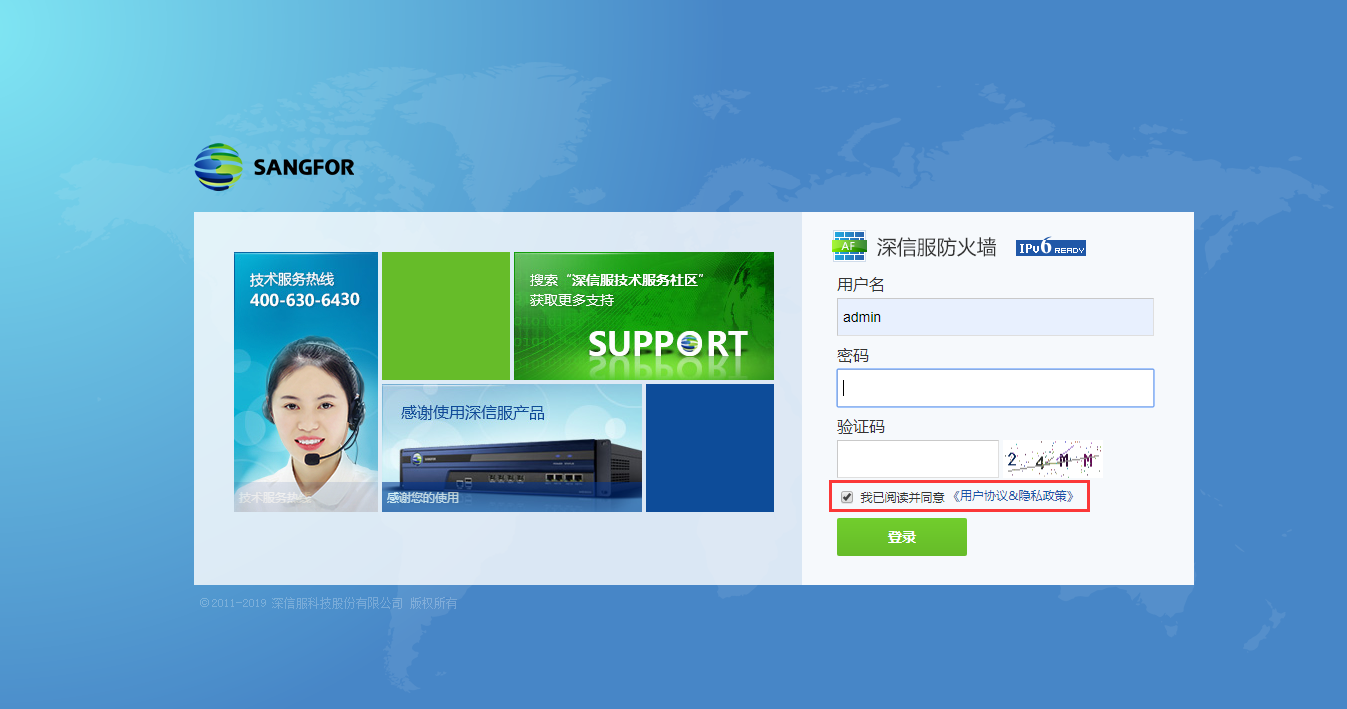
The AF8.0.8 login interface has a privacy agreement option, as shown below:
653145d35b522ce2bd.png (364.35 KB)
Process——
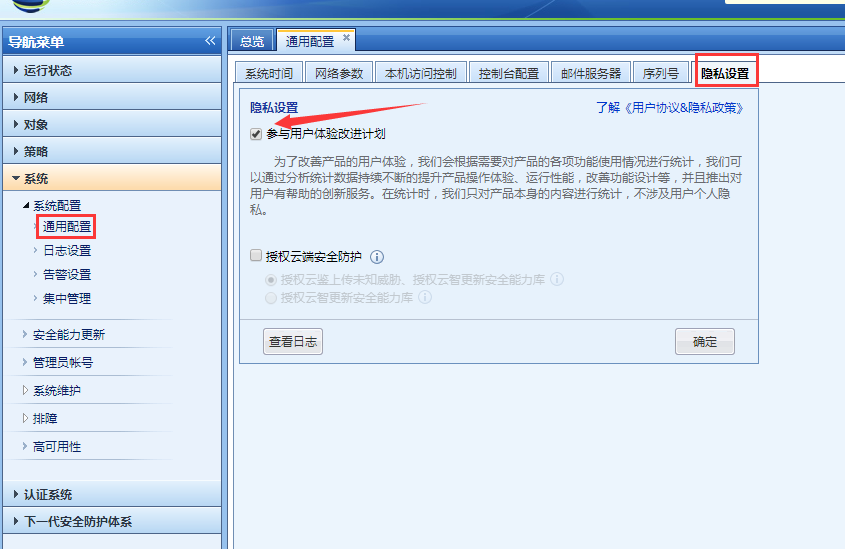
- Log in to the device console and turn it off through [System] – [System Configuration] – [General Configuration] – [Privacy Options], as shown below:
312145d35b4df1cf75.png (88.53 KB) - When you log in again, you will not see the privacy agreement option, as shown below:

602635d35b48096c88.png (300.03 KB)
solution
You can turn off the "Participate in the User Experience Improvement Program" option through [System] – [System Configuration] – [Privacy Options] – [Privacy Settings].
Original Link
https://support.sangfor.com.cn/cases/list?product_id=13&type=1&category_id=698&isOpen=true