
[AF] In IE11, the Administrators selects U-KEY and clicks Generate Certificate, but Certificate cannot be opened
Problem Description
When using IE11 browser and selecting U-KEY authentication in the Administrators, the Certificate cannot be generated. It is prompted that due to security reasons, the USB-KEY function only supports IE9/10 browsers, but the customer environment cannot install other versions of IE browsers.
Warning Info
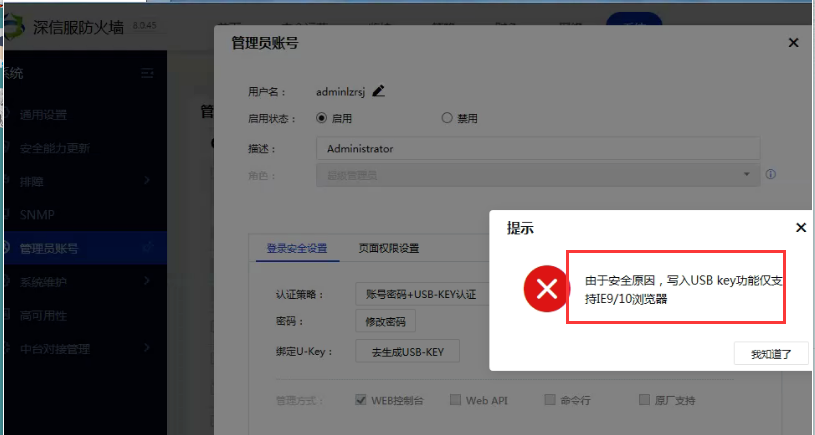
USB-KEY.png (99.9 KB)

Effective troubleshooting steps
Open the compatibility mode on the browser, backward compatible with IE10, refresh the page to log in and generate Certificate successfully
Root cause
The corresponding function can only be opened in IE9/10 browser, and the browser needs to be compatible with IE9/10
solution
- Open the IE browser, press the F12 key, and in the developer tools that pop up, click the display icon (simulation) at the bottom left to enter the compatible view selection interface. In the "Document Mode" section, select the required IE version
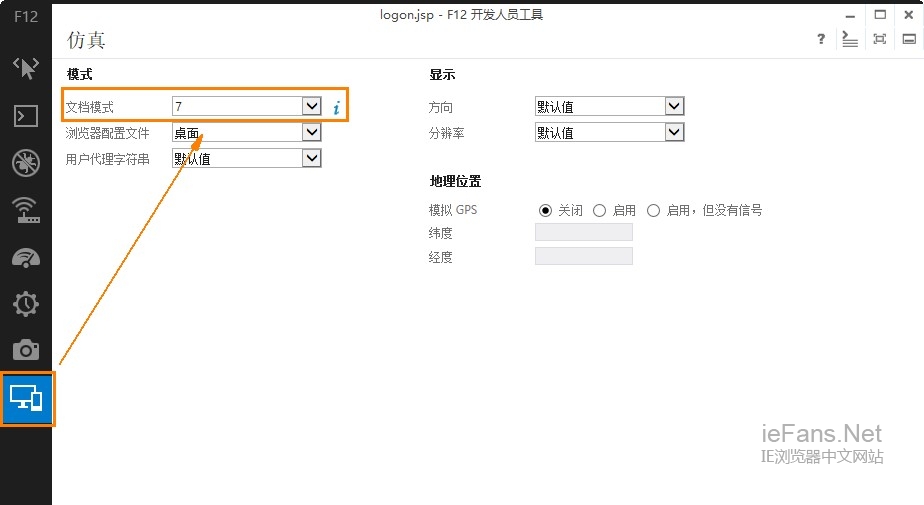
browser1.jpg (77.64 KB) - Refresh Local login interface and click Generate Certificate again.
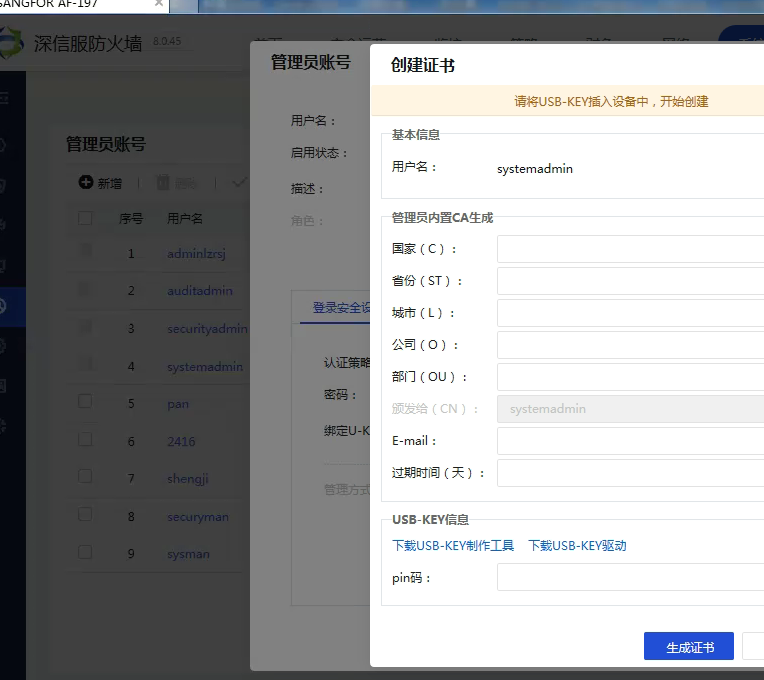
browser2.png (117.08 KB)
Original Link
https://support.sangfor.com.cn/cases/list?product_id=13&type=1&category_id=1277&isOpen=true