
[AF] In version 7.5.1, third-party connection settings cannot select multiple lines
Problem Description
When configuring [Network] – [IPSec VPN] – [Third-Party Connection] – [Phase 1] in AF7.5.1 version, you cannot select a line in [Line Exit]. Click the small circle next to it to prompt: You need to add multiple line settings. (In order to protect customer Info, the IP Address below will be mosaiced)
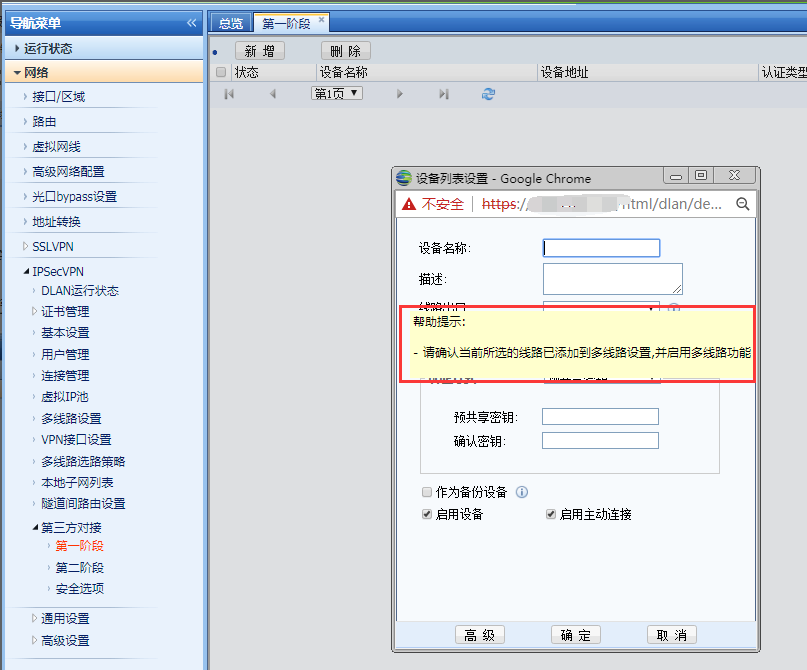
515505b643a56ebf84.png (73.65 KB)
Warning Info
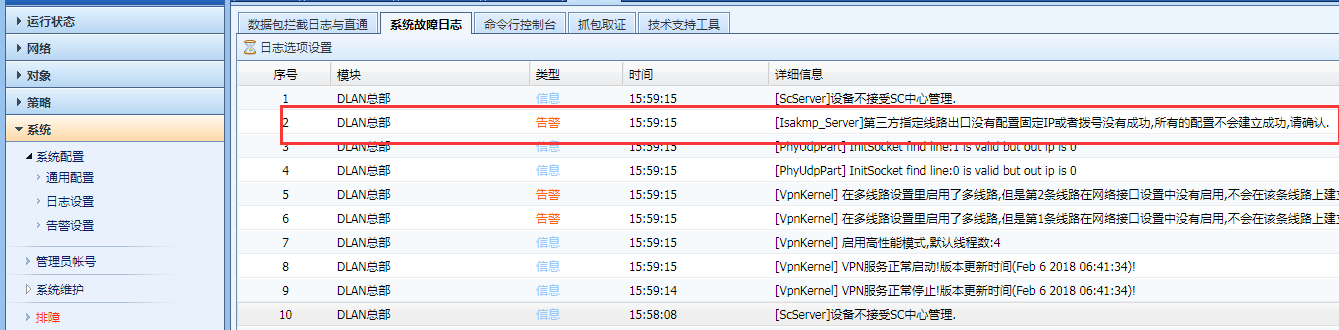
879655b643a6ec53b2.png (88.22 KB)
Process——
-
Check [Network] – [IPSec VPN] – [Multi-line Settings], the line is added, but it is not enabled.
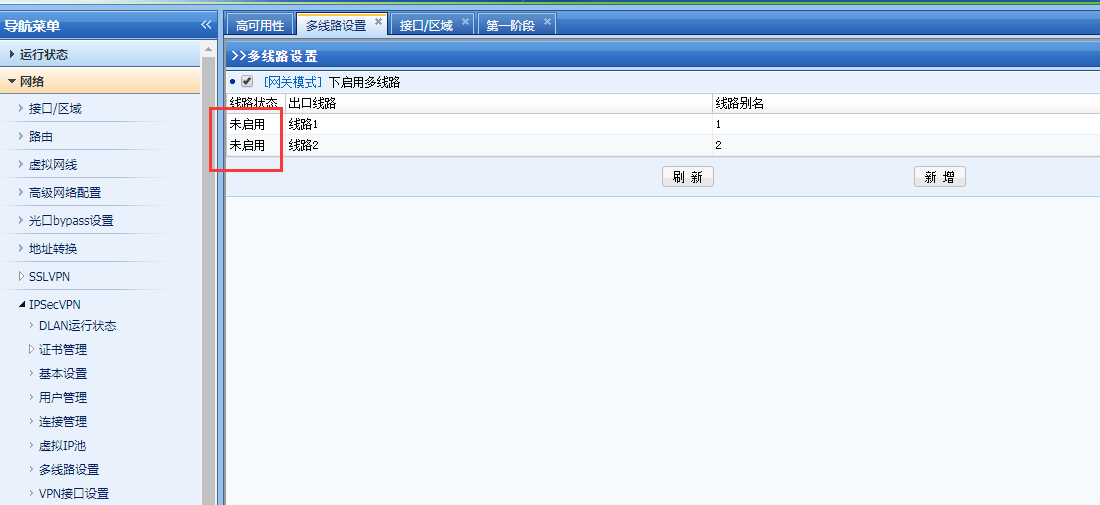
534085b643a8433f23.png (48.25 KB) -
Check [Network]-[Interfaces/Zones] and check the configuration of the two corresponding external network Interfaces. The WAN properties are checked and [Match line with IPSec VPN exit] is also selected. However, it is found that the IP range written in the Interfaces address is, for example: 192.168.1.2-192.168.1.10/24.
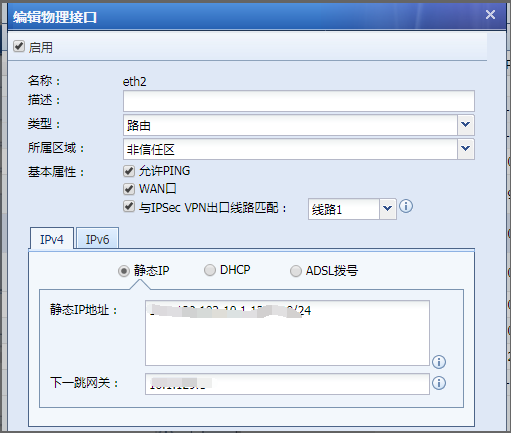
667805b643aab7d5a3.png (37.81 KB)
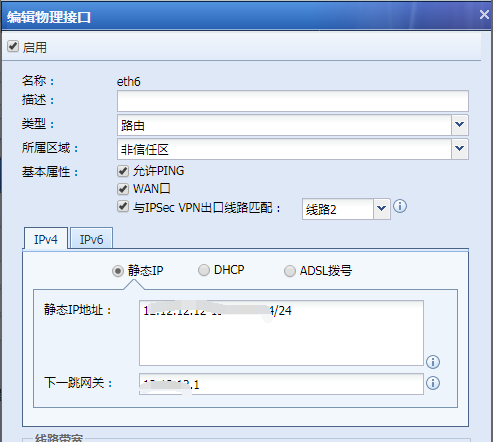
784675b643ac9cc9b3.png (37.55 KB) -
Put the IP addresses that need to be connected to the VPN in the WAN attribute IP Address on the first line, and the rest in the form of IP ranges on the second line.
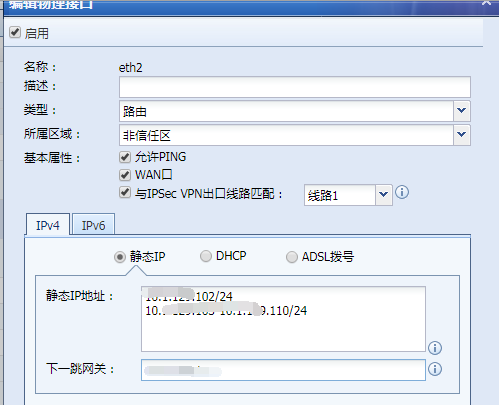
145835b643ae8909f2.png (32.91 KB)
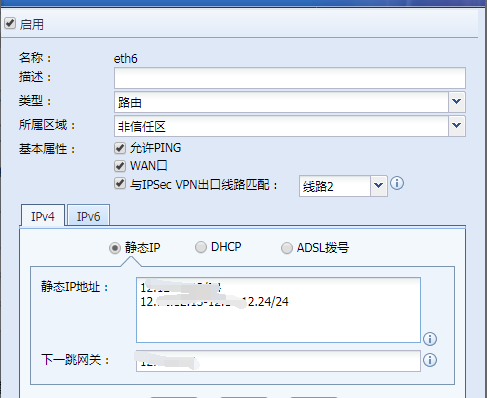
12515b643b049bb9d.png (29.23 KB) -
Refresh the [Multi-line Settings] interface and the line will display [Activated].
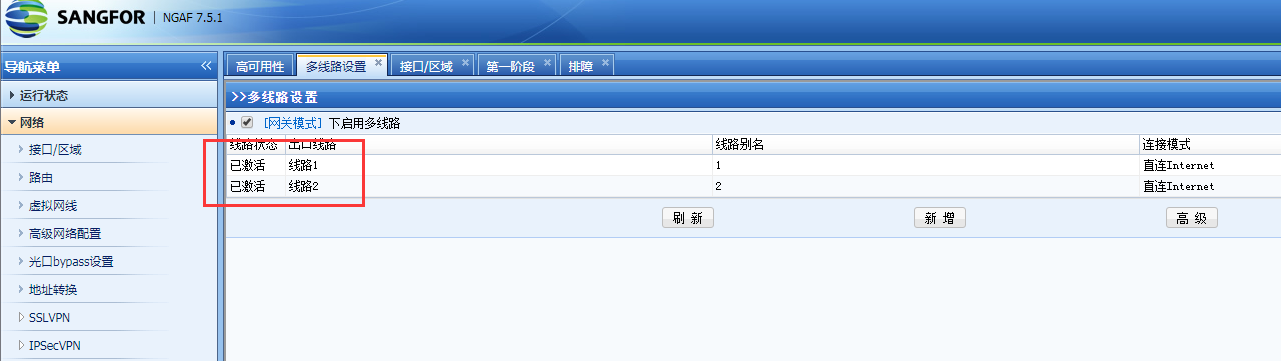
55545b643b1dea722.png (70.32 KB) -
In the refresh interface of [Phase 1 Configuration], click [Add] again and you can select the line in [Line Exit].
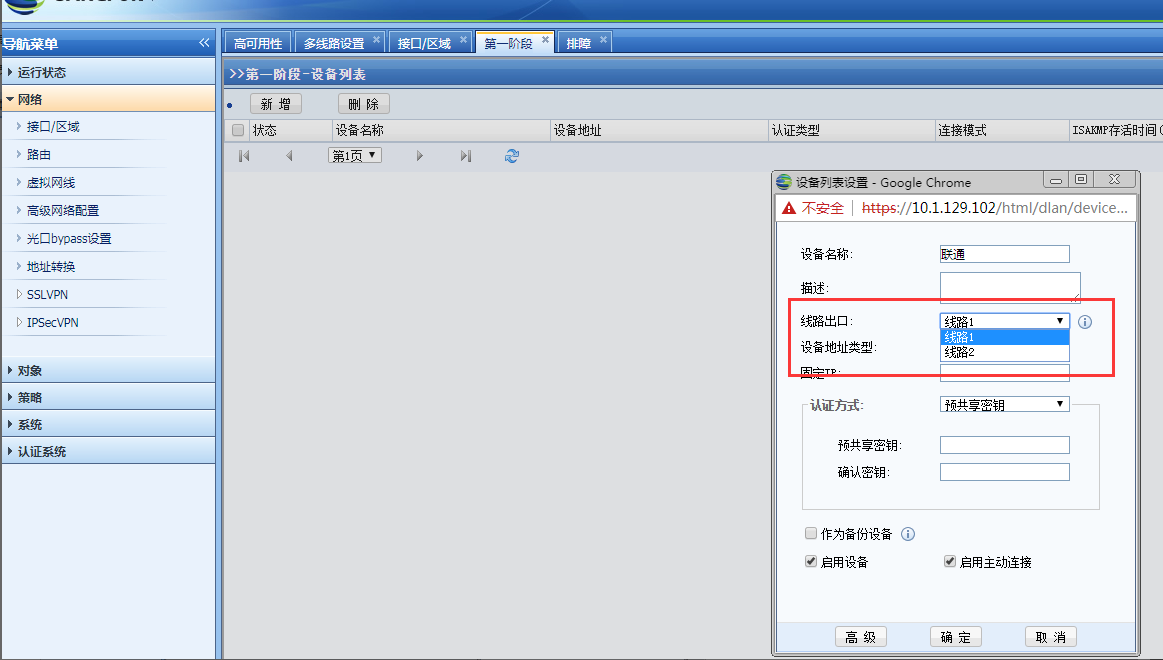
736315b643b33cb7bd.png (80.12 KB)
Root cause
If the WAN attribute is an IP segment/IP range, the VPN module cannot recognize the specific IP Address and the line exit cannot be selected.
solution
Put the IP addresses in the WAN attribute IP range that need to be connected to the VPN in the first line, and the other IP addresses in the second line.
Suggestions and Conclusion
When configuring the VPN function of the AF device, if the WAN attribute is an IP segment/IP range, put the smallest IP in the first line for VPN interconnection, and put the other IPs in the second line.
Original Link
https://support.sangfor.com.cn/cases/list?product_id=13&type=1&category_id=232&isOpen=true