
[AF] Incorrect address database causes Policies Layer 3 to fail to take effect, resulting in Network interruption
Problem Description
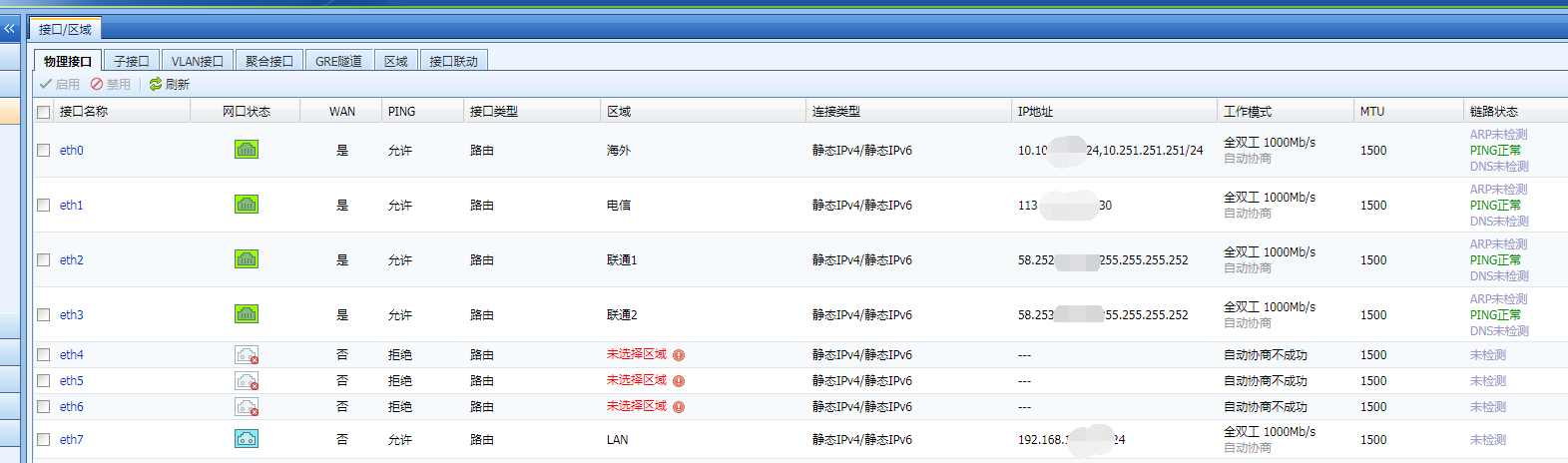
External network line, eth0 is a dedicated line for foreign countries, eth1 is for China Telecom, eth2 is for China Unicom, and eth3 is for China Unicom. The report said that the eth2 port failed at around 9:00 am on January 5, but the data was not switched, resulting in a continuous network disconnection.
Effective troubleshooting steps
- Check the Network configuration and find that there are 4 external network lines
- All Routes
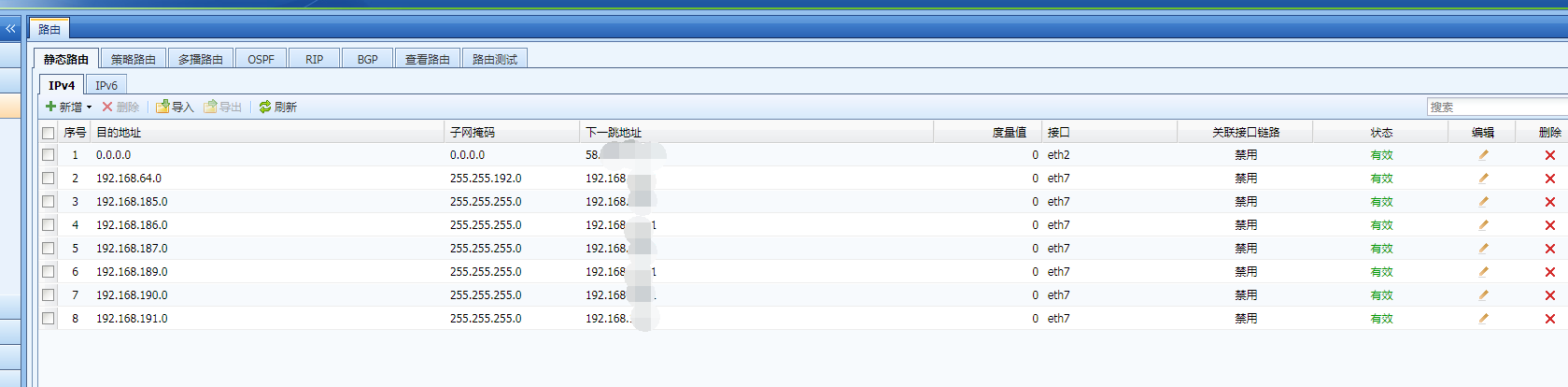
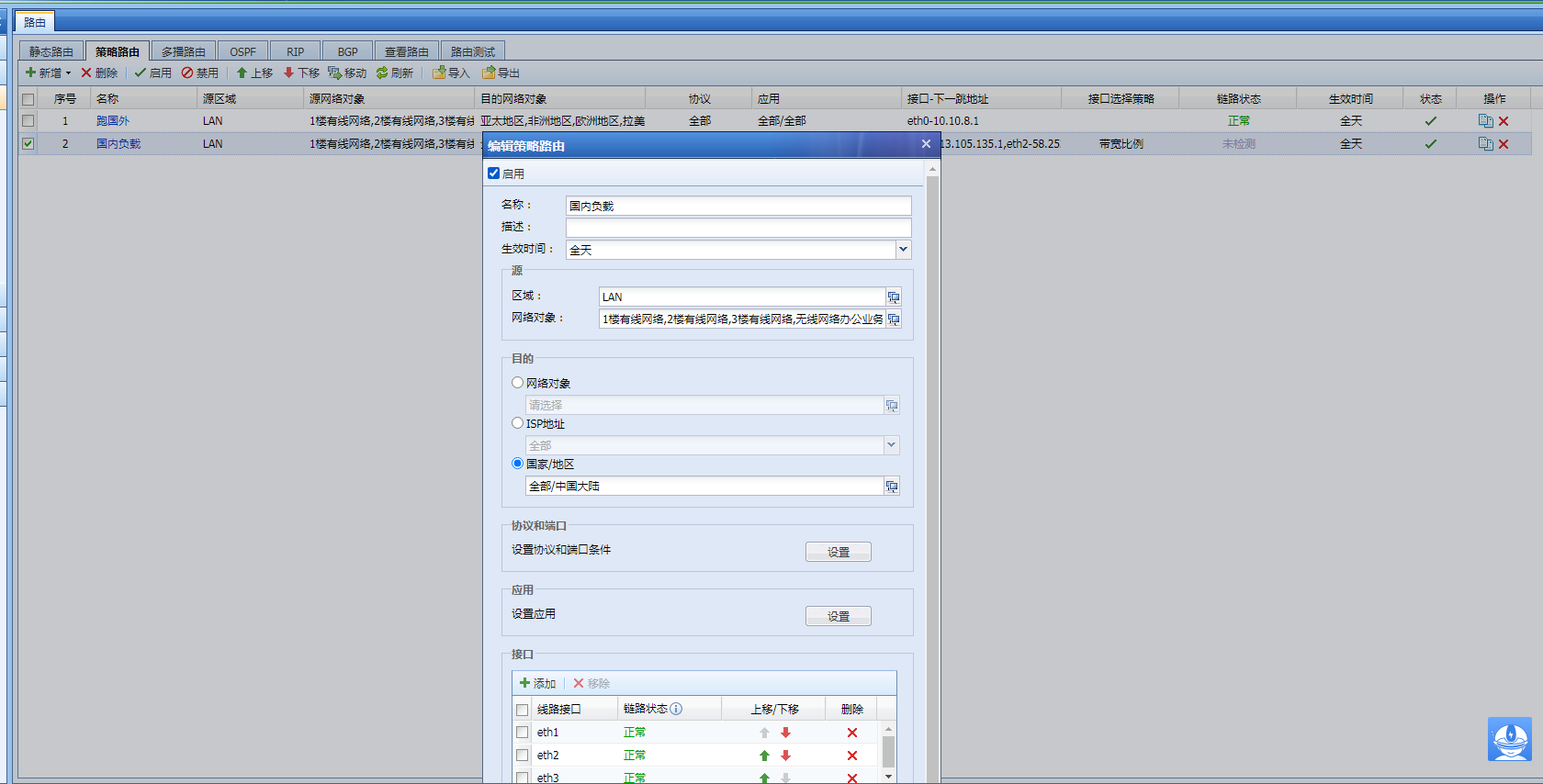
3. As can be seen from the above configuration, the default Layer 3 points to the eth2 port. The eth2 port has failed, and the default Layer 3 is not effective at this time. Checking Policies Layer 3, it is found that the first Policies Layer 3 is to access foreign data and points to eth0; intranet users access domestic websites through the second Policies Layer 3, and the second Policies Layer 3 destination is the Chinese mainland of the selected country/region; after changing the Chinese mainland to all, Network returns to normal.
Previously, the default route was matched normally.

Root cause
Policies destination country/region of Layer 3 policy routing Sensitive limitations and cannot be correctly identified, resulting in Policies Layer 3 not matching
solution
Adjust Policies and change the destination to all to restore to normal.
Original Link
https://support.sangfor.com.cn/cases/list?product_id=13&type=1&category_id=1111&isOpen=true