
[AF] Interfaces configuration 1.1.1.1 prompts conflict with vlan0
Problem Description
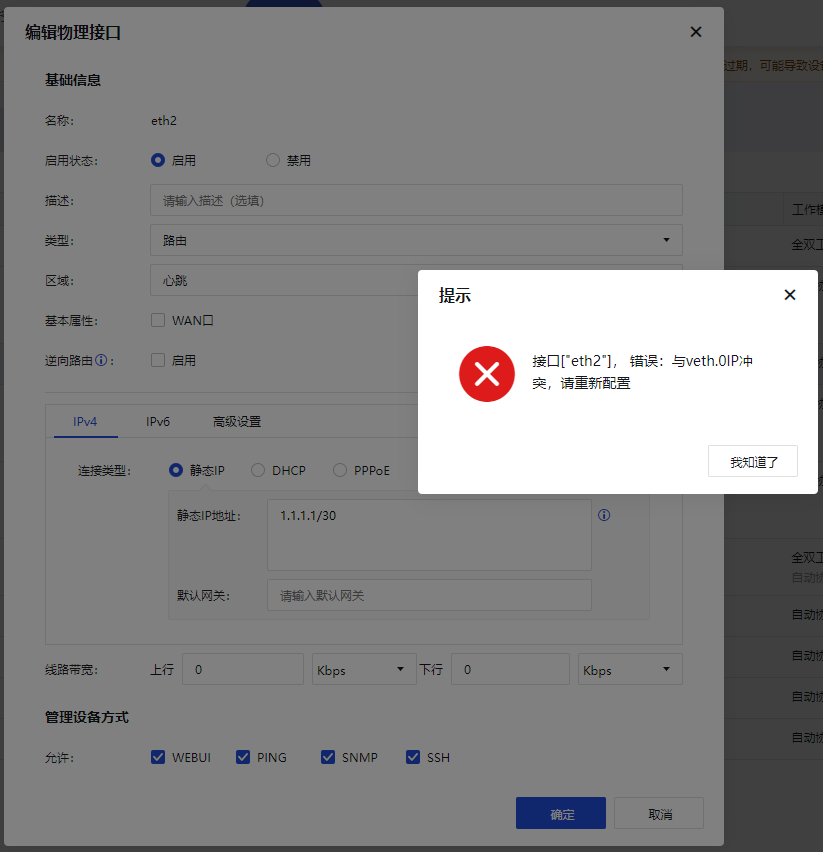
When we configure AF High availability, Heartbeat Interface IP is usually 1.1.1.1/30… and other IPs. During an experiment, Interfaces IP was configured as 1.1.1.1/30. At this time, the device popped up an error message, and the Interfaces configuration 1.1.1.1 conflicted with the vlan0 IP.
Warning Info
An error Info Interfaces when configuring the interface IP.
1.png (39.53 KB)
Process——
-
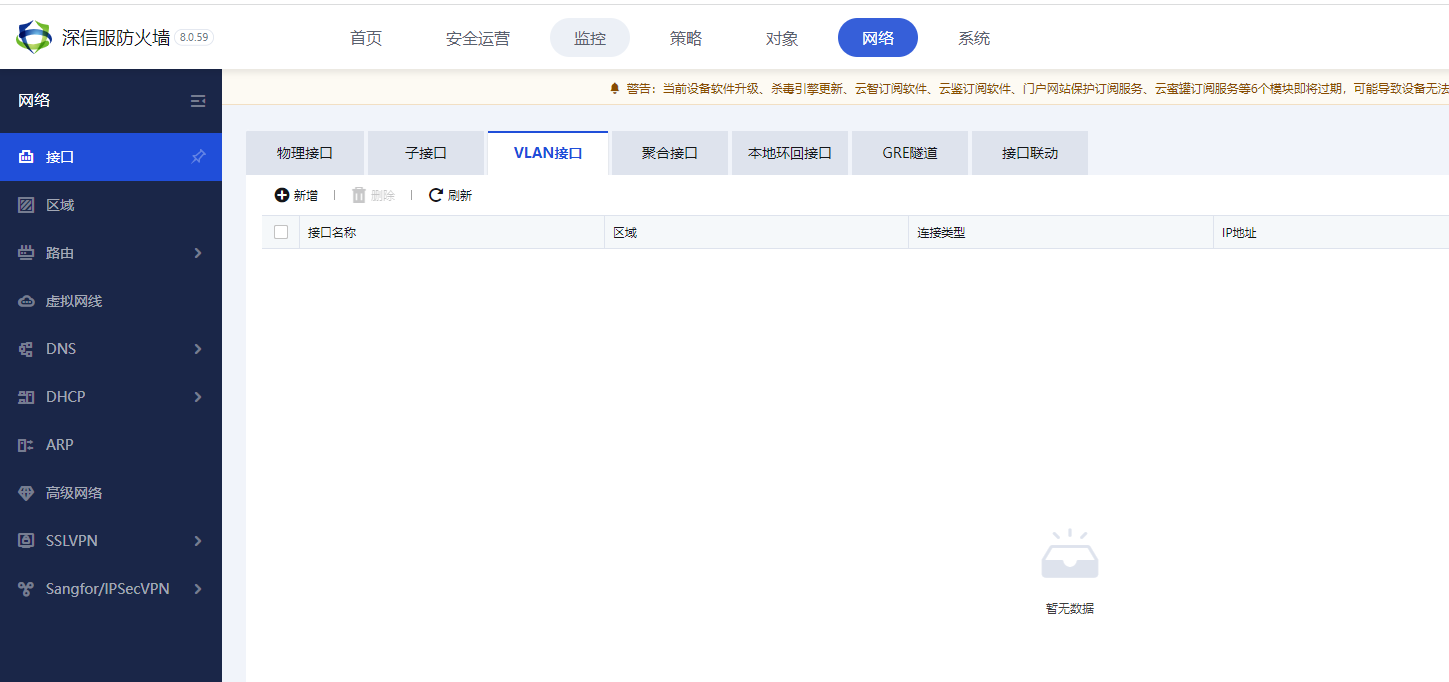
I was confused when I saw this. How could such an error be reported when I had not configured the IP of vlan0? Sure enough, when we clicked on the vlan Interfaces, we found that we had not configured the corresponding vlanIP.
2.png (39.6 KB) -
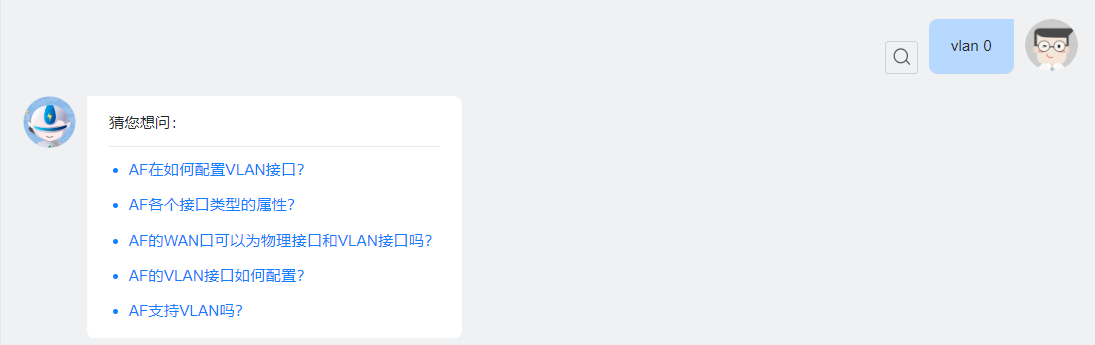
The solution I thought of at this time was to query the community’s intelligent customer service, but when I queried vlan0, it did not give the answer I wanted.
3.png (23.28 KB) -
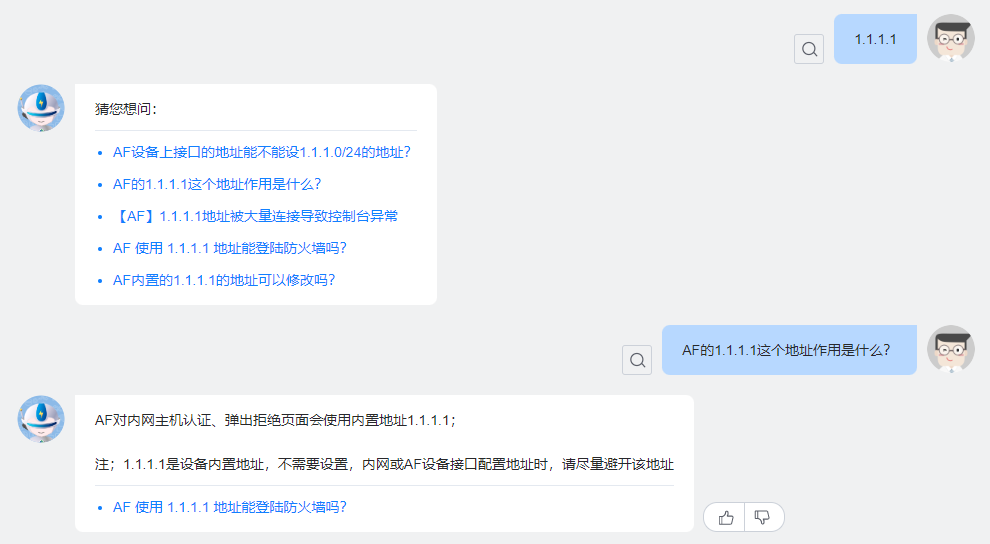
Then I tried searching for 1.1.1.1 again, and sure enough, I found the problem.
4.png (43.53 KB)
Root cause
The address 1.1.1.1 is actually a built-in address of System. Its main function is that when the user enables user authentication in AF, when the user enters http://1.1.1.1 in the browser, it will jump to the user authentication interface.
solution
Now that we have found the problem, we have two options.
The first option is the simplest and most direct method to change an IP for the heartbeat address ** (recommended) **
The second option is to find the place where the device configures the vlan0 address and modify System default address. (This is just for demonstration, no modification is recommended)
The specific location is [System] – [General Configuration] – [Network Parameters].
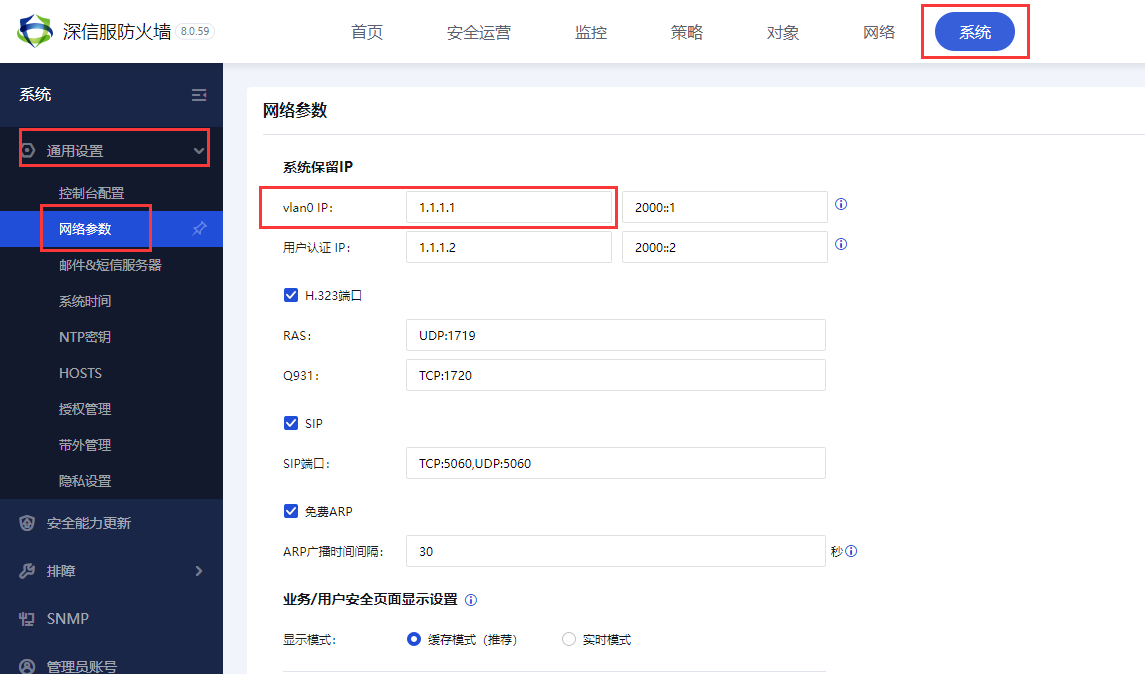
5.png (38.3 KB)
Here we can see that System reserves the IP of vlan 0, and we can modify it directly.
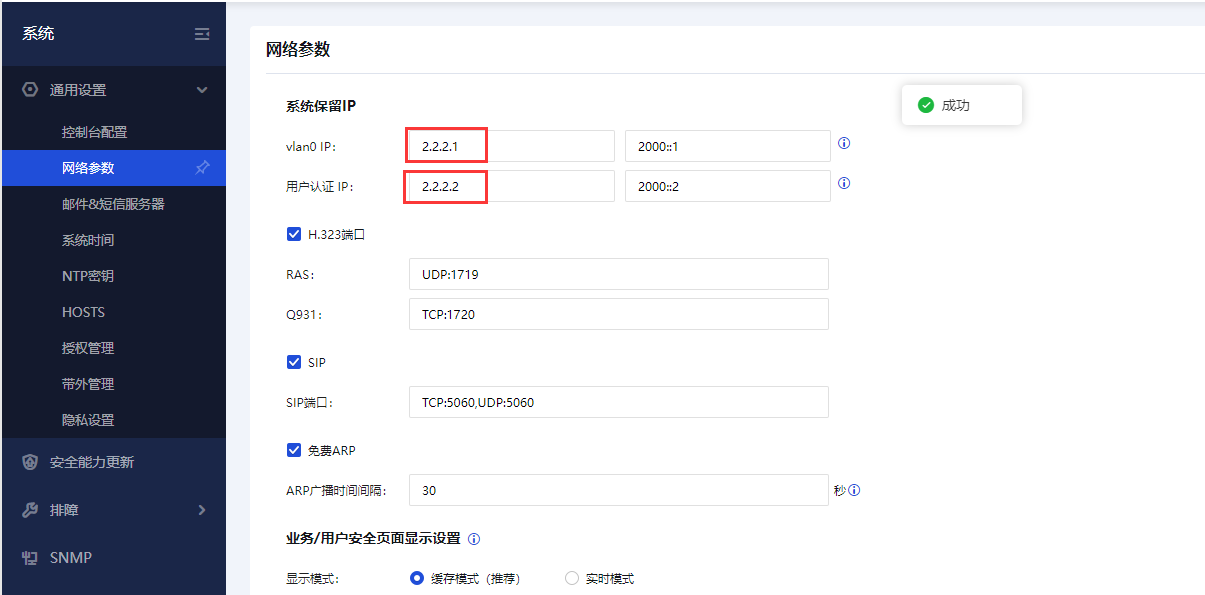
6.png (31.75 KB)
After the modification is completed, return to the Interfaces and reconfigure 1.1.1.1/30. The configuration is successful.

7.png (41.16 KB)
Suggestions and Conclusion
Try not to modify System built-in IP to prevent subsequent maintenance difficulties. However, when there is no other replacement method, we also need to know where to modify the configuration.
Original Link
https://support.sangfor.com.cn/cases/list?product_id=13&type=1&category_id=1866&isOpen=true