
[AF] Interfaces detection of DHCP interface Link State Detection shows fault
Problem Description
AF Layer 3 mode deployment, one external network port is DHCP Obtain IP, configured Link State Detection shows fault
Warning Info
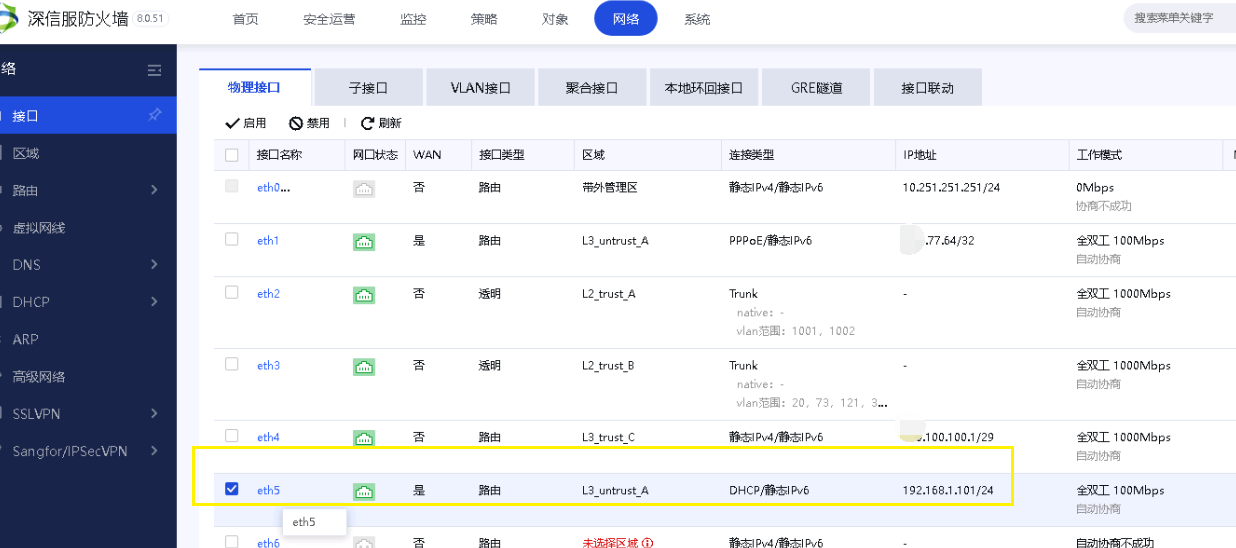
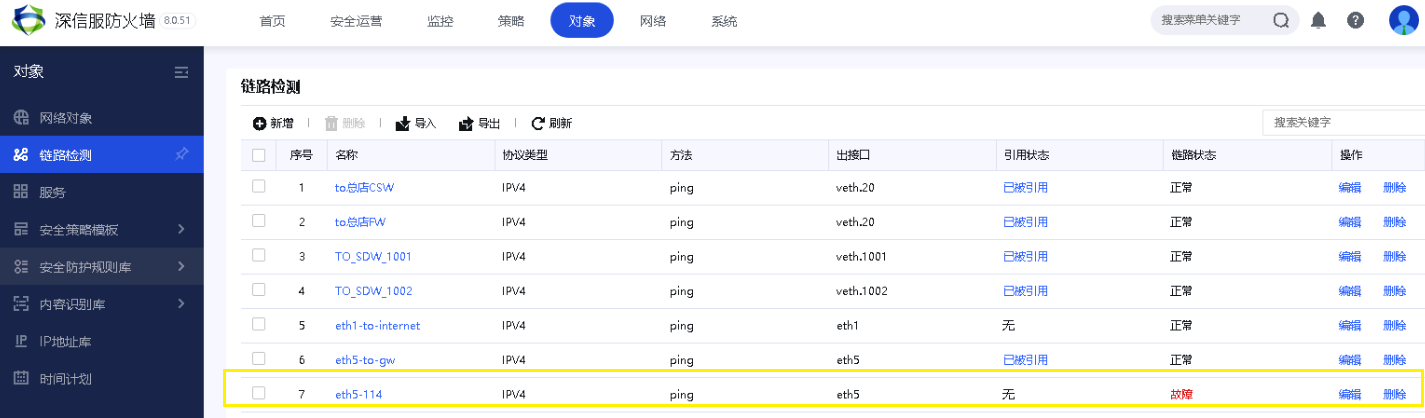
Effective troubleshooting steps
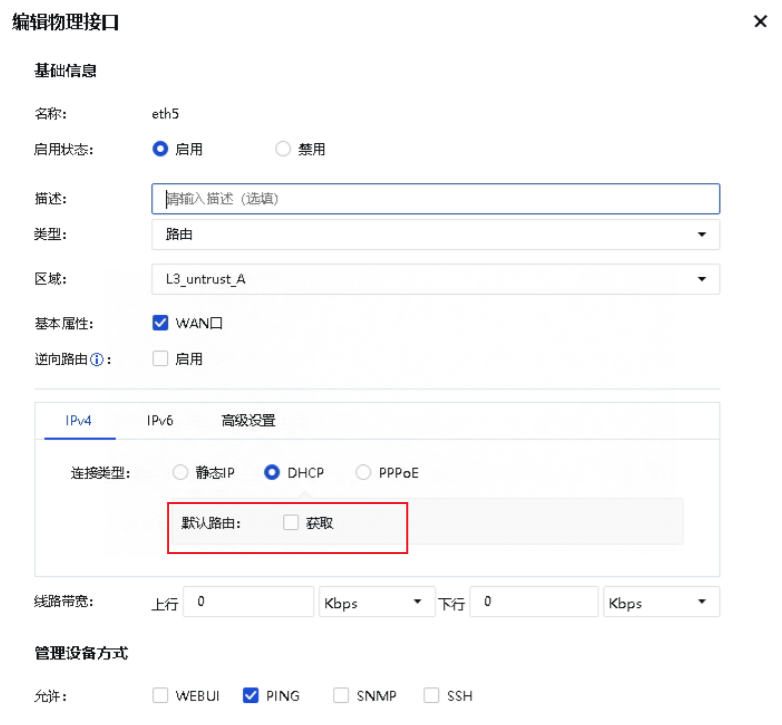
- Check the DHCP Interfaces configuration. No default route is Layer 3. The configured Policies Layer 3 is from the source Zones the intranet to the extranet.
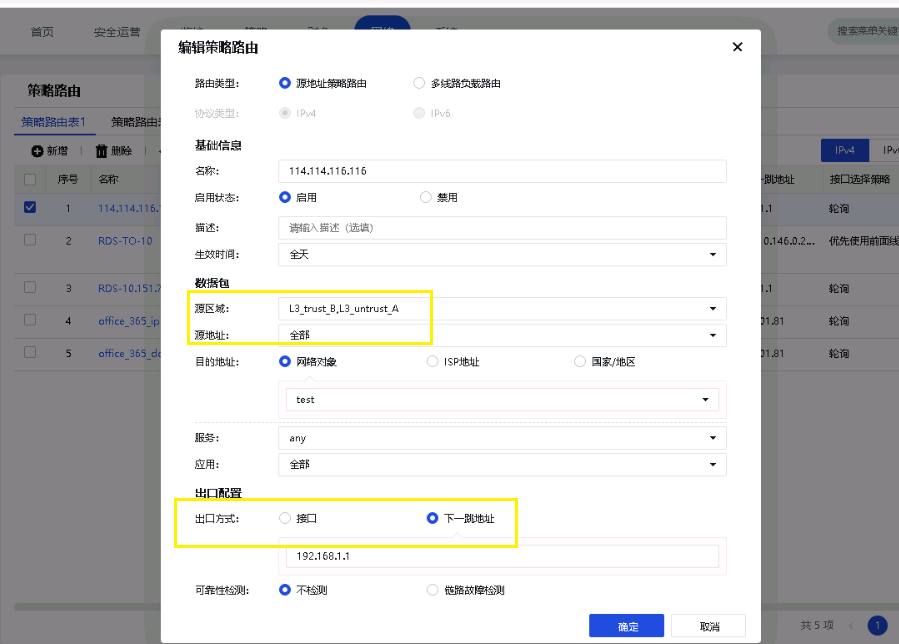
- The device Interfaces Link State Detection will not match the Policies Layer 3 whose source Zones is the intranet port; you need to configure a separate Policies Layer 3, select the DHCP Interfaces Zones as the source area, manually configure the gateway address for the next Next-Hop IP address, and do not select Interfaces.
Link State Detection is restored to normal
Root cause
DHCP does not generate a default Layer 3, so you need to configure Policies Layer 3 to match the detection. The source Zones the Policies Layer 3 needs to select the DHCP Interfaces Zones, and select manual configuration of the Next-Hop IP (do not select the Interfaces, because the next route of the DHCP port is not effective)
solution
Configure Policies Layer 3 to match detection. The source Zones the Policies Layer 3 needs to select the DHCP Interfaces Zones, and select the Next-Hop IP to configure (do not select the Interfaces, because the next route of the DHCP port is not effective)
Operation Impact Scope
None
Original Link
https://support.sangfor.com.cn/cases/list?product_id=13&type=1&category_id=1850&isOpen=true