
[AF] Interfaces linkage causes the backend ifconfig to not see Interfaces
Problem Description
Customers reported that the 10G optical port connection was not lit and data was not transmitted.
Warning Info
Check the console and find that the interface is not UP after Interfaces the cable
Effective troubleshooting steps
- Coordinate with the customer to unplug the module and power off for 5 minutes before restarting and no network port is seen
- The device backend ifconfig does not see the faulty network port (ETH4 port in the picture, PS: this picture is reproduced later, not the customer optical port)
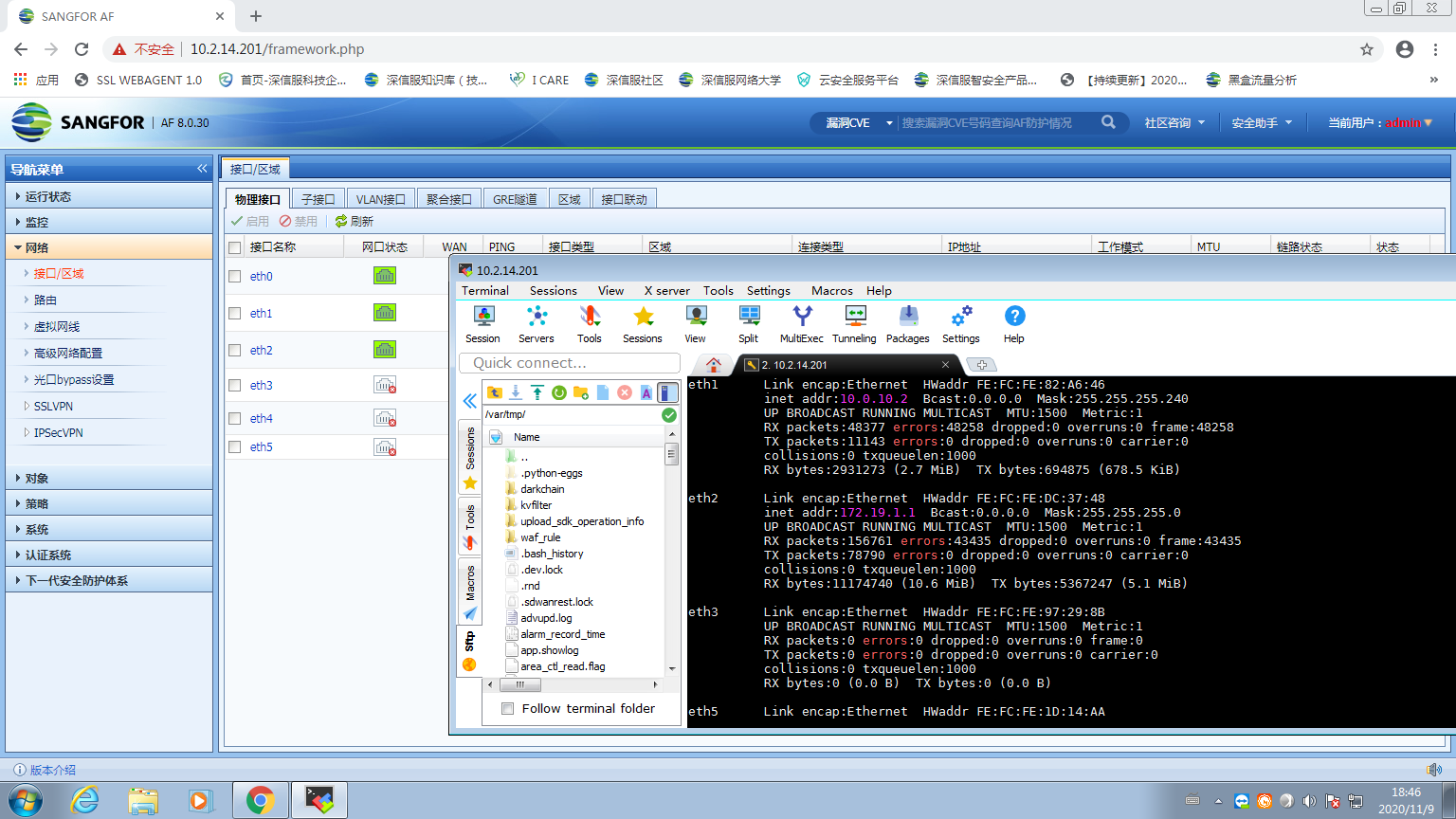
Interfaces does not Sensitive (192.27 KB)
3.ifconfig -a checks the network port and finds eth4
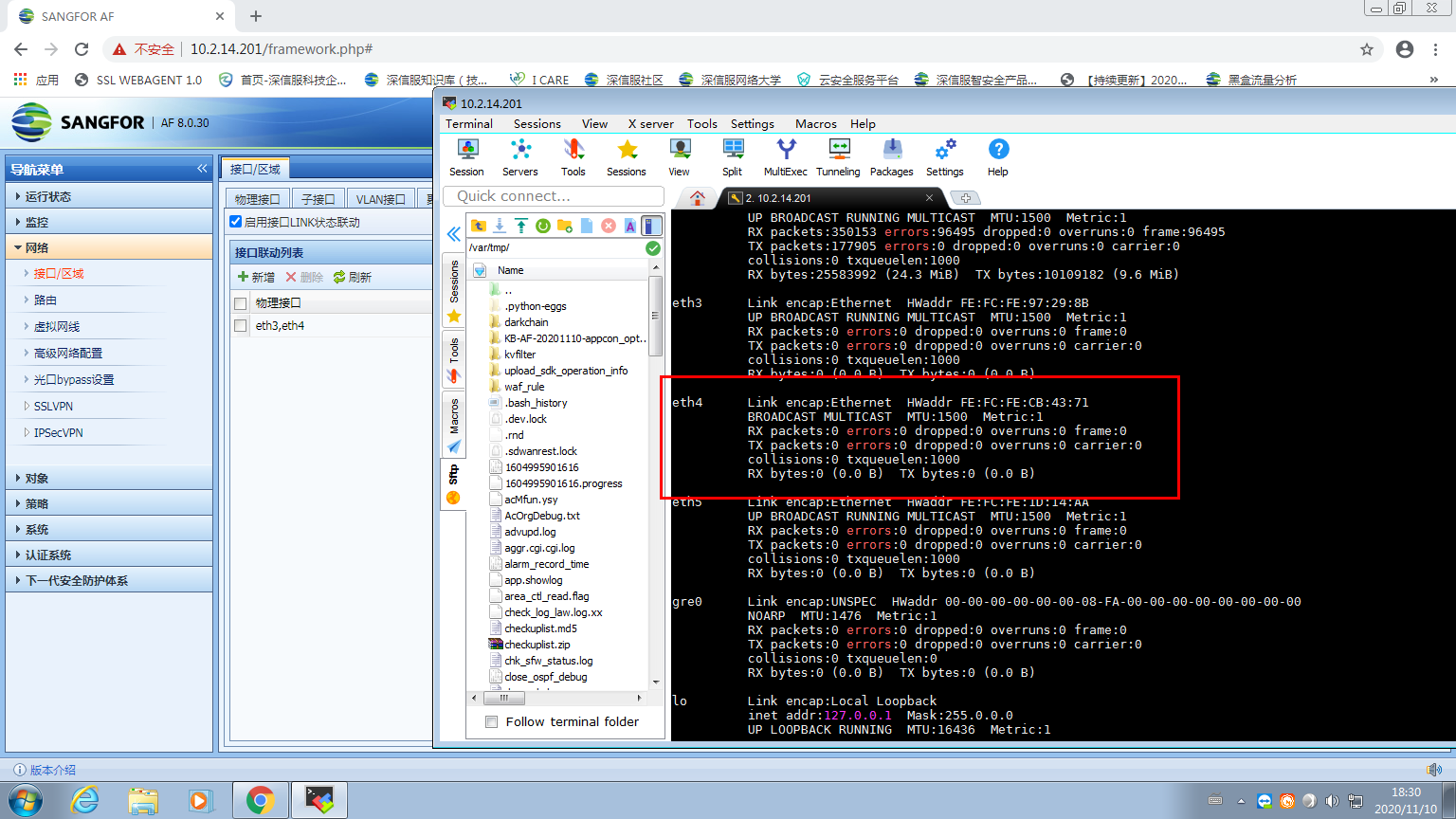
ifconfig -a.png (194.41 KB) - Check the device configuration and find that there is configuration Interfaces
Root cause
The device has Interfaces enabled, causing the background optical port to be closed:
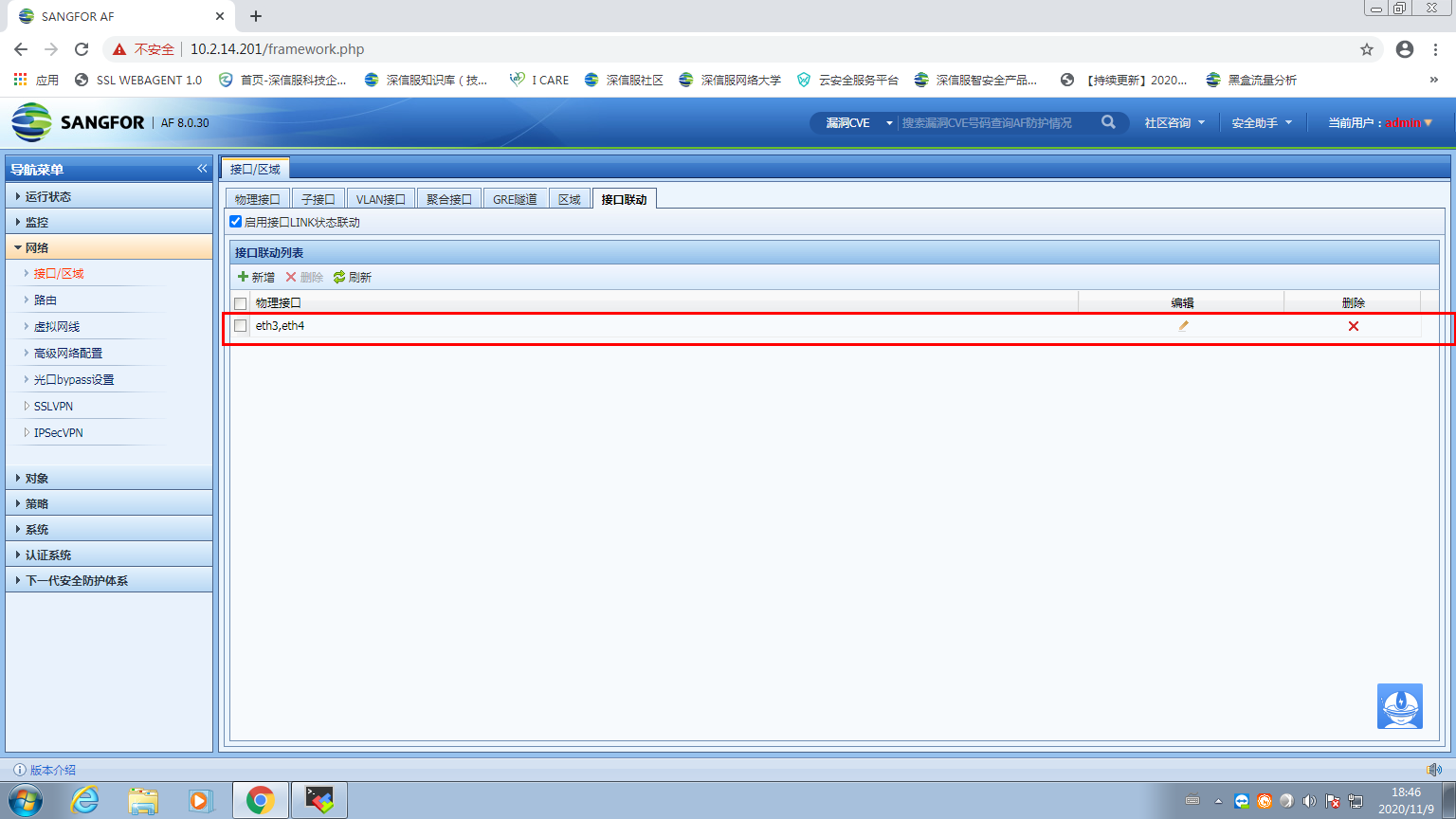
Interfaces linkage.png (124.38 KB)
After deleting the network port linkage configuration, the network port is restored:
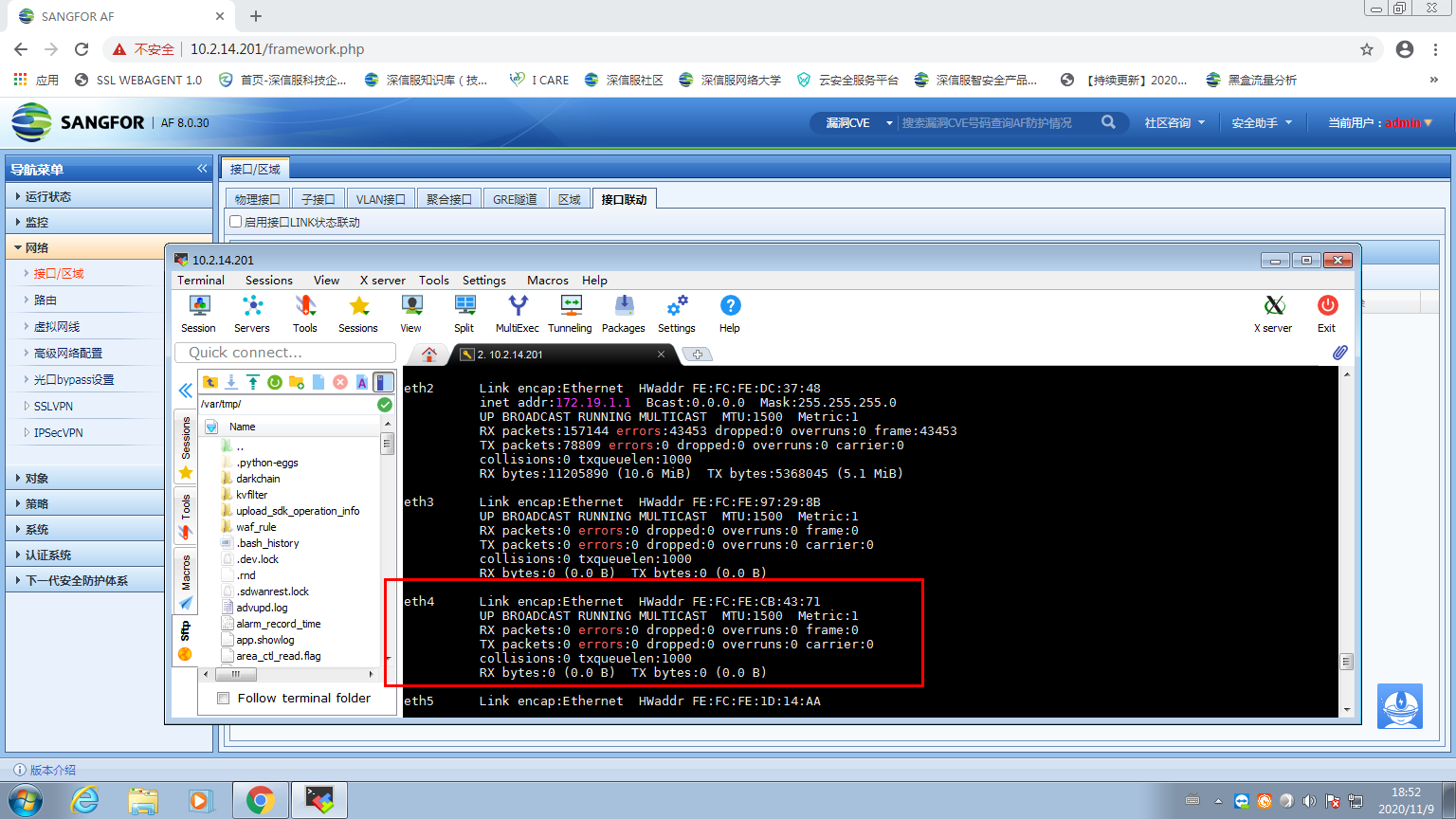
solution
Delete or disable the network port linkage solution
Suggestions and Conclusion
Next time you troubleshoot, you can check the configuration according to typical cases. Don't just think it's an interface problem when you see something strange in the background and you can't see the Interfaces.
Original Link
https://support.sangfor.com.cn/cases/list?product_id=13&type=1&category_id=1021&isOpen=true