
[AF] IP Address are IP Blocking and blocked, and many attack logs are Logs
Problem Description
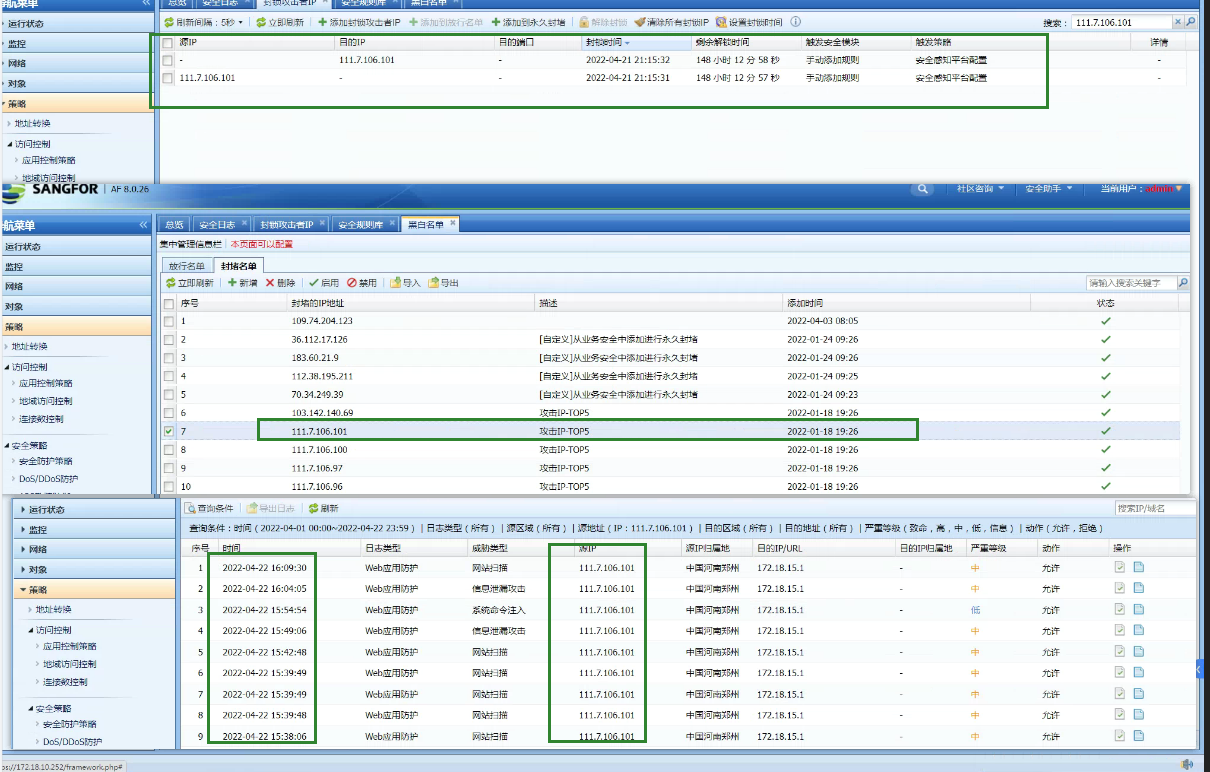
I added a public IP address of an attack to the Blacklist and IP Blocking in AF, but I still saw many attack Web App FirewallLogs
Warning Info
Root cause
- Find a PC in the intranet whose data will pass through this Local and test ping this address. After troubleshooting, you can find that it does match the Blacklist rejection.
- Since attack Logs are generated irregularly, a packet capture script is placed on the Local. When an attack log is found, all interfaces on Local cannot capture packets.
- Create an application control Policies prohibit this source IP from accessing all intranets. Turn on logging but still no Logs are generated.
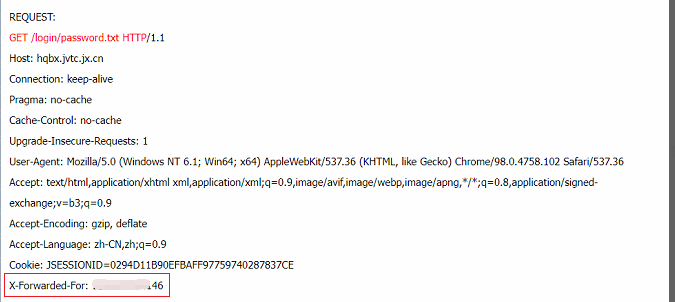
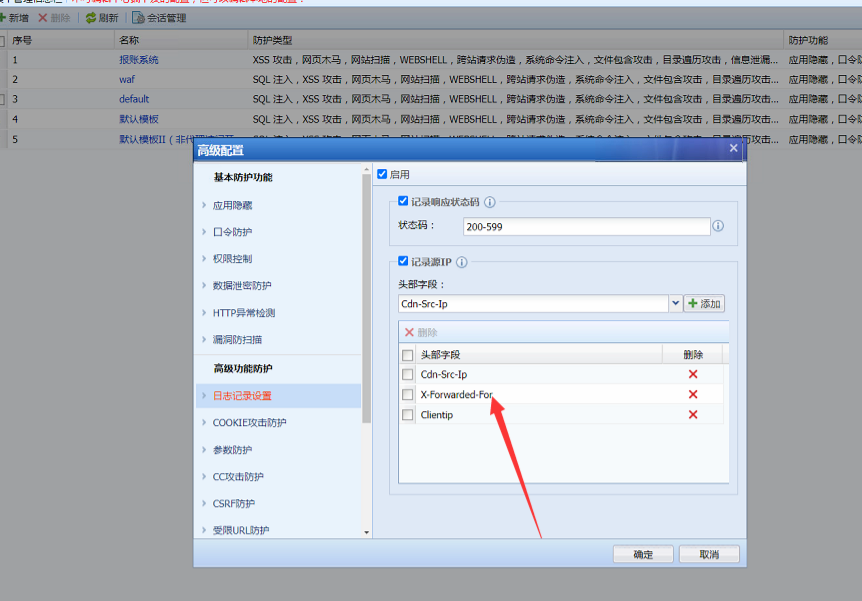
- Sorting out the environment: There is an AD device on the front end that does virtual Services. Checking the log data packet content of the Local, it is found that the source IP is the XFF IP, and the corresponding Policies template also opens the XFF field record, so Blacklist and IP Lockout are not effective.
solution
1.AF8.0.48 starts to support blocking XFF addresses
2. You can add the XFF field device on the front end to blacklist the XFF address
Operation Impact Scope
Adding an IP to Blacklist will deny all access data from that IP
Original Link
https://support.sangfor.com.cn/cases/list?product_id=13&type=1&category_id=1627&isOpen=true