
[AF] IPSEC VPN and Huawei Cloud failed to connect because Huawei Cloud does not support publishing multiple communication Network Segment at one time.
Problem Description
Customers reported that IPSEC VPN and Huawei Cloud failed to connect, and the configurations have been verified to be consistent.
Effective troubleshooting steps
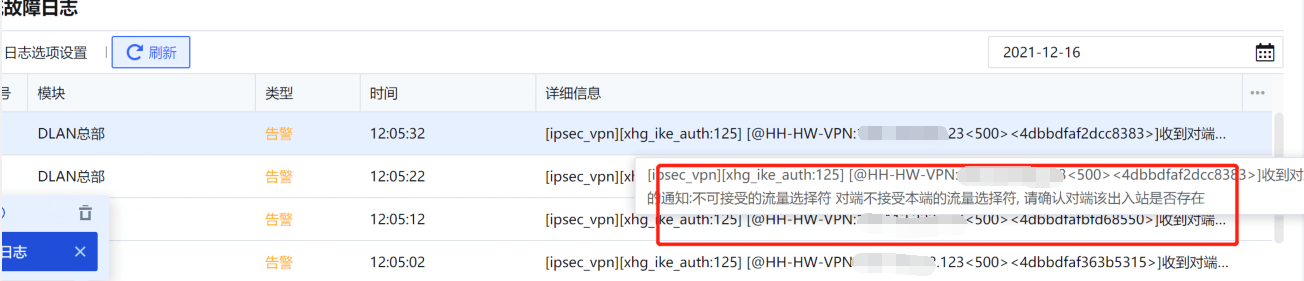
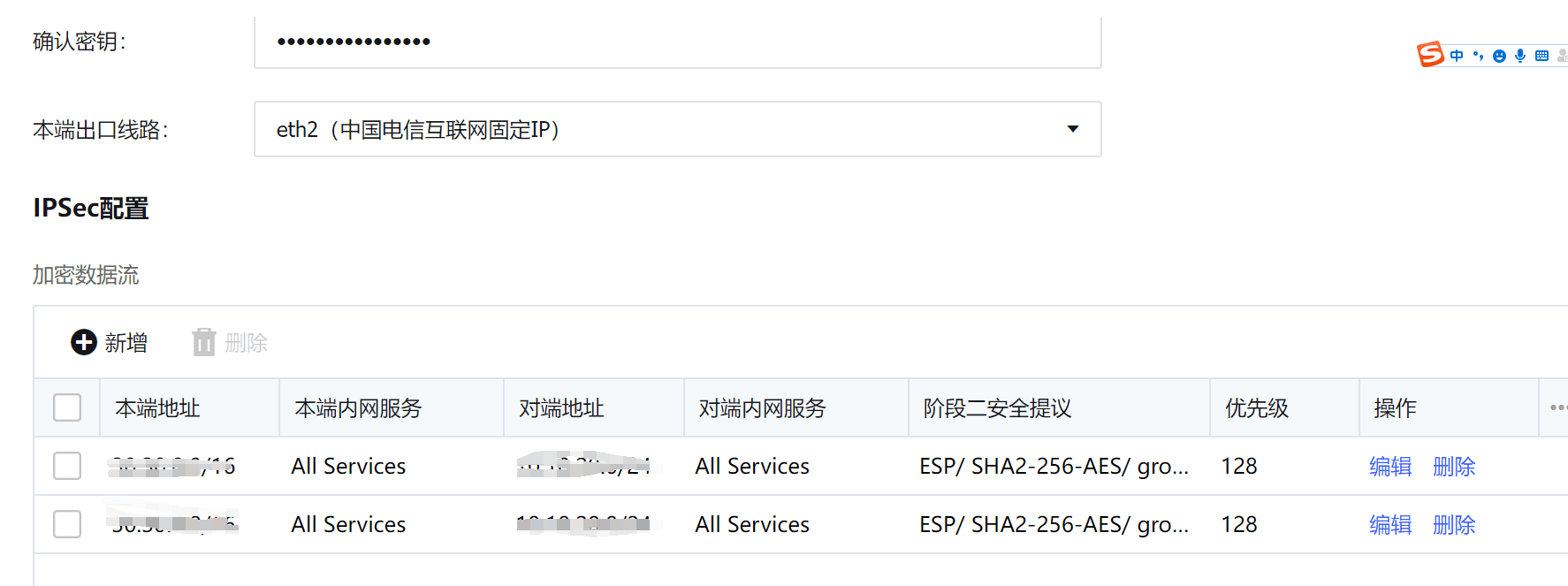
Check that the configurations of both parties are indeed consistent. Further check the System fault Logs and find that Sensitive alarm Logs showing unacceptable traffic selectors. The other end does not accept the local traffic selector. After coordinating with Huawei Cloud engineers to investigate and locate the problem, we found that Huawei Cloud only supports one Policies declaring one Network Segment, and does not support the same Policies declaring two Network Segment.
Root cause
The Huawei Cloud IPSEC VPN module does not support declaring multiple Network Segment at one time. To declare multiple Network Segment, you must create new Policies.
solution
Create a new policy for each Subnet Network Segment.
Suggestions and Conclusion
When connecting to IPSEC VPN on Huawei Cloud, an unacceptable traffic selector is displayed. The other end does not accept the traffic selector on this end. The network Network Segment must be announced one by one.
Original Link
https://support.sangfor.com.cn/cases/list?product_id=13&type=1&category_id=1427&isOpen=true