
[AF] IPSEC VPN connection failed, System fault log reports: “Please confirm whether the domain name is correct”
Problem Description
In aggressive mode, the IPSEC VPN fails to connect when the local egress is a fixed IP and the peer egress is a dynamic IP.
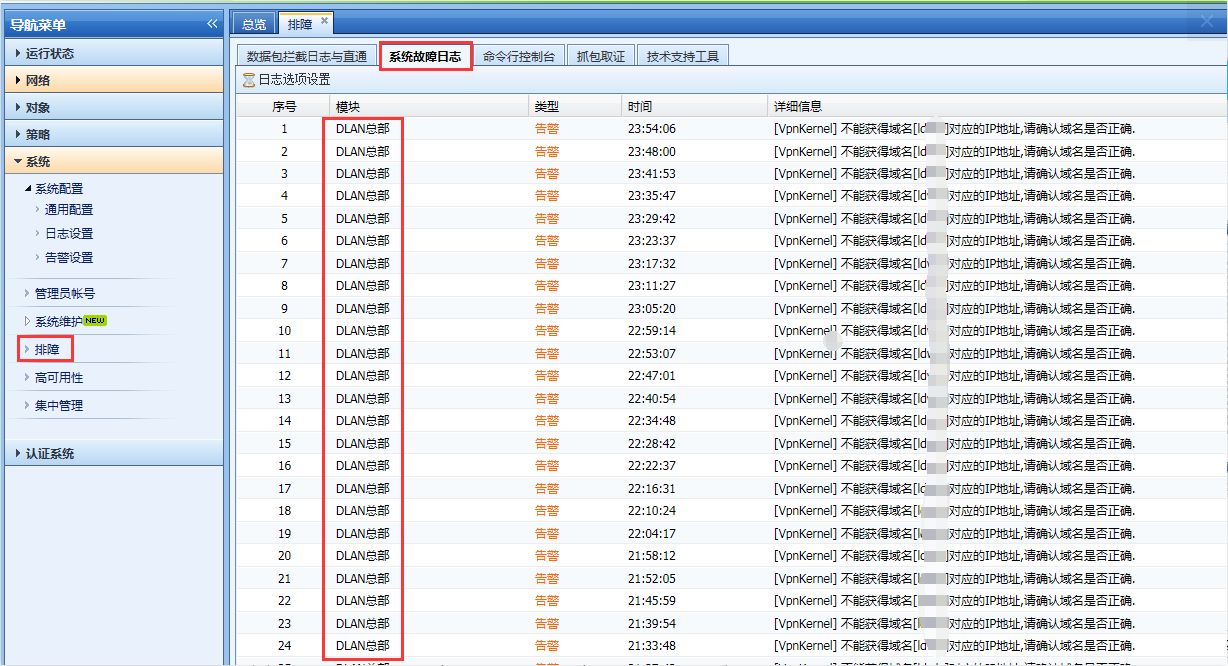
Warning Info
There are the following warning Info
201425c307d0460163.png (193.08 KB)
Process——
- Check the configured domain name
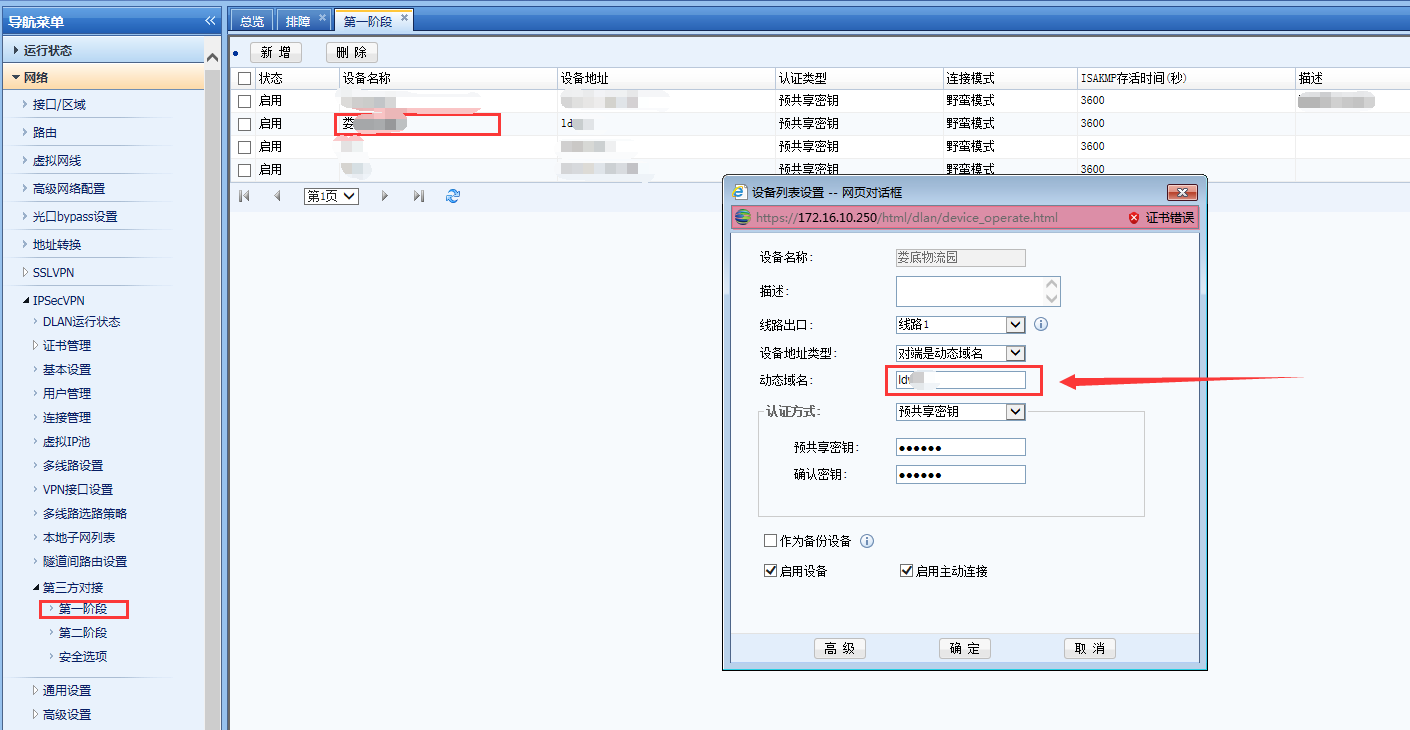
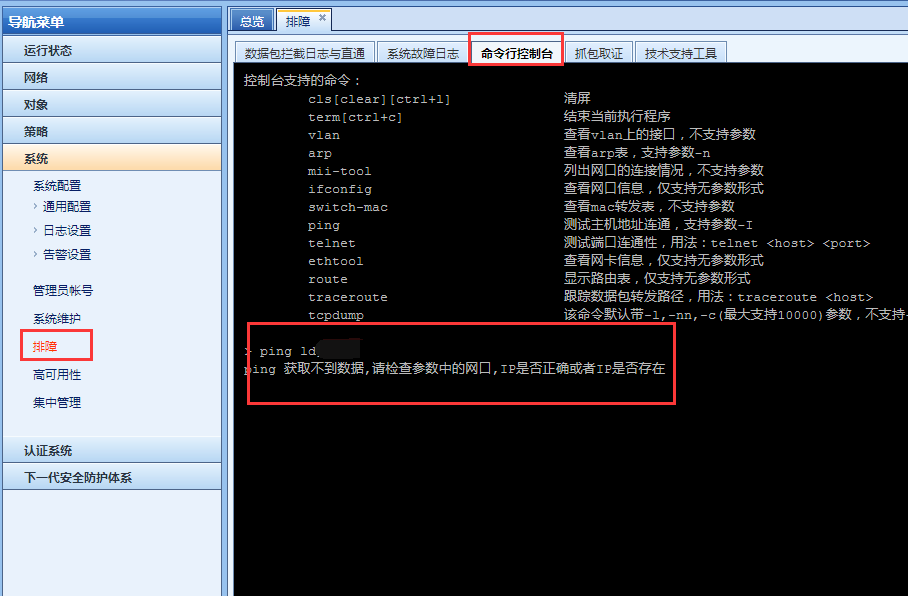
968905c3c8eec94c43.png (95.82 KB) - AF cannot resolve the IP address corresponding to the domain name
527905c3c8f89eb7cc.png (83.25 KB)
Root cause
The domain name is filled in incorrectly, so the IP address corresponding to the domain name cannot IP Address
solution
-
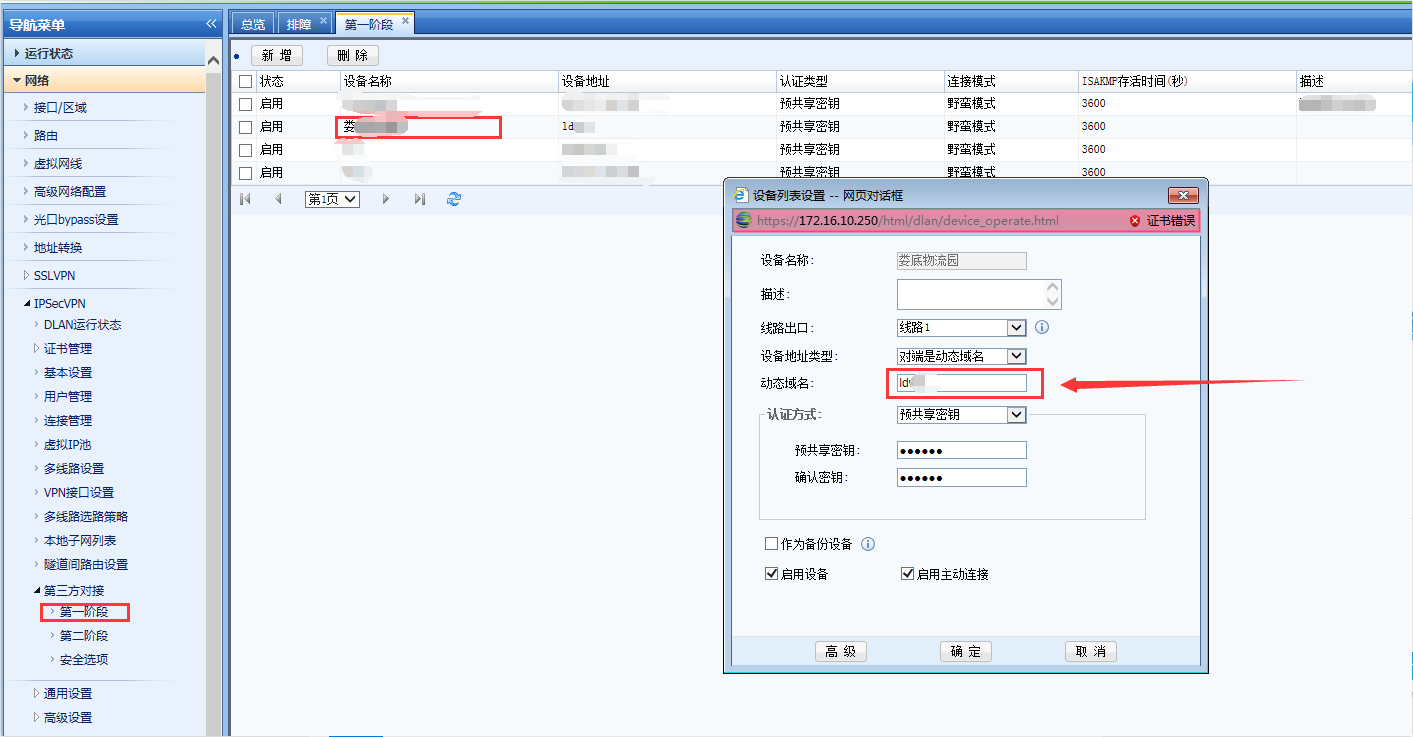
Fill in the correct domain name
310345c307d149e61f.png (97.47 KB) -
Or if the local external network is a fixed IP, you can let the other end actively connect to the local end, uncheck the active connection of the local end, and let the third-party device actively connect
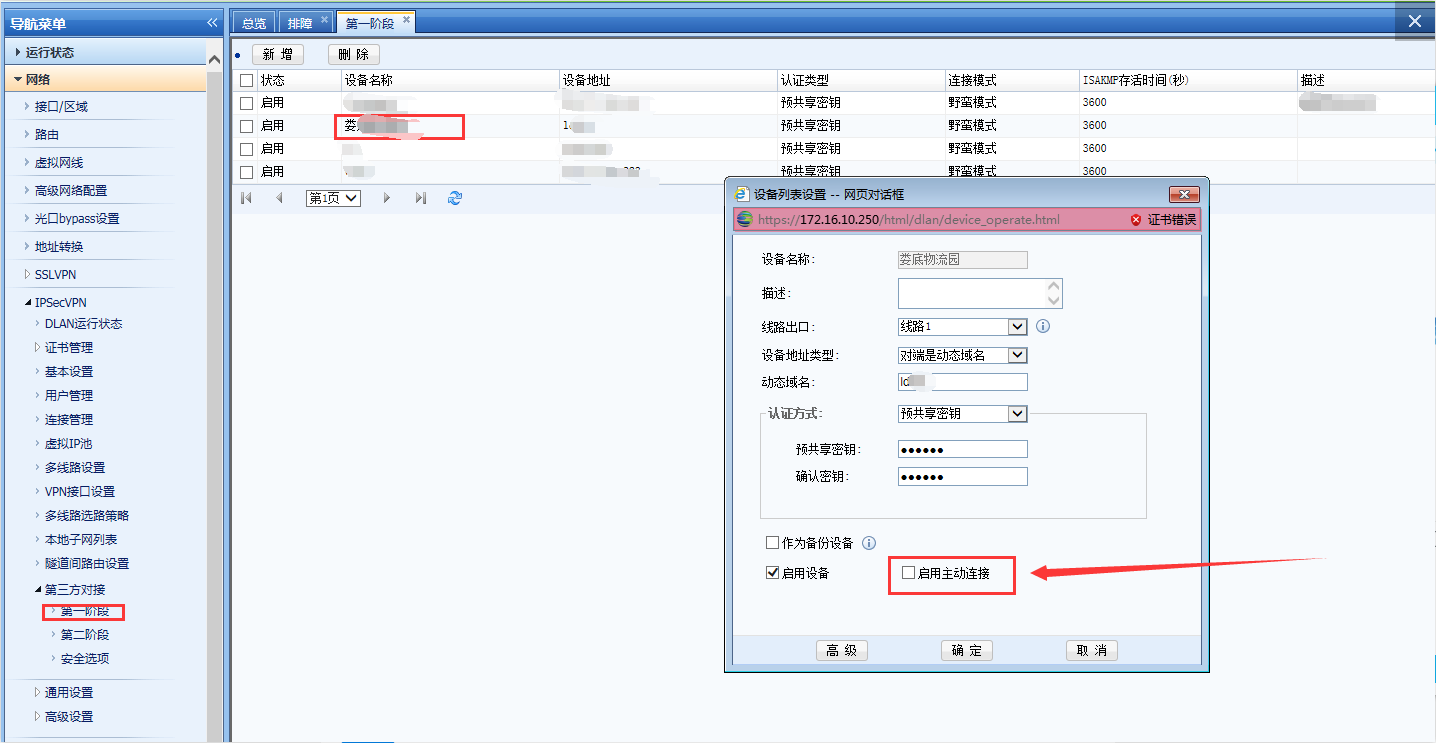
357365c307d2092fcf.png (98.8 KB)
Original Link
https://support.sangfor.com.cn/cases/list?product_id=13&type=1&category_id=630&isOpen=true