
[AF] IPSec VPN not working due to key error | Invalid data packet received
Problem Description
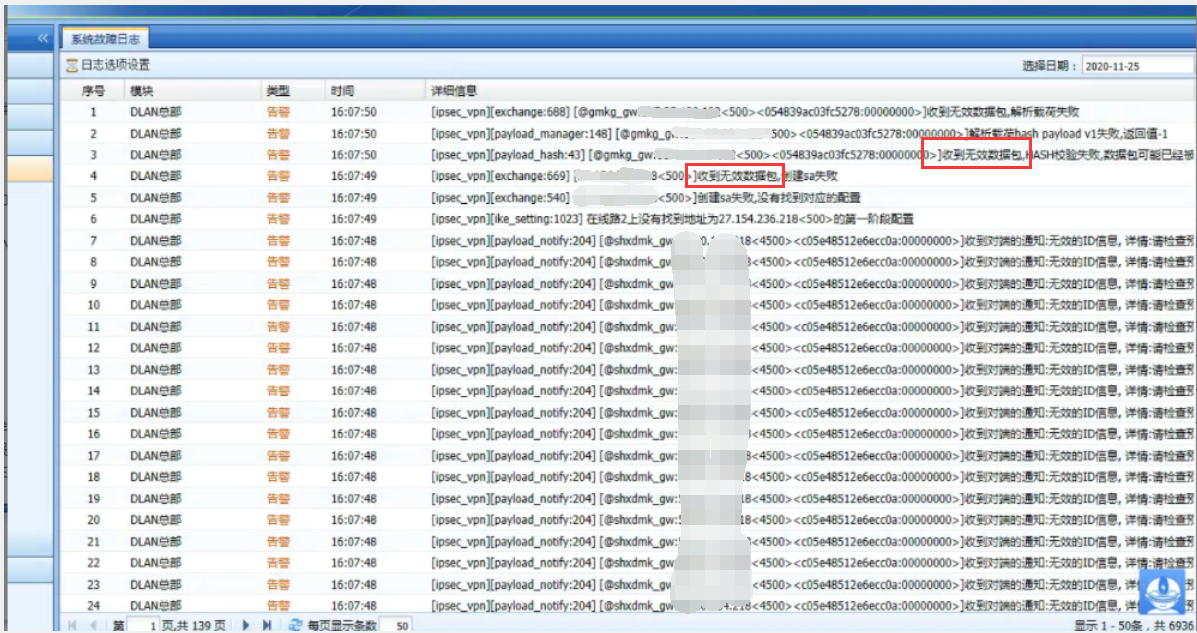
IPSec VPN is suddenly interrupted and an error message is given saying that an invalid data packet was received.
Warning Info
Effective troubleshooting steps
- In the aggressive mode, the System fault log indicates that an invalid packet was received and the Local is not deployed as an egress.
- Capture packets on the peer end and the Local. The data packet indicates that Local has not responded to the third packet and the third packet is not Aggressive.
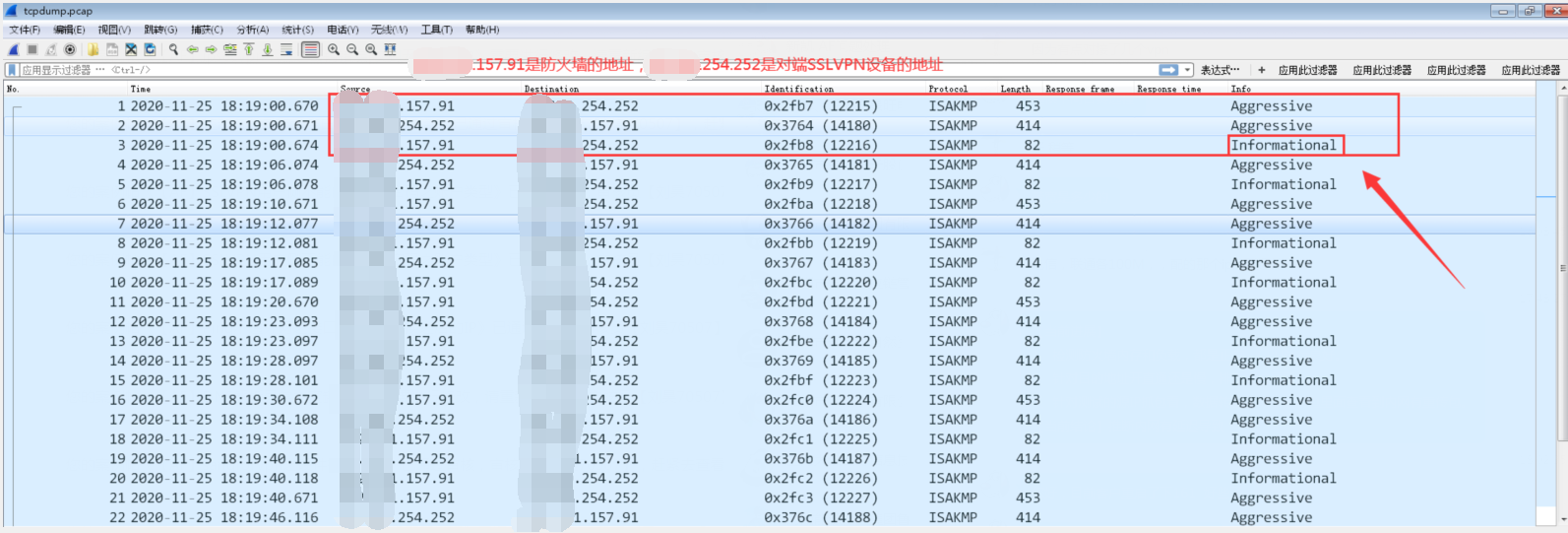
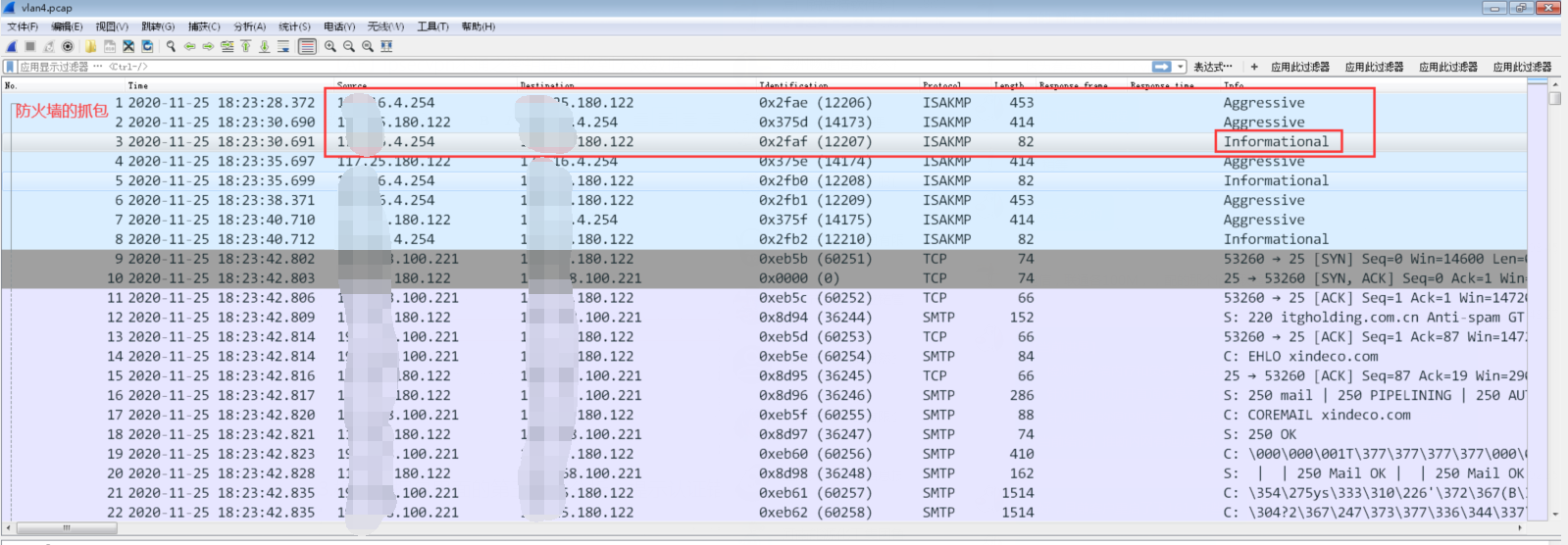
- According to the analysis of the third packet in the data packet, it is prompted that the Authentication error occurs. Re-enter the keys on both sides to make them consistent to restore to normal.
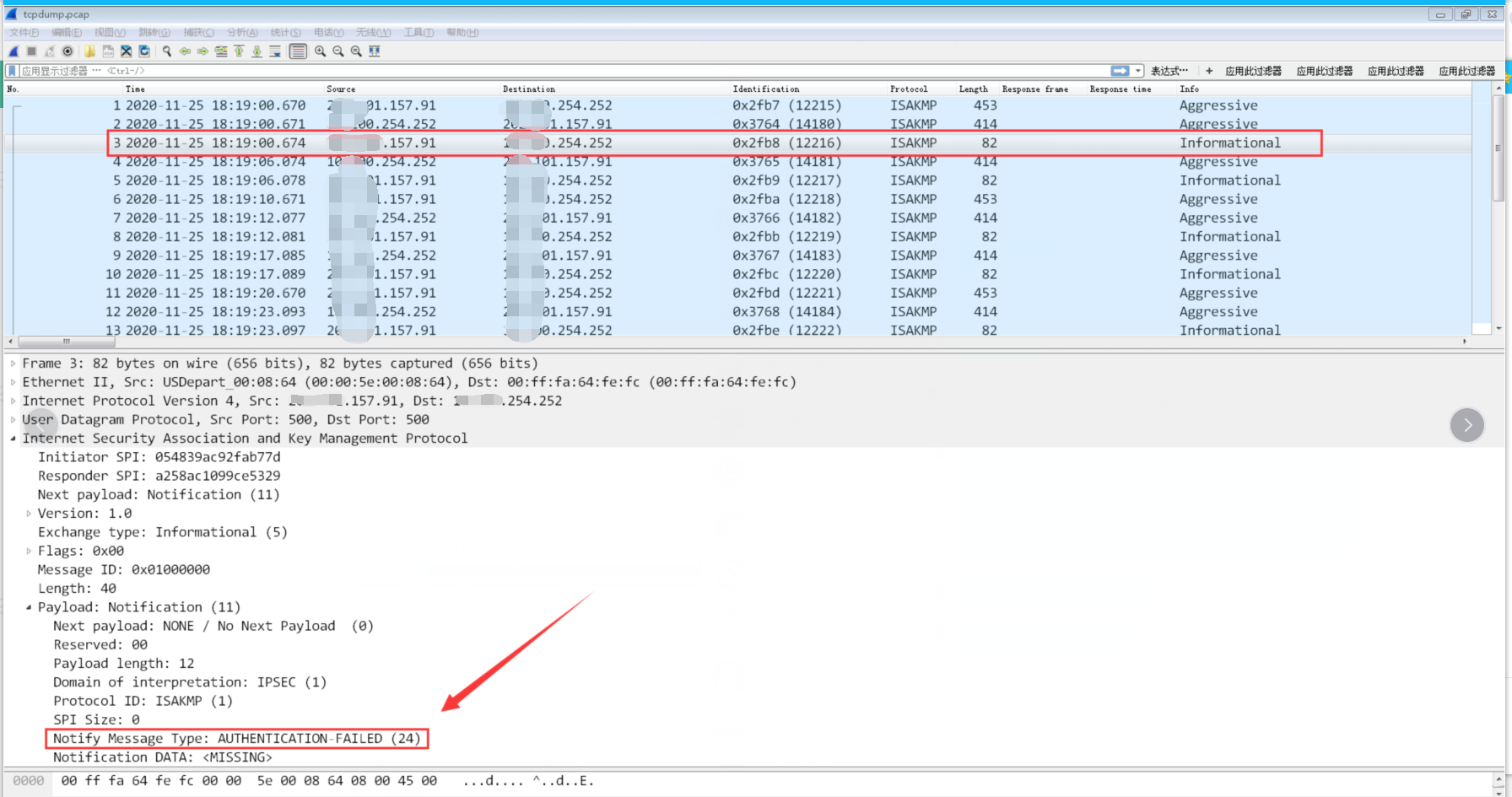
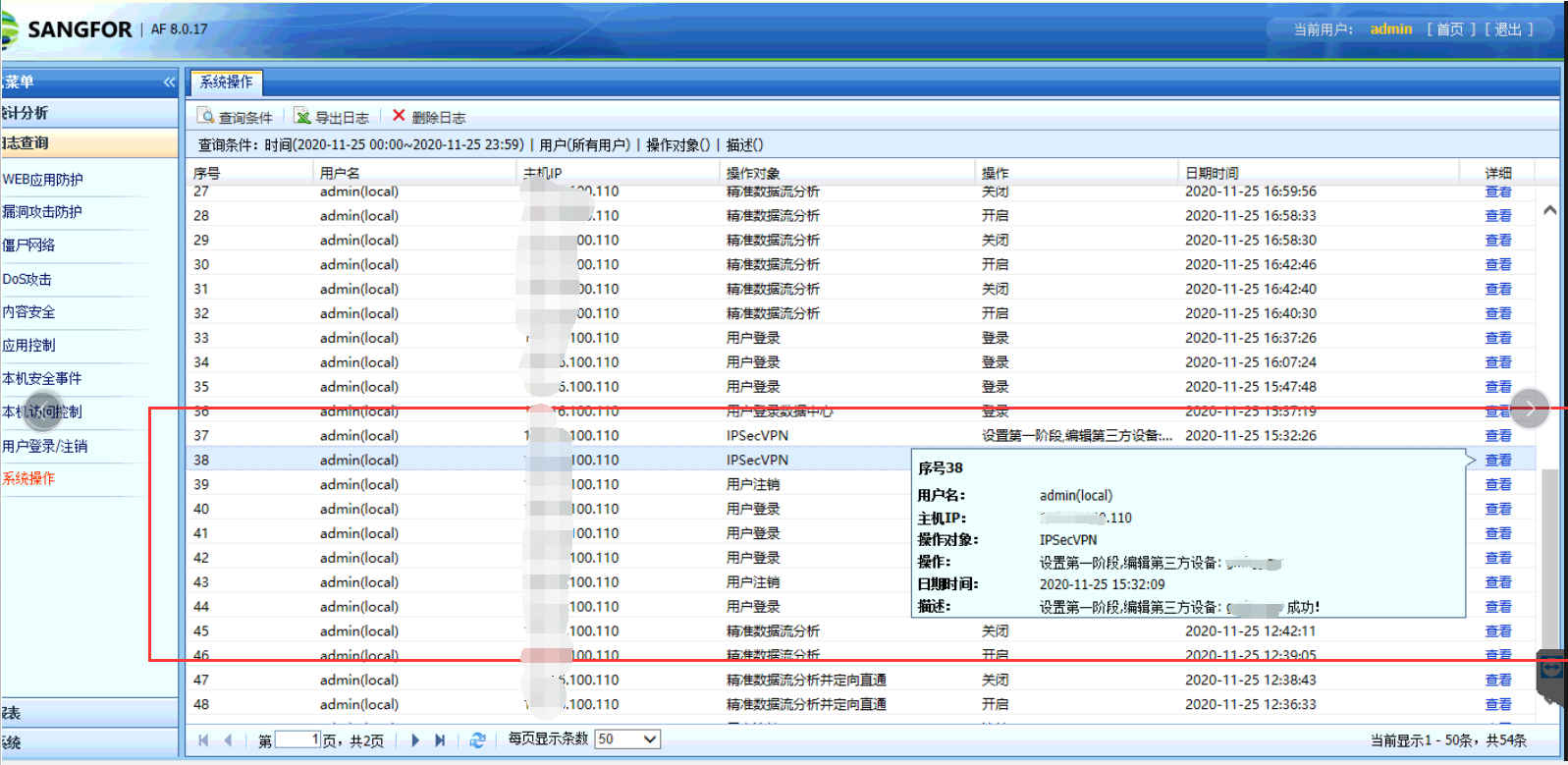
- Check the Admin Operation Logs to see if there are any operations that have modified the VPN.
Root cause
Inconsistency between the keys on both sides leads to VPN establishment failure
solution
Just modify the key again
Suggestions and Conclusion
It would be better if the error report provided by the System log is clearer
Original Link
https://support.sangfor.com.cn/cases/list?product_id=13&type=1&category_id=1050&isOpen=true