
[AF] Local lost the security module log, but the corresponding IP Blocking was recorded in the Logs
Problem Description
Local lost Security Logs for nearly half a month, but the corresponding IP Blocking Logs recorded risk Info.
Effective troubleshooting steps
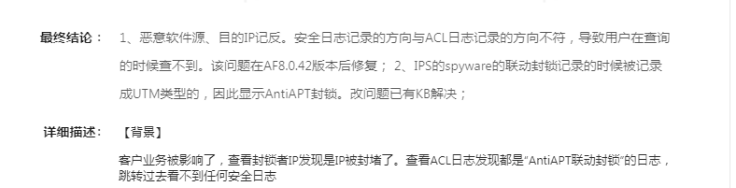
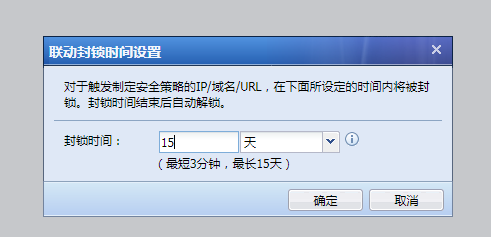
Through investigation, it was found that the customer set a filtering condition for the source IP. No logs could be found by searching for the risk IP that was IP Blocking Logs. However, the corresponding Security Logs could be found by searching for the risk IP globally, but the source IP Address was different from the IP Blocking Logs. After consulting R&D, we confirmed that this was due to the IP Blocking the spyware type of malware, which was attributed to UTM. This results in the source being reversed. However, the customer discovered that the security module log did not record any attacks from the risky IP for more than 10 days. The customer confirmed that the risky attack IP had always been attacking. I continued to check the configuration and found that it was because the IP Blocking time was set to 15 days. Confirm with R&D that the data flow of the IP that is blocked will no longer pass through the Security Logs log module after the linkage IP Blocking, so Security Logs module will no longer generate Security Logs during the temporary IP Blocking time of the risky IP.
Root cause
The data flow of the IP that is IP Blocking will no longer pass through the security module after the linkage IP Blocking, so the Security Logs module will not generate security logs when the risky IP is in the temporary IP Blocking period.
solution
After communicating with the customer about the IP Blocking mechanism, the customer confirmed that there was no problem.
Original Link
https://support.sangfor.com.cn/cases/list?product_id=13&type=1&category_id=1430&isOpen=true