
[AF] “Malicious link library” cannot be seen in [Library Upgrade] in AF5.1 version
Problem Description
The "Malicious Link Library" serial number has been opened in AF5.1 version, but the corresponding library function cannot be seen in [Library Upgrade].
① Take the operation path of the standard version AF7.3 as an example: the malicious link library can be viewed in [Maintenance] – [System Update] – [Library Upgrade].
② Take the operation path of the standard version AF7.4 as an example: the malicious link library can be viewed in [System] – [Maintenance] – [System Update] – [Library Upgrade].
Root cause
- Malicious link libraries only appeared in AF5.3 version.
- The malicious link library is free starting from AF5.6 version, and previous versions require a serial number to activate.
solution
After upgrading the device to version 5.3 or above, you can see the corresponding library functions in [Library Upgrade].
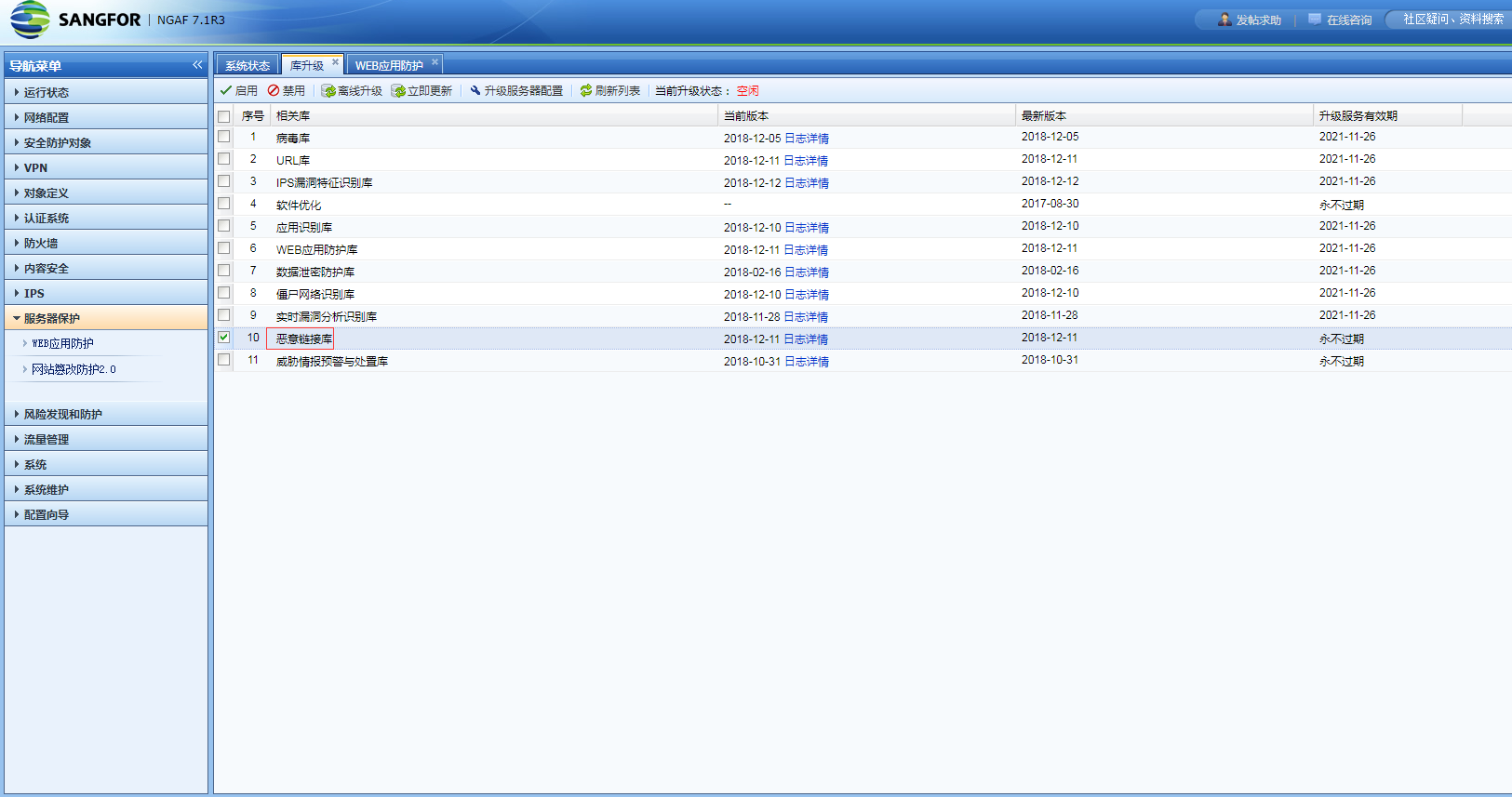
960065c17ca05dd9f1.png (155.21 KB)
① Take the operation path of the standard version AF7.3 as an example: the malicious link library can be viewed in [Maintenance] – [System Update] – [Library Upgrade].
② Take the operation path of the standard version AF7.4 as an example: the malicious link library can be viewed in [System] – [Maintenance] – [System Update] – [Library Upgrade].
Suggestions and Conclusion
Malicious link libraries only appeared in AF5.3 version. If you need to use this function, it is recommended that the version should be AF5.3 or above.
Original Link
https://support.sangfor.com.cn/cases/list?product_id=13&type=1&category_id=582&isOpen=true