
[AF] Map the server to the public network, and the access will jump to the NGAF manager
Problem Description
At the AF exit, a server in the intranet is mapped to the public network for access. During the test, DNAT fails to access Services server. After changing to bidirectional NAT, access to Services server will jump to the NGAF manager.
Effective troubleshooting steps
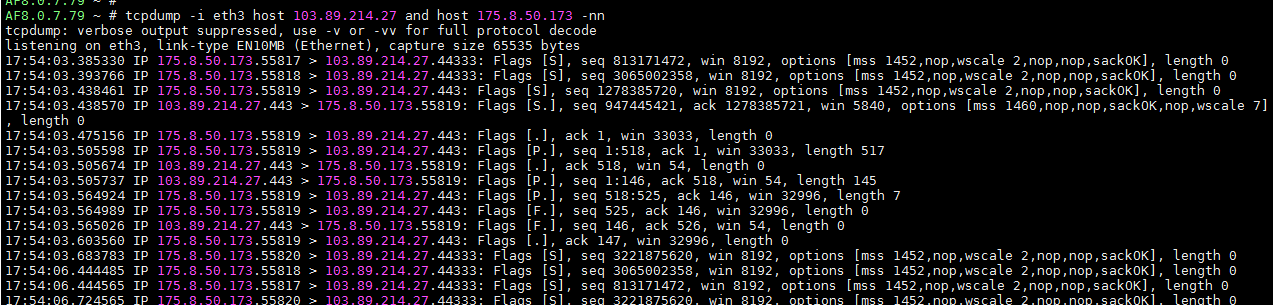
- Capture packets to confirm why DNAT is unavailable. The packet data captured from the AF internal and external network ports are as follows:
AF external network port:
AF internal network port:
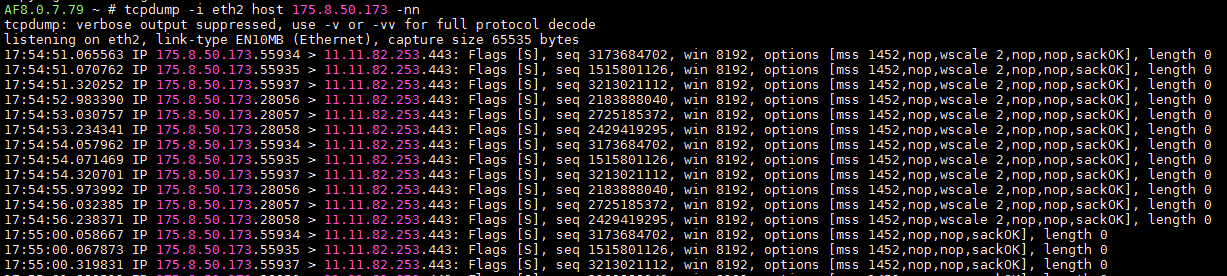
Confirm that Services server did not reply to Services. It may be that the server has source address restrictions. - Troubleshoot why the Bidirectional NAT the AF console after bidirectional NGAF manager
- Check Policies

Policies is fine - Packet capture confirmation
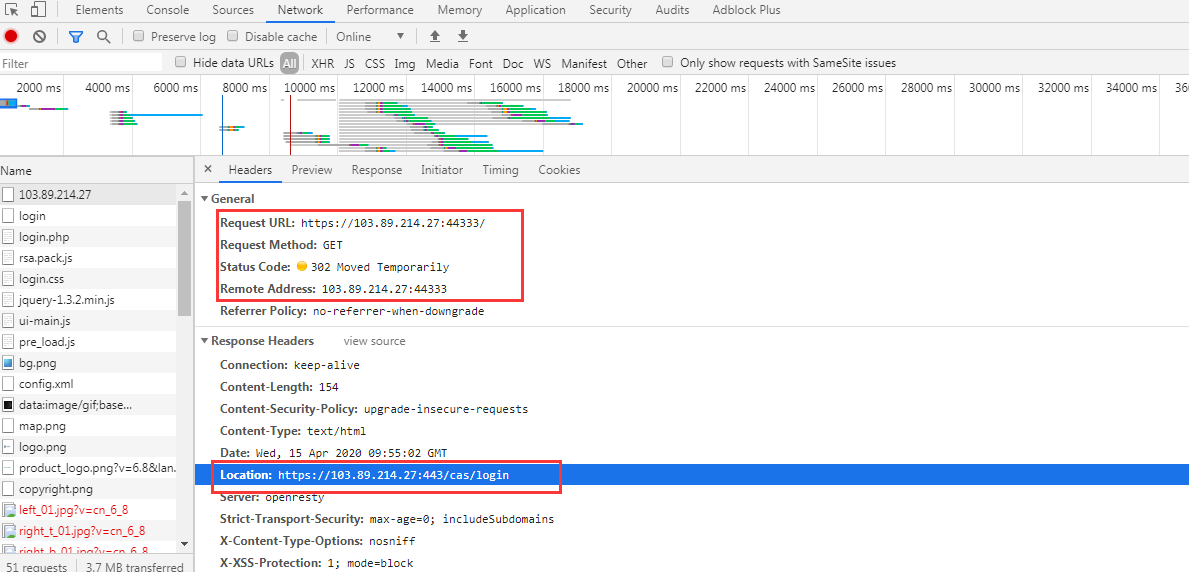
Because it is an HTTPS business, I directly use the browser F12 to view the data and found that when requesting 44333 (server), the server replied 302. The redirected address is the public address of the access address, but the port is 443, plus a directory.
Since Services is HTTPS and no Decryption Policies is configured on AF, there is no way to see the details of the data packets on the internal and external network ports of AF. We can only roughly see the direction of the data flow:
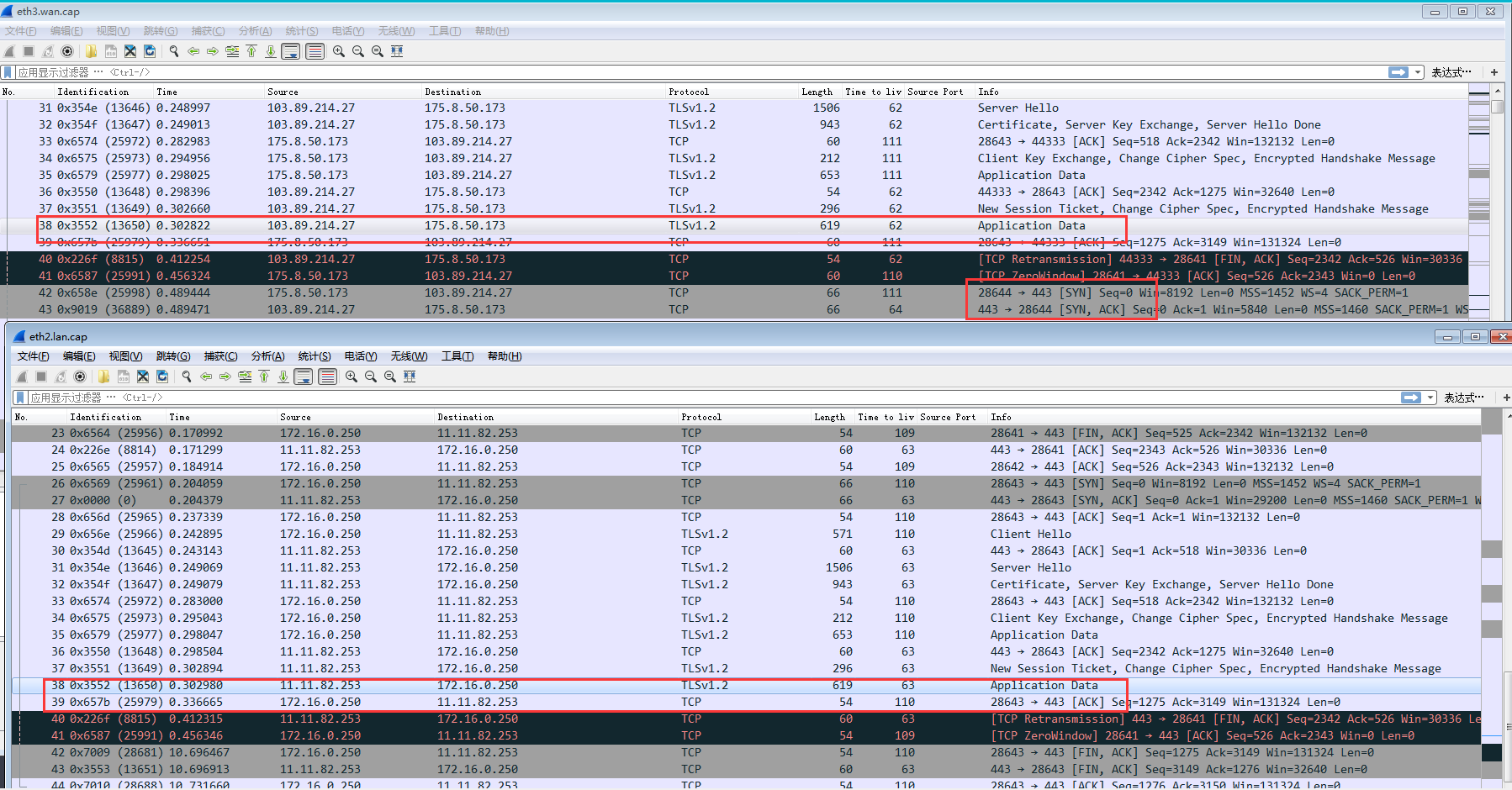
After the internal network port responded with a 619-byte encrypted packet, the terminal terminated the Sessions and requested port 443. Therefore, it is judged that the server replies with a 302 redirect address.
Root cause
Directly get the root directory of the server (IP+port defaults to requesting the server root directory/), and the server will redirect it to the directory 103.89.214.27:443/cas/login. The destination port received by the terminal is port 443 of the AF external network Interfaces. The NAT cannot be matched. 443 is the default listening port of the console, so the console is accessed.
solution
The root of the solution is to avoid the wrong 302, there are two solutions:
- Modify the server code and do not reply to 302 redirection. This requires the customer to contact the website operation and maintenance, which takes a long time. It is better to find a solution from ourselves first.
- Since port 443 conflicts with the console, you can first adjust the AF console port to make room for port 443, such as changing it to port 8443, and then modify the NAT Policies to convert the 443 bidirectional address of the external network port to port 443 of the intranet server. In this way, the new address to which the server replies with a 302 redirect can also be NAT to the intranet.
Communicated with the customer and used the second solution to solve the problem.
Suggestions and Conclusion
Network problems require packet capture to confirm and analyze the data flow. The answer is in the data packet.
Original Link
https://support.sangfor.com.cn/cases/list?product_id=13&type=1&category_id=866&isOpen=true