
[AF] NAT64 conversion does not take effect and conflicts with IPV6 address conversion
Problem Description
AF 8.0.32 configures IPV6toIPV4 conversion Policies, and access to IPV6 address + port from external network is unavailable
Effective troubleshooting steps
- Check that the configuration is correct, there is no matching number in the Policies, and confirm that the IPV6 gift package patch has been installed.
- Direct connection still does not work. AF directly tests the intranet IPV4 address + port and it is OK.
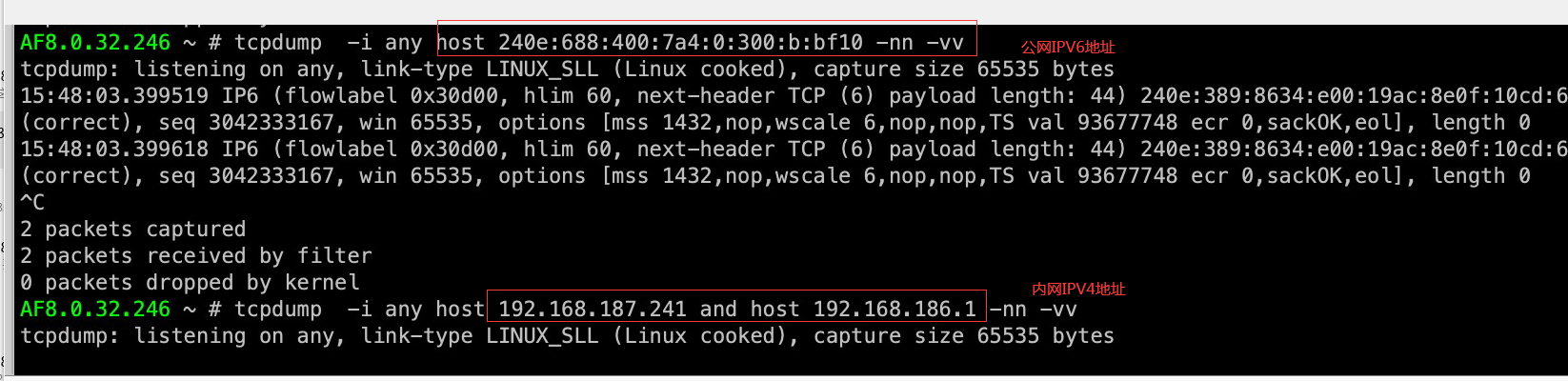
- Capture packets on the internal and external network ports. There are data packets on the external network port but no data packets on the internal network port, as shown in the figure
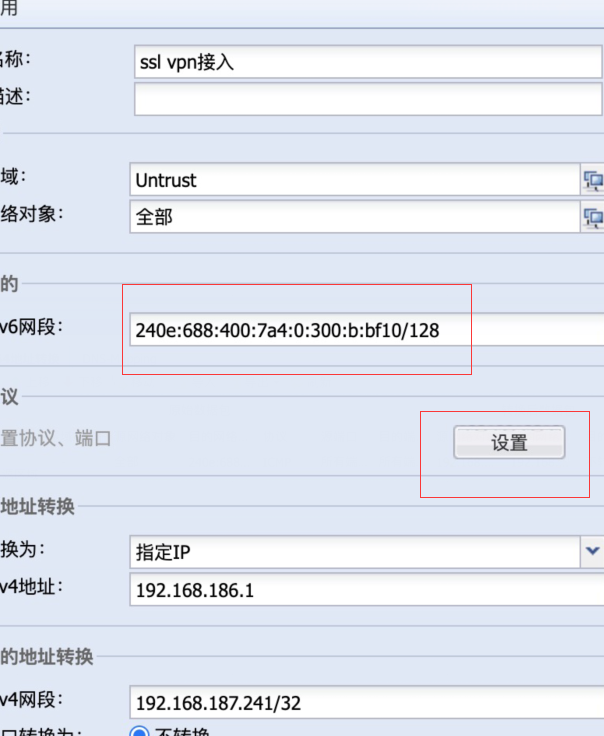
- Recheck NAT Policies and configure an IPV6 Source NAT policy for the same public Network Segment Policies
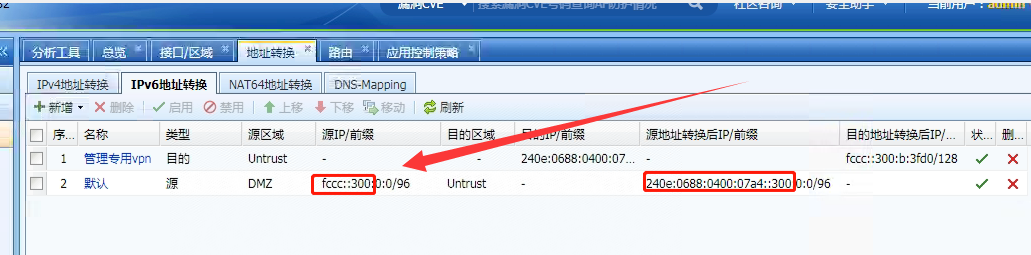
4. Re-capture the IPV6 data packet directly at the external port of the intranet to confirm that the data accessed from the external network is forwarded to the IPV6 address of the intranet
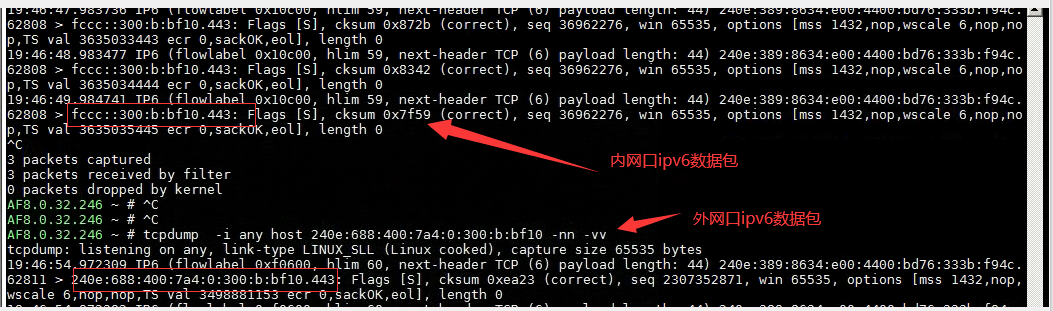
5. After communicating with the customer, the IPV6 Source NAT Policies was disabled without affecting the business, and the IPV6toIPV4 conversion Policies tested again to match normally.
Root cause
IPV6 address conversion is one-to-one. If the IPV6 SNAT (DNAT) policy is configured, a peer DNAT (SNAT) is generated by default, which causes the corresponding IPV6 SNAT corresponding DNAT policy to be forwarded when the external network accesses the public network IPV6 address, resulting in the IPV6toIPV4 conversion Policies not being matched.
solution
The problem was solved after changing the public IP of the IPV6toIPV4 conversion strategy
Operation Impact Scope
Disabling and enabling NAT Policies will affect the normal business of customers. Be sure to communicate with customers before taking any action!
Is this a temporary solution?
Non-VPN
Suggestions and Conclusion
If the business allows, the public IPV6 address of the IPV6toIPV4 conversion Policies and the IPV6 address of the IPV6 SNAT (DNAT) Policies should not conflict.
Original Link
https://support.sangfor.com.cn/cases/list?product_id=13&type=1&category_id=1841&isOpen=true