
[AF] Network card conflict causes virtual IP to not Obtain after SSL VPN dial-in
Problem Description
After SSL VPN dial-in, the virtual IP cannot Obtain. After using the repair tool and uninstalling and reinstalling the plug-in, the virtual IP still cannot Obtain
Effective troubleshooting steps
- Log in to VPN to test, you can log in normally. Check the status of the virtual network card. There is a virtual network card, but the virtual IP Address is not Obtain.
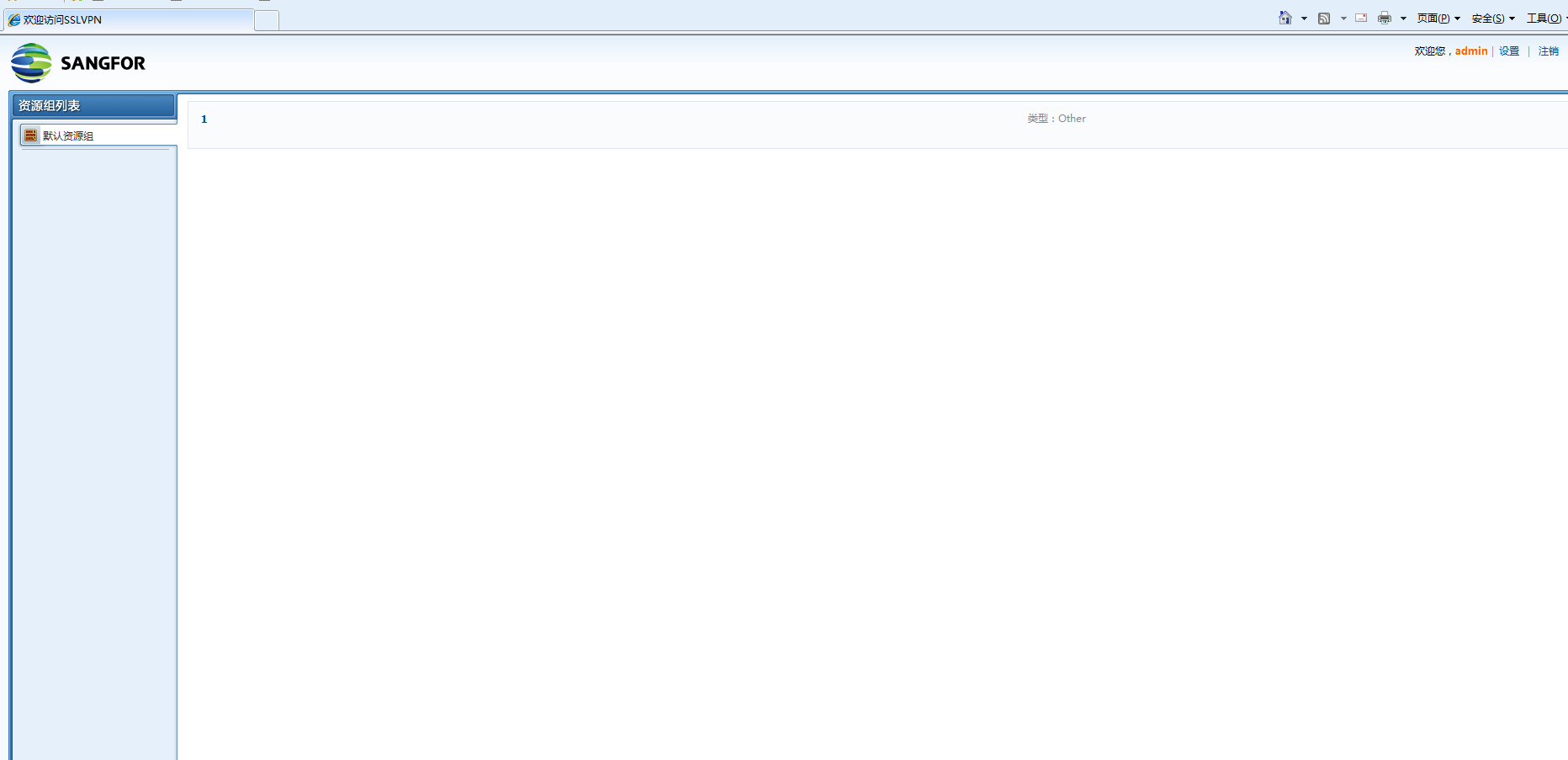
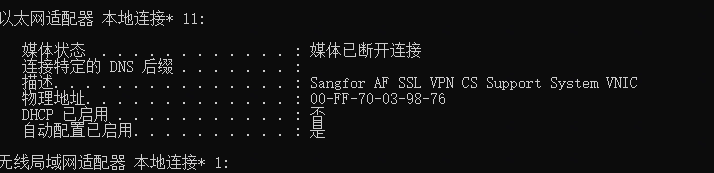
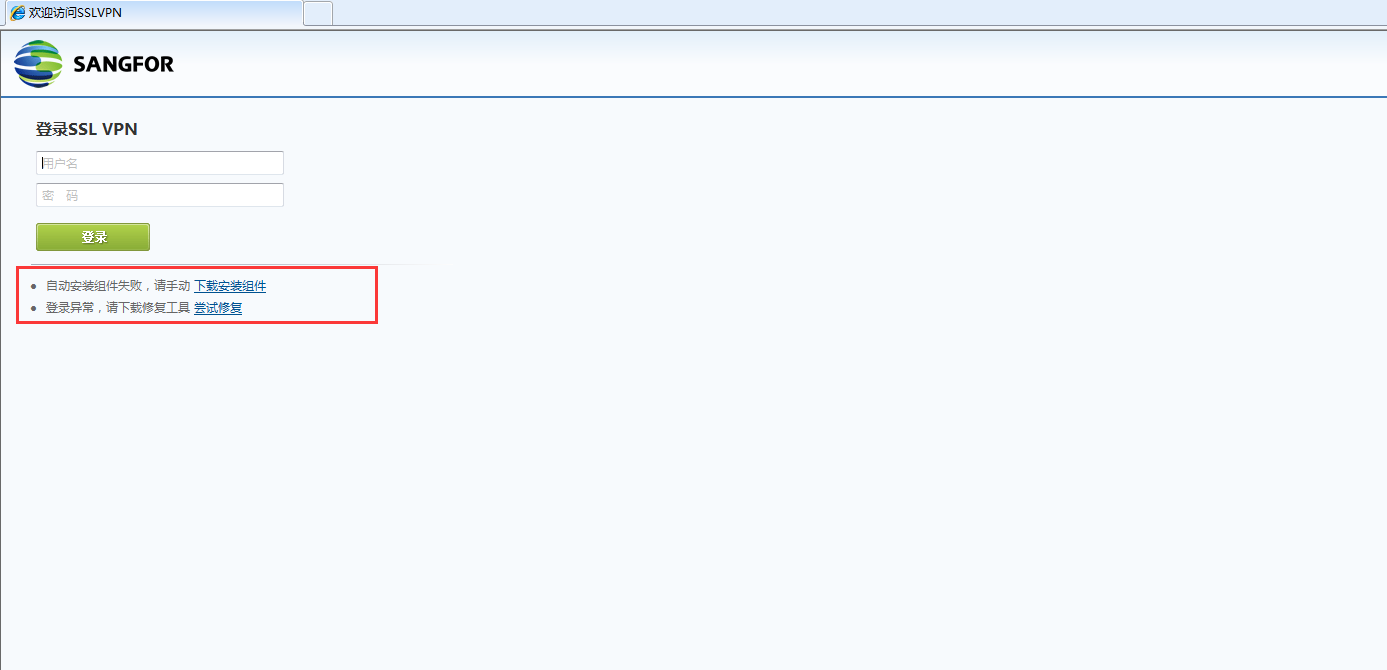
- Use the repair tool to repair and reinstall the components. After reinstalling, I tested and found that I still couldn't Obtain the virtual IP.
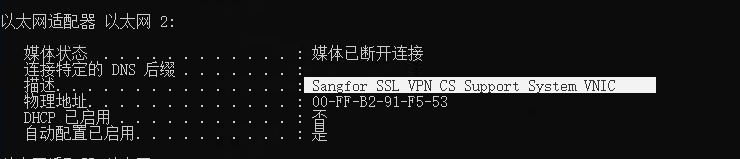
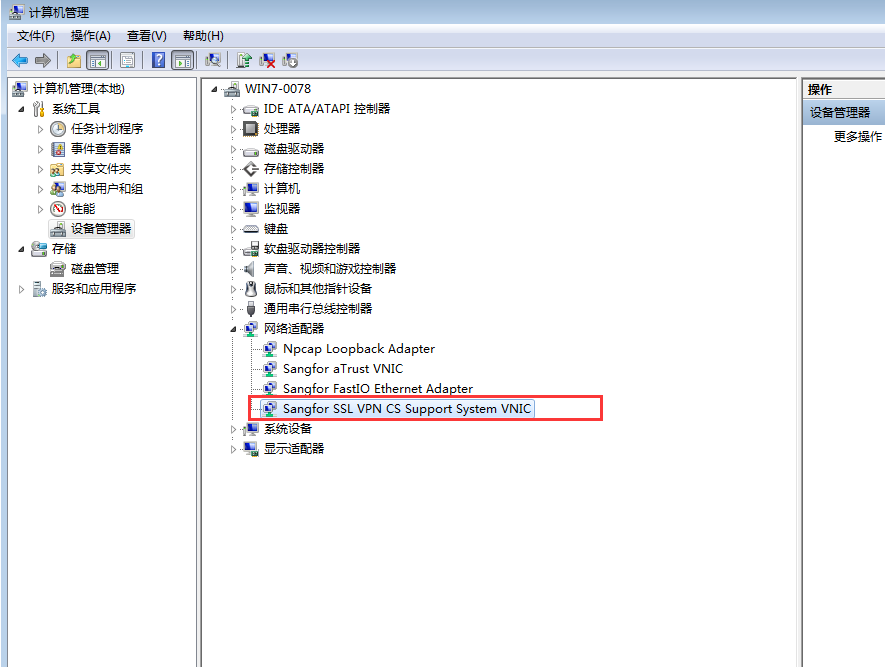
- Check all network card Info and find Sensitive SSL VPN device virtual network card "Sangfor SSL VPN CS Support System VNIC". The SSL VPN device virtual network card conflicts with the SSL VPN virtual network card on the AF, resulting in the inability to obtain the virtual IP. After uninstalling it in the device manager, it is found that the virtual IP can be obtained after re-dialing into the VPN.
Root cause
The virtual IP cannot be obtained due to the conflict between the "Sangfor SSL VPN CS Support System VNIC" and "Sangfor AF SSL VPN CS Support System VNIC" network cards.
solution
Uninstall the network card with the "Sangfor SSL VPN CS Support System VNIC" logo in the device manager.
If you want to regain the network card, you can reinstall the EasyConnect client software.
Original Link
https://support.sangfor.com.cn/cases/list?product_id=13&type=1&category_id=1573&isOpen=true