
[AF] Network Policies action is denied, but Suspicious Traffic action is allowed
Problem Description
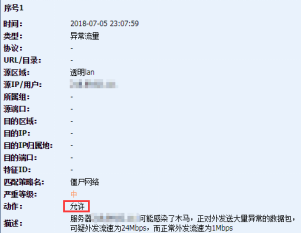
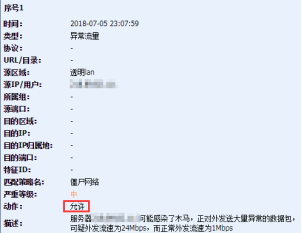
The Network action is to deny, but the logging action for Suspicious Traffic traffic is still allowed, as follows:
192175b5759309fe8e.png (30 KB)
993085b57592bb3fb0.png (30 KB)
Process——
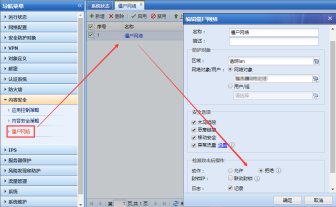
Confirm that the botnet Policies is deny, as follows:
304875b57594e80eed.png (35.95 KB)
Root cause
Suspicious Traffic action is allow. This function is only responsible for logging and has nothing to do with the overall action of the Network Policies.
solution
- After confirming that there is a problem with the host, you can block this port Medium the application control Policies;
- It is recommended to use a company's anti-botnet software to scan and disinfect the host. The software download address is as follows:
[url=http://edr.sangfor.com.cn/]http://edr.sangfor.com.cn/[/url]
Suggestions and Conclusion
The Suspicious Traffic function is only to remind the security administrator to pay attention to the host that generates Suspicious Traffic in the intranet, and to confirm whether it is normal that the protocol transmitted by the host is not in the port corresponding to the protocol.
Original Link
https://support.sangfor.com.cn/cases/list?product_id=13&type=1&category_id=179&isOpen=true