
[AF] No line selection in the first phase configuration of IPSec VPN line exit
Problem Description
In the configuration of [IPSec VPN]-[Phase 1] in AF7.5.1 version, there is no line selection in [Line Exit] and the drop-down display is blank.
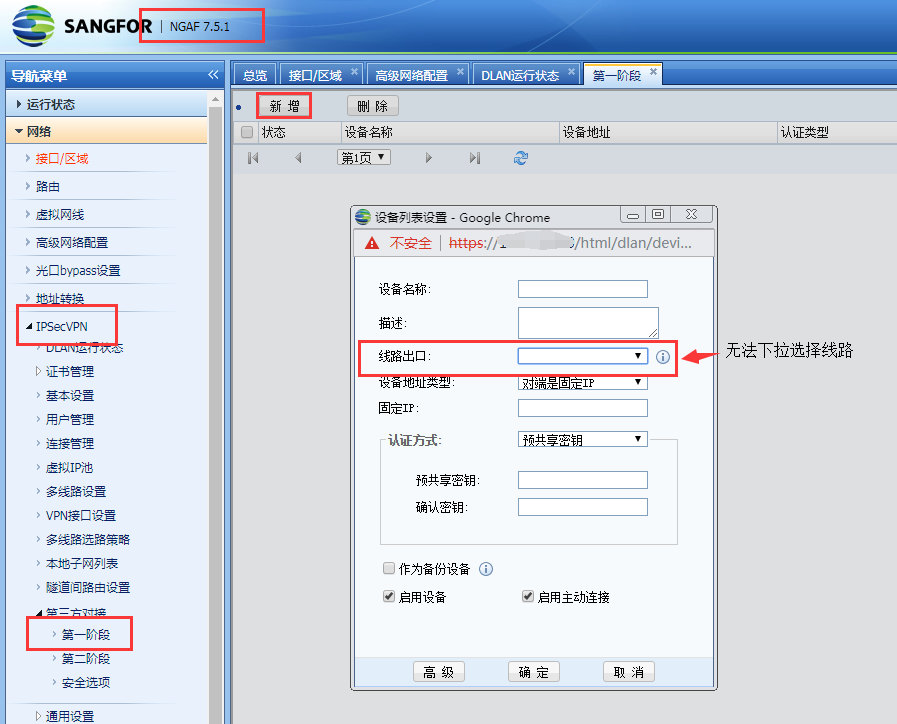
590635bbb2c30713e5.png (107.33 KB)
Process——
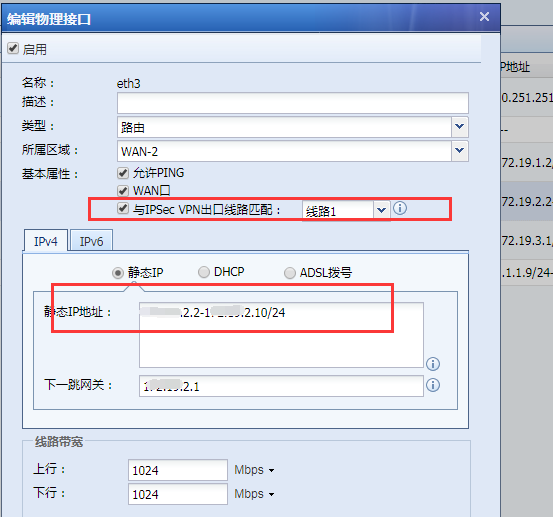
Check the external Network configuration in [Network]-[Zones/Zone], [Match with IPSec VPN egress line] has [Line 1] checked, but it is found that the IP Address is filled in as an IP range.
374625bbb2e45711ca.png (46.41 KB)
Root cause
The IP Address of the WAN attribute port is filled in as an IP range, and the device cannot recognize the IP Address and line used for the VPN connection.
solution
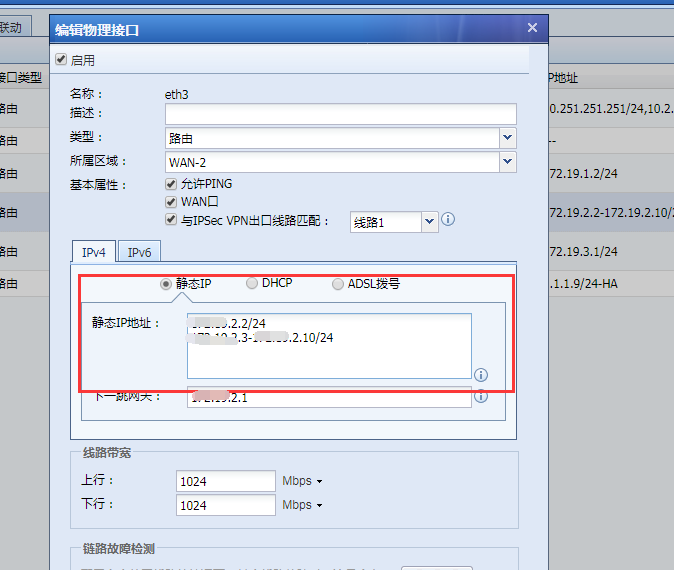
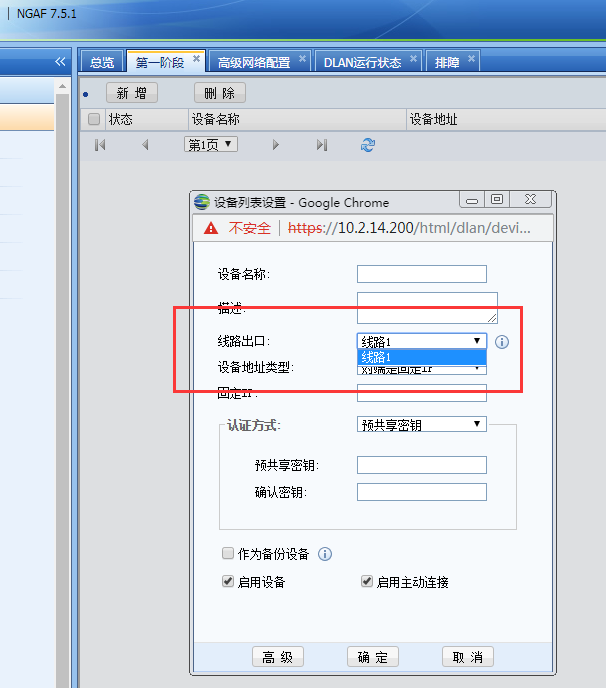
Fill in the IP Address of the WAN attribute port used for VPN connection in the first line, and fill in other IP addresses in the second line as a range. Reconfigure the first stage and you will find that [Line Exit] already displays the number of lines normally. It is recommended to operate without affecting business.
88635bbb2e6fe6051.png (56.05 KB)
485735bbb2eae0d71d.png (55.67 KB)
Suggestions and Conclusion
When you need to configure IPSec VPN, you need to check whether the WAN attribute is an independent IP in the first row. If the WAN attribute is an IP segment, put the smallest IP in the first row for VPN interconnection, and put the other IPs in the second row.
Original Link
https://support.sangfor.com.cn/cases/list?product_id=13&type=1&category_id=429&isOpen=true