
[AF] No response when clicking Save the first phase configuration under VPN module
Problem Description
The AF2.6 version needs to establish a VPN with a third-party device, but when clicking to save the first phase configuration under the VPN module, there is no response, and the modified configuration is not saved successfully.
Process——
-
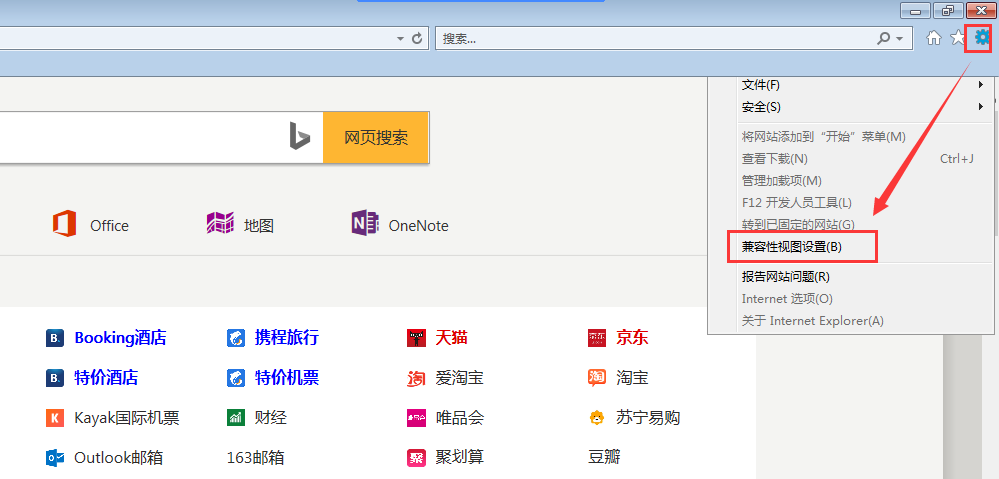
Confirm that you are using IE browser to log in to the console and enable browser compatibility mode, as follows:
995075d63ad0d57ebf.png (64.07 KB) -
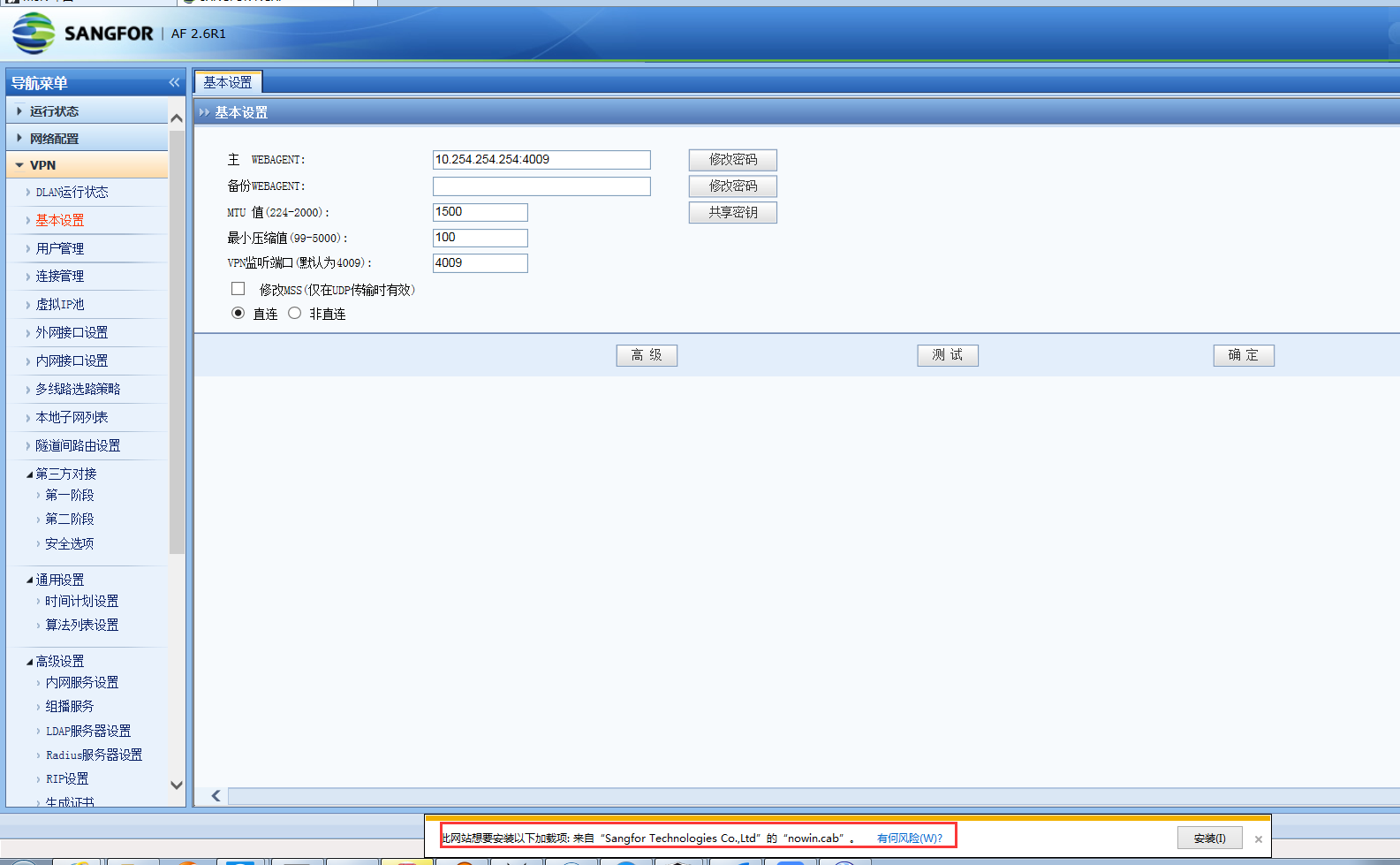
Click on the basic settings and you will be prompted to install add-ons (the installation interface will automatically pop up after clicking), as follows:
864685d63ad7d556b6.png (140.34 KB)
Root cause
AF needs to install the add-on before it can modify the VPN configuration.
solution
After clicking the add-on that installs the prompt, you can modify the VPN configuration normally.
Original Link
https://support.sangfor.com.cn/cases/list?product_id=13&type=1&category_id=724&isOpen=true