
[AF] Obtain address obtained from AF DHCP cannot be connected to the Internet
Problem Description
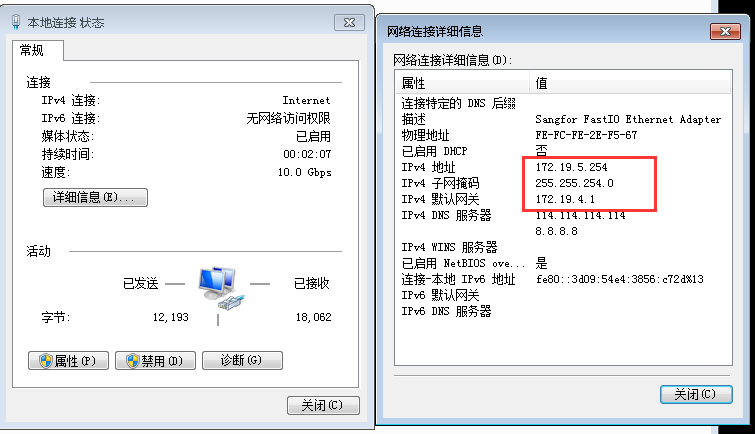
AF intranet Interfaces is configured with DHCP, intranet PC automatically Obtain address successfully but cannot access the Internet
5905c14bef939361.png (34.89 KB)
Process——
-
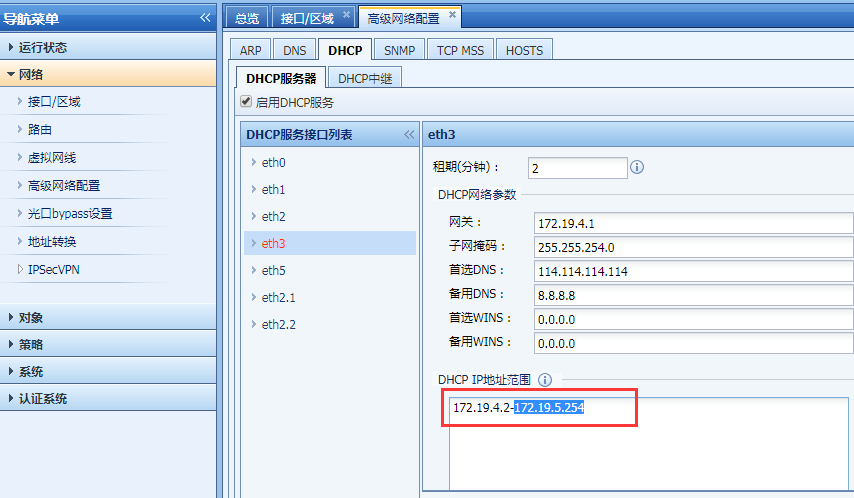
Confirm that the address Obtain the PC is in the DHCP address pool configured by AF
① Take the standard version AF7.3 as an example: you can view it in [Network Configuration] – [Advanced Network Configuration] – [DHCP], select the corresponding intranet port
② Take the standard version AF7.4 as an example: you can select the corresponding Network in [Network] – [Advanced Network Configuration] – [DHCP] to view it.
356385c14bf32da81e.png (62.88 KB) -
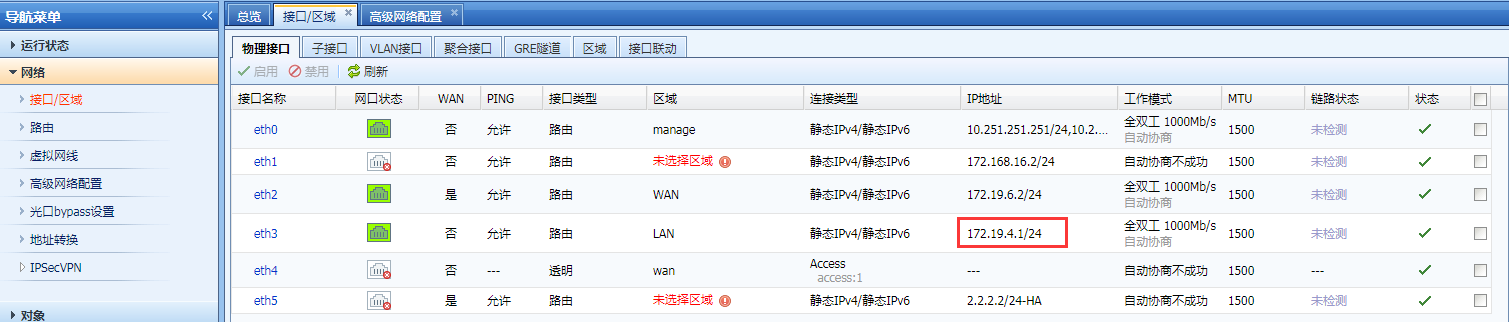
Check the Network in [Network] – [Zones] – [Physical Interfaces]
344275c14bfd5cfe84.png (89.43 KB)
Root cause
The Netmask configured Interfaces the intranet interface address is inconsistent with the mask configured in DHCP, resulting in some addresses Obtain by the PC not being in the same Network Segment in AF's view.
solution
Modify the AF intranet Interfaces Netmask to be consistent with the Netmask Medium the DHCP configuration
Original Link
https://support.sangfor.com.cn/cases/list?product_id=13&type=1&category_id=583&isOpen=true