
[AF] PDLAN cannot connect to the headquarters. There is no such user in the headquarters user list.
Problem Description
An AF device of a certain company is used as the VPN headquarters of the company. The user fails to access the headquarters using PDLAN. The current running status of the PDLAN console shows a failure. Please check the log for details. (The device screenshots in this case are for the internal experimental environment)
Warning Info
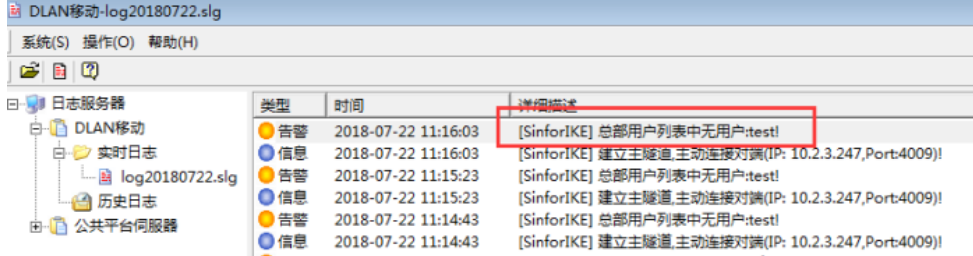
[SinforIKE] There is no user in the headquarters user list: test!
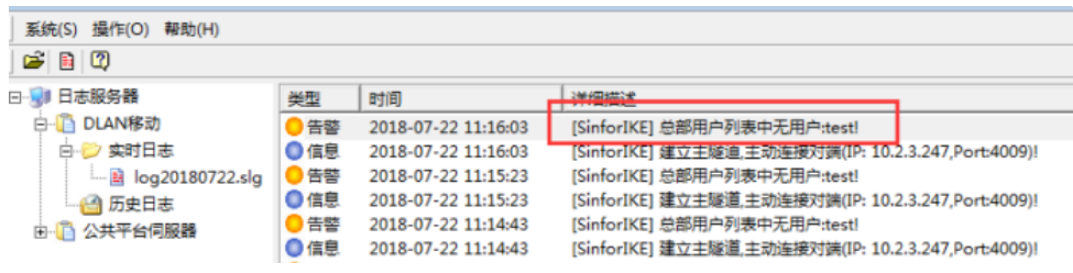
136865b758f194b472.png (222.09 KB)
Process——
- First check whether the basic settings of the headquarters are consistent with those set in PDLAN, as shown in the figure:
[VPN]-[IPSec VPN]-[Basic Settings]
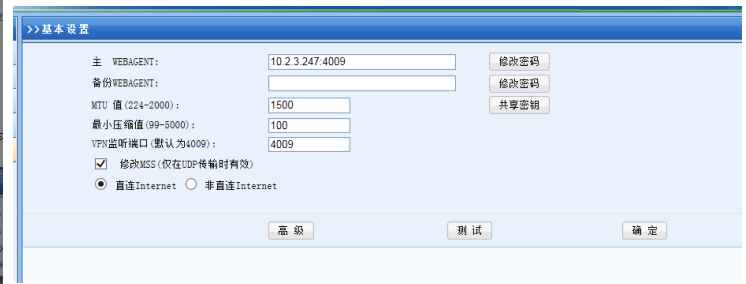
PDLAN Basic Settings
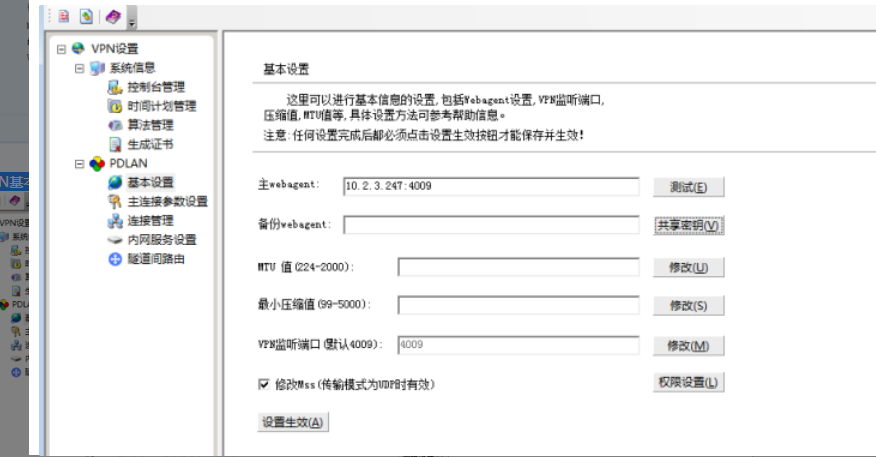
- Check the PDLAN Logs. You can click Details to view the log. You can see that Logs Logs has an alarm that there is no user in the headquarters user list: test!, as shown in the figure:
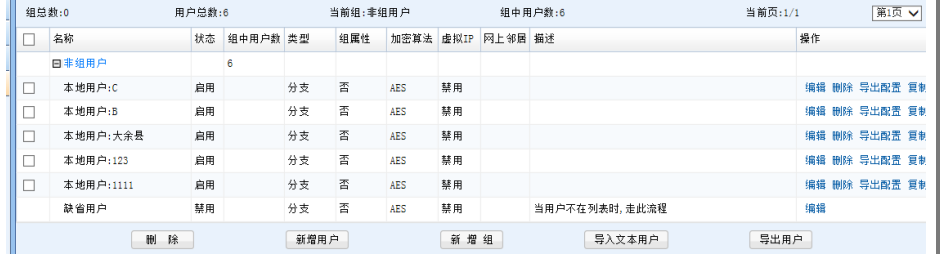
Enter [VPN] – [IPSec VPN] – [Local Users the AF device and check the users. You will find that there is no test user, as shown in the figure:
Root cause
Since the headquarters did not create the user in the new PDLAN, the PDLAN could not connect.
solution
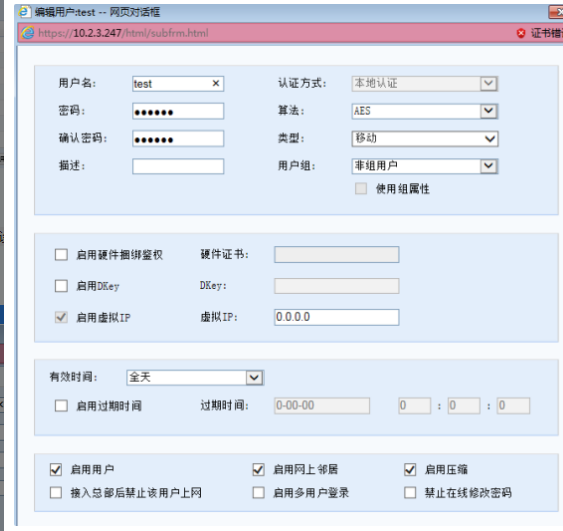
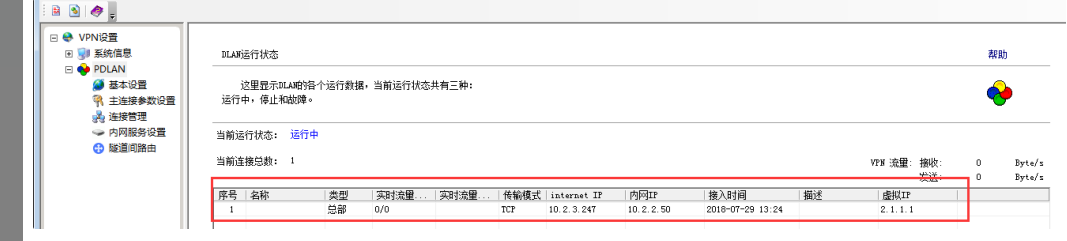
After creating a new user in the headquarters AF device [VPN] – [IPSec VPN] – [Local Users], you can successfully connect. As shown below:
PDLAN Status
Original Link
https://support.sangfor.com.cn/cases/list?product_id=13&type=1&category_id=287&isOpen=true