
[AF] PDLAN dials into AF headquarters and reports an error message: “The headquarters has not set the local end to enable the virtual IP”
Problem Description
When PDLAN dials into AF headquarters, an error message appears: "The headquarters has not set the local end to enable the virtual IP"
Warning Info
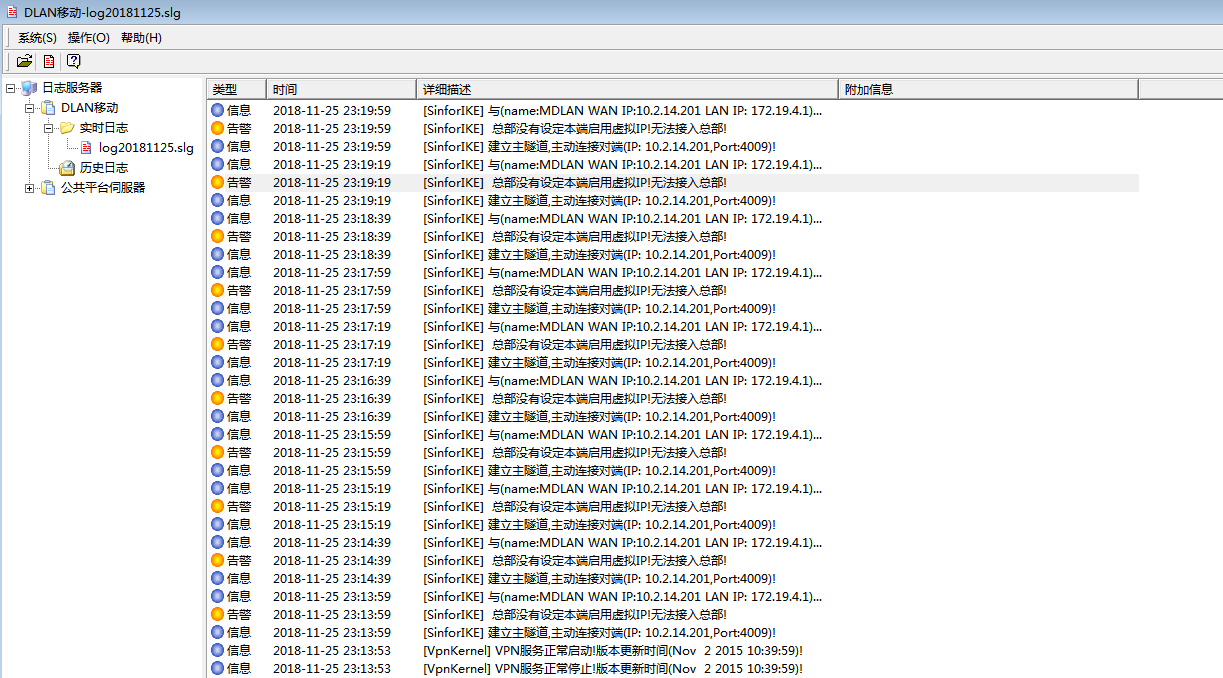
388815bfabdced9495.png (163.03 KB)
Process——
I logged into the headquarters AF to check the user account configuration used by the customer and found that the user type was "branch" and I could not check the option to enable the virtual IP.
① Take the standard version AF7.3 and below as an example: In [VPN] – [IPSec VPN] – [Local Users]
② Take the standard version AF7.4 and above as an example: In [Network] – [IPSec VPN] – [Local Users]
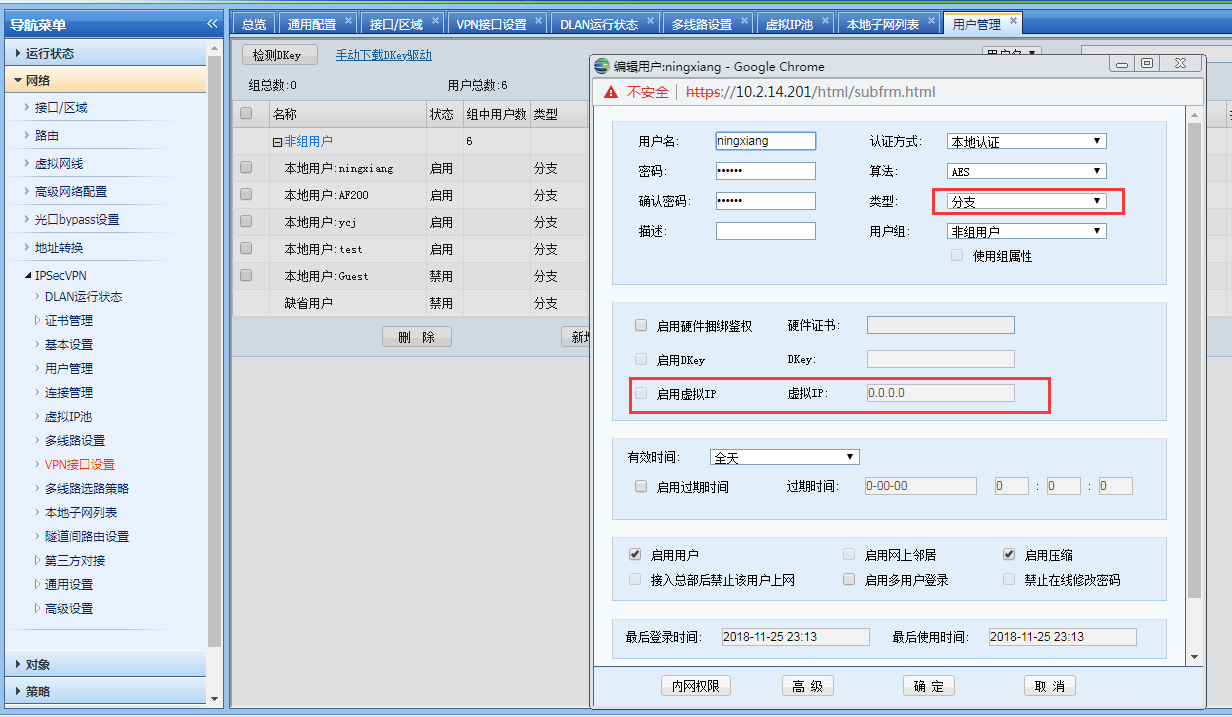
378855bfabffe234d0.png (101.65 KB)
Root cause
The user account type used by PDLAN to dial into AF headquarters must be mobile, and the Enable Virtual IP option must be checked.
solution
- Create a mobile type Virtual IP Pool
① Take the standard version AF7.3 and below as an example: In [VPN] – [IPSec VPN] – [Virtual IP Pool]
② Take the standard version AF7.4 and above as an example: In [Network] – [IPSec VPN] – [Virtual IP Pool]
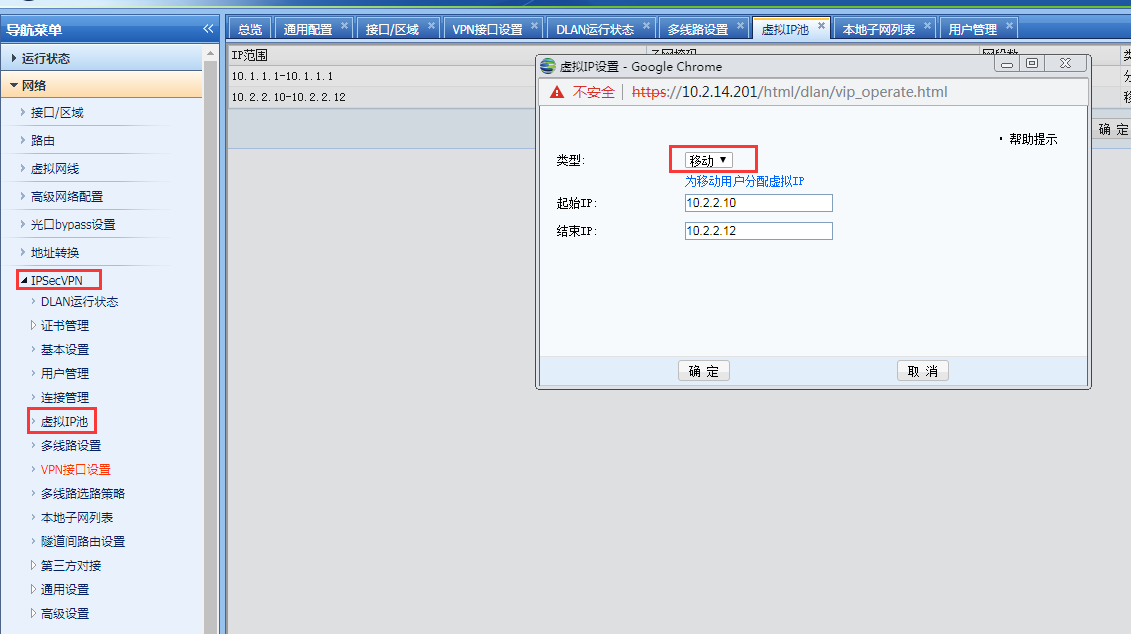
353795bfac13066602.png (74.99 KB) - Select the mobile type for the user created for PDLAN login and check Enable virtual IP
Original Link
https://support.sangfor.com.cn/cases/list?product_id=13&type=1&category_id=498&isOpen=true