
[AF] Policies Layer 3 causes Source NAT to have no matching data
Problem Description
Local deployed in a multi-line mode in a certain company. Some IP addresses in the internal network Source NAT to the source address and go out to the Internet through one of the lines. The Source NAT has no matching number.
Warning Info
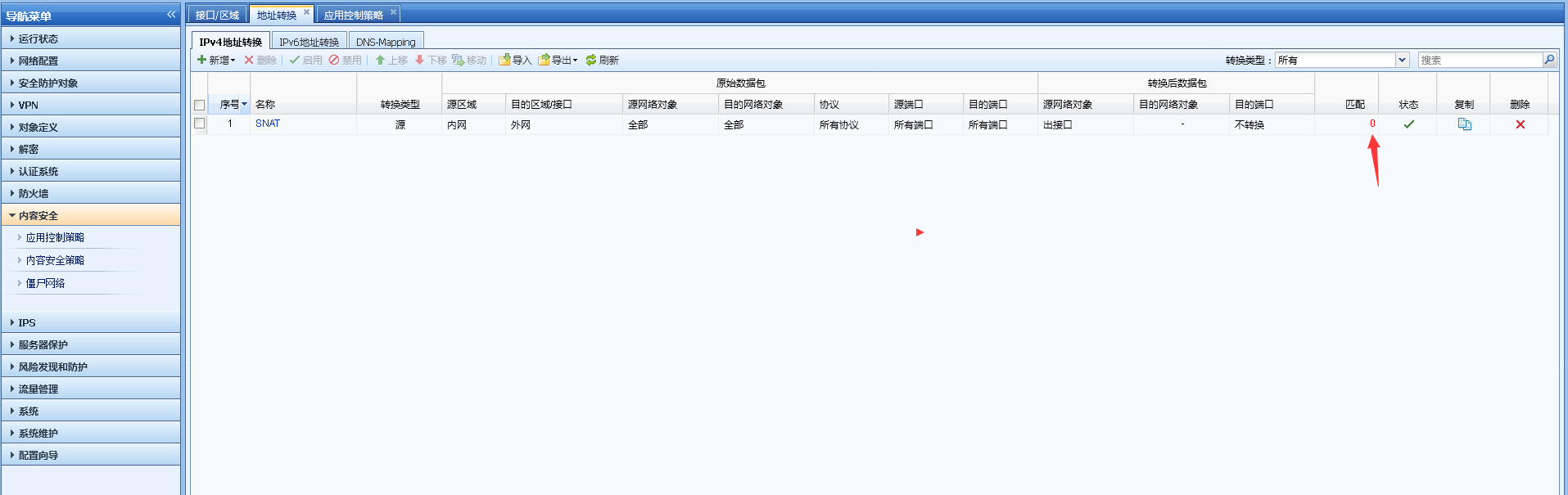
127605b8fd88e6ad02.png (42.86 KB)
Process——
-
Check the Interfaces Zones and the source and destination areas in the source address Policies. The intranet data matches the source address Policies.
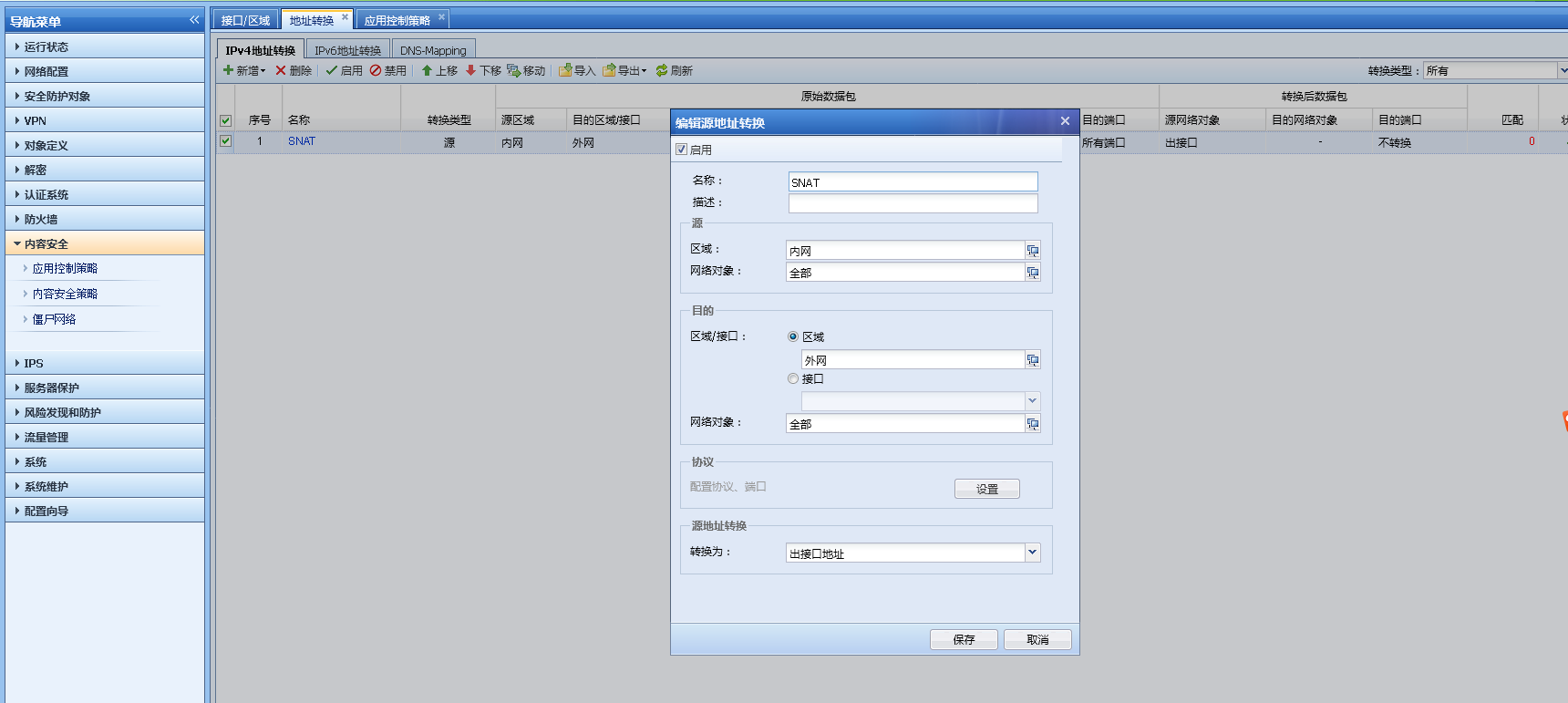
496215b8fd8b2a2dc4.png (67.87 KB) -
The application control Policies has opened up the intranet and extranet Zones.
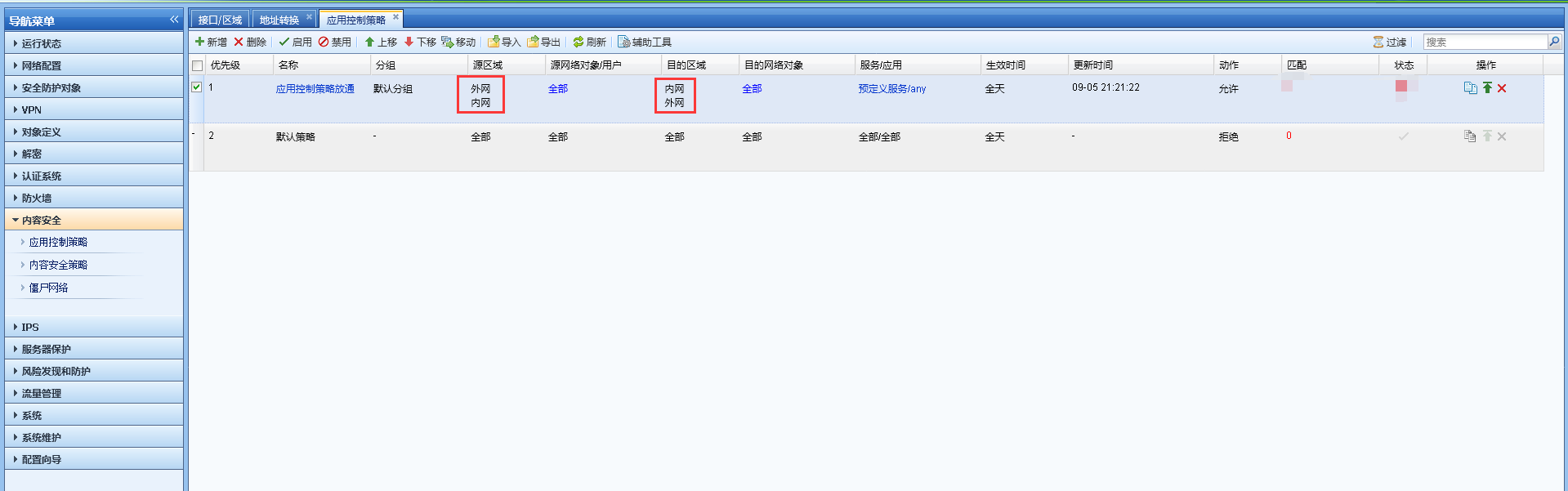
6825b8fd8ddeec03.png (45.5 KB) -
Check the source and destination Zones Layer 3. The source IP is not selected in the policy Layer 3.
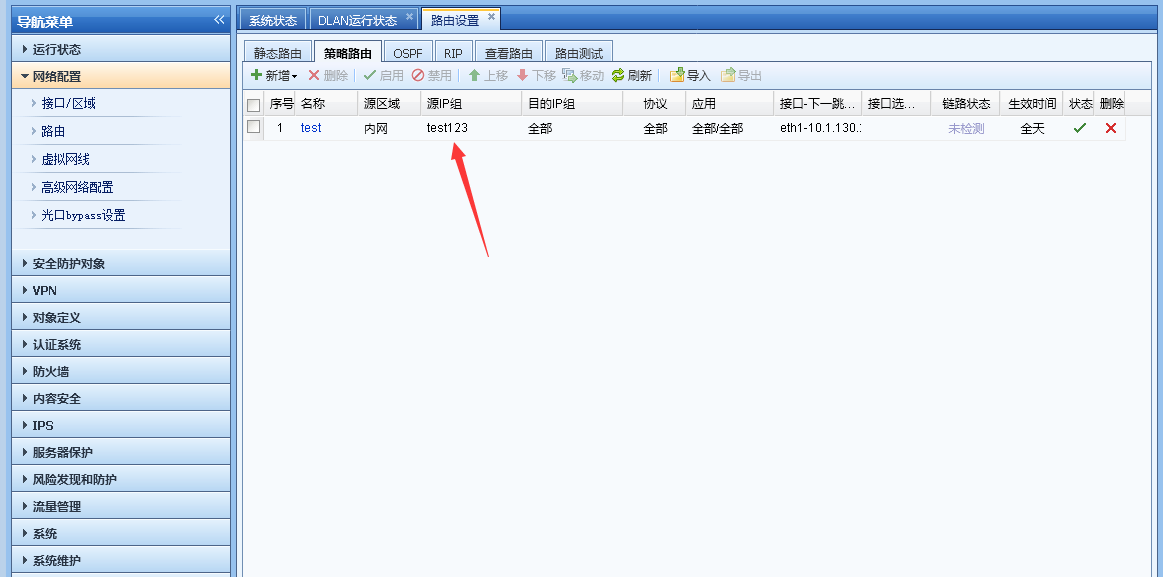
583465b8191bfc585a.png (34.72 KB)
Root cause
The priority of Source NAT and Layer 3 matching is: match Layer 3 first and then match Source NAT. If the outbound interface forwarded Layer 3 is inconsistent with the interface matched by the Source NAT Interfaces, the data flow cannot meet the matching conditions of this Source NAT, resulting in the ineffectiveness of Source NAT.
solution
Configure the correct Policies Layer 3 and specify the Source NAT for source IP and source address translation, as follows:
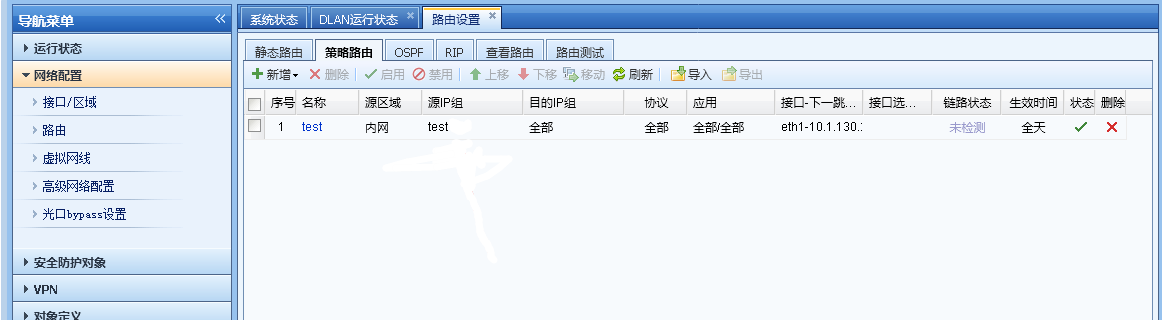
347105ba36d0ed700f.png (45.11 KB)
Original Link
https://support.sangfor.com.cn/cases/list?product_id=13&type=1&category_id=272&isOpen=true