
[AF] Port mapping failure case 1: Server restricted access
Problem Description
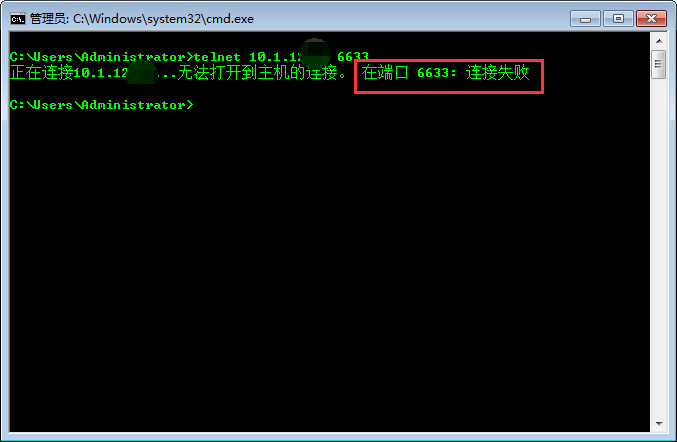
Port mapping has been completed, but the intranet server cannot be accessed. The server port cannot be accessed from the external PC telnet test. The server port can be accessed normally from the Local telnet test.
Warning Info
813965b68ea4478f1e.png (18.91 KB)

458885b68ea0b67832.png (8.78 KB)
Process——
-
Telnet the intranet address from the firewall and find that it can be connected normally.
Specific operation steps: [System] – [Troubleshooting] – [Command Console] – telnet destination IP destination port
458885b68ea0b67832.png (8.78 KB) -
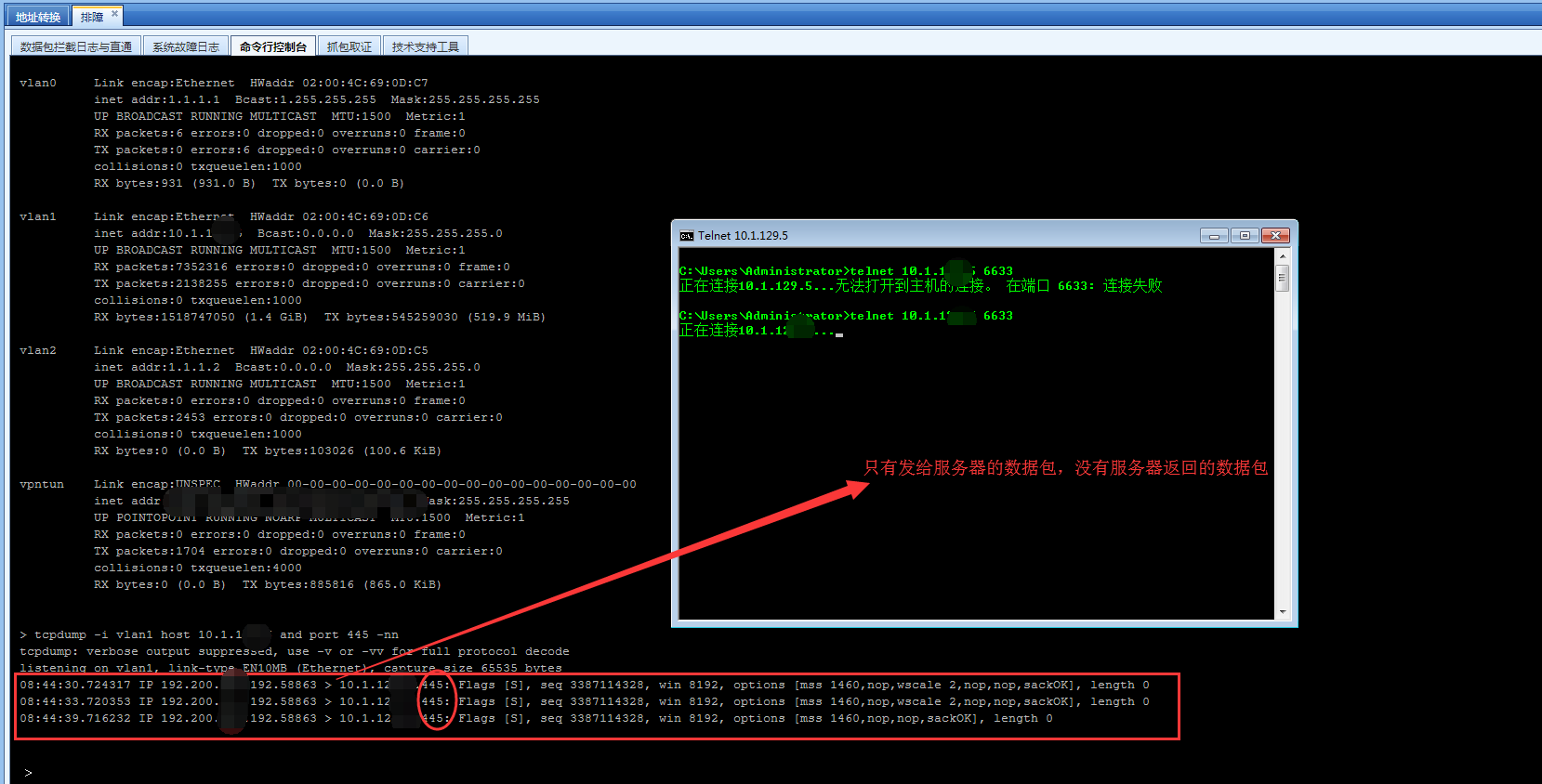
When telneting from the external network, I captured packets on the Local and found that the internal server did not reply.
The steps for capturing packets on the Local are: [System] – [Troubleshooting] – [Command Console] –
The first command determines whether the data packet has reached the external network port of the Local, and the second command determines whether Local has sent the data packet to the internal network server.
tcpdump -i ethx (external network port of the Local) host IP (host IP used for telnet server) -nn
tcpdump -i ethx (the internal network port of the Local) host IP (the IP Address that needs to be mapped out of the internal network) -nn
826885b68ebfa85914.png (142.47 KB) -
Based on this, it can be determined that the intranet server restricts access to the public IP Address. Change the Destination NAT to Bidirectional NAT;

429205b6da53db5bcb.png (51.49 KB)
822355b68ed0189f15.png (12.37 KB)
Root cause
The root cause of this problem is that Services server restricts access by public IP Address. After the Destination NAT, the source address of the data is still the public network address, so Services server does not reply. However, after Bidirectional NAT, the public network address is NAT into the outbound Interfaces address, that is, the intranet address can access Services server normally.
solution
Bidirectional NAT is used instead of Destination NAT.
Original Link
https://support.sangfor.com.cn/cases/list?product_id=13&type=1&category_id=257&isOpen=true