
[AF] Replacing the Local management address fails to ping the gateway, resulting in an inability to manage devices
Problem Description
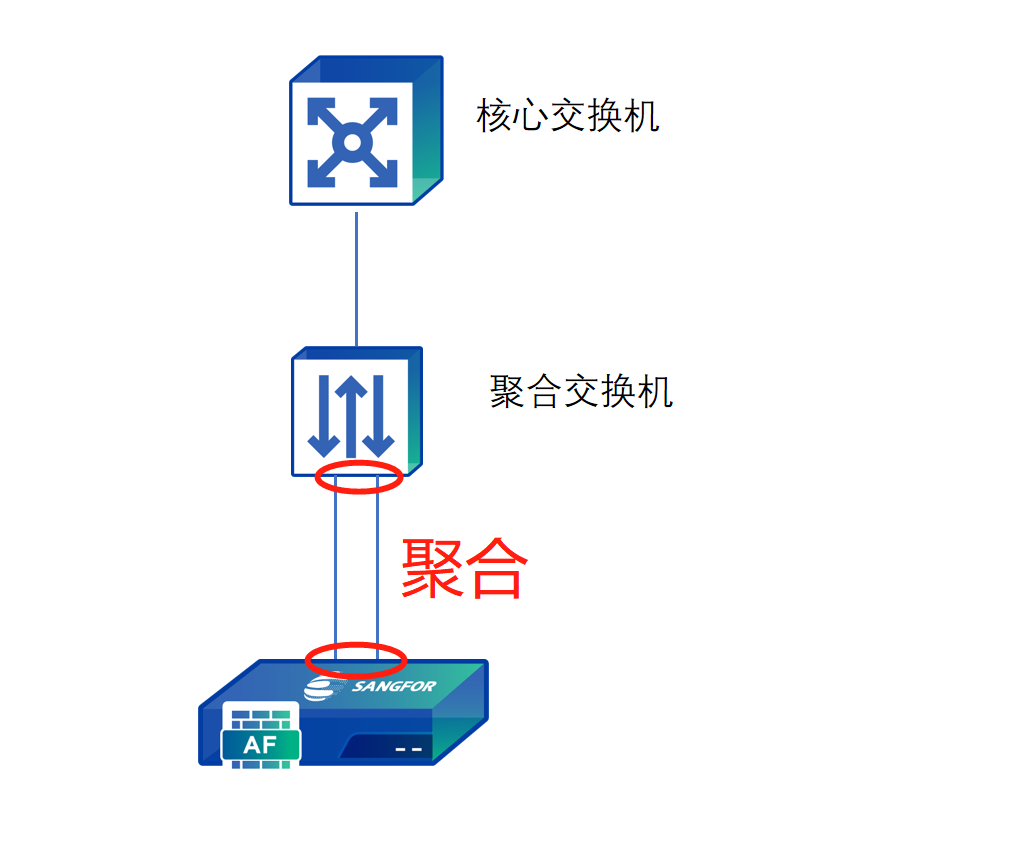
Replace Local, configure the in-band management address, the default Layer 3 has been configured, the device cannot be managed across the three-layer Network, the headquarters cannot manage the device, the local PC with the same VLAN and Network Segment can ping and manage the Local, and the Web UI can be opened. Local and the upstream switch serve as Critical switches. PCs in the same VLAN are connected to the aggregation switch.
The topology diagram is as follows
454406350f42a12214.png (54.78 KB)
Warning Info
Unable to manage firewalls across three layers
Process——
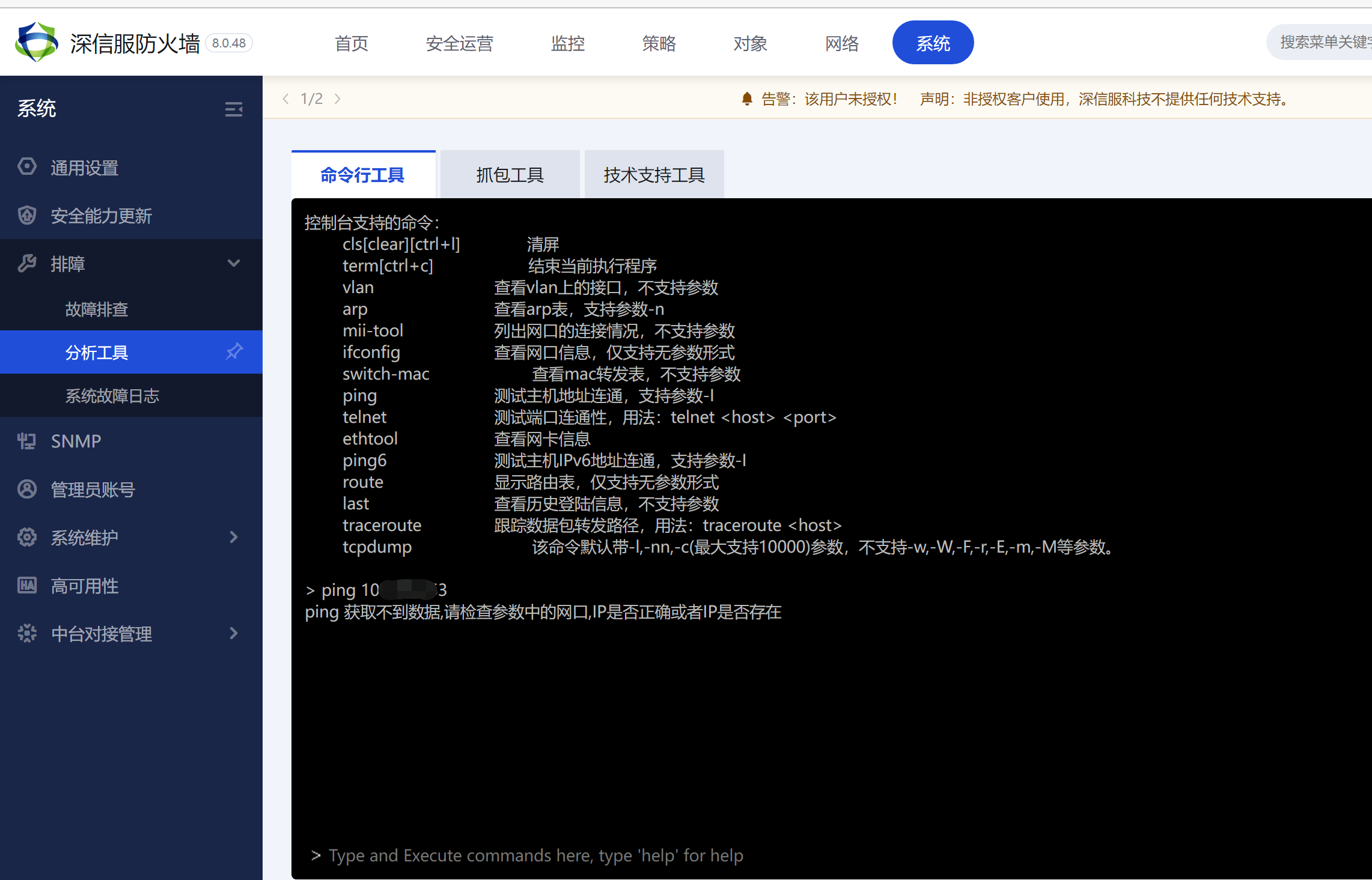
- Perform a ping test on the Troubleshooting console interface and ping the gateway address. The IP is incorrect and cannot be pinged. The local PC in the same VLAN and Network Segment can ping and manage the Local, and the Web UI can be opened. It can be determined that there is no problem with the upstream switch that is connected to the aggregation.
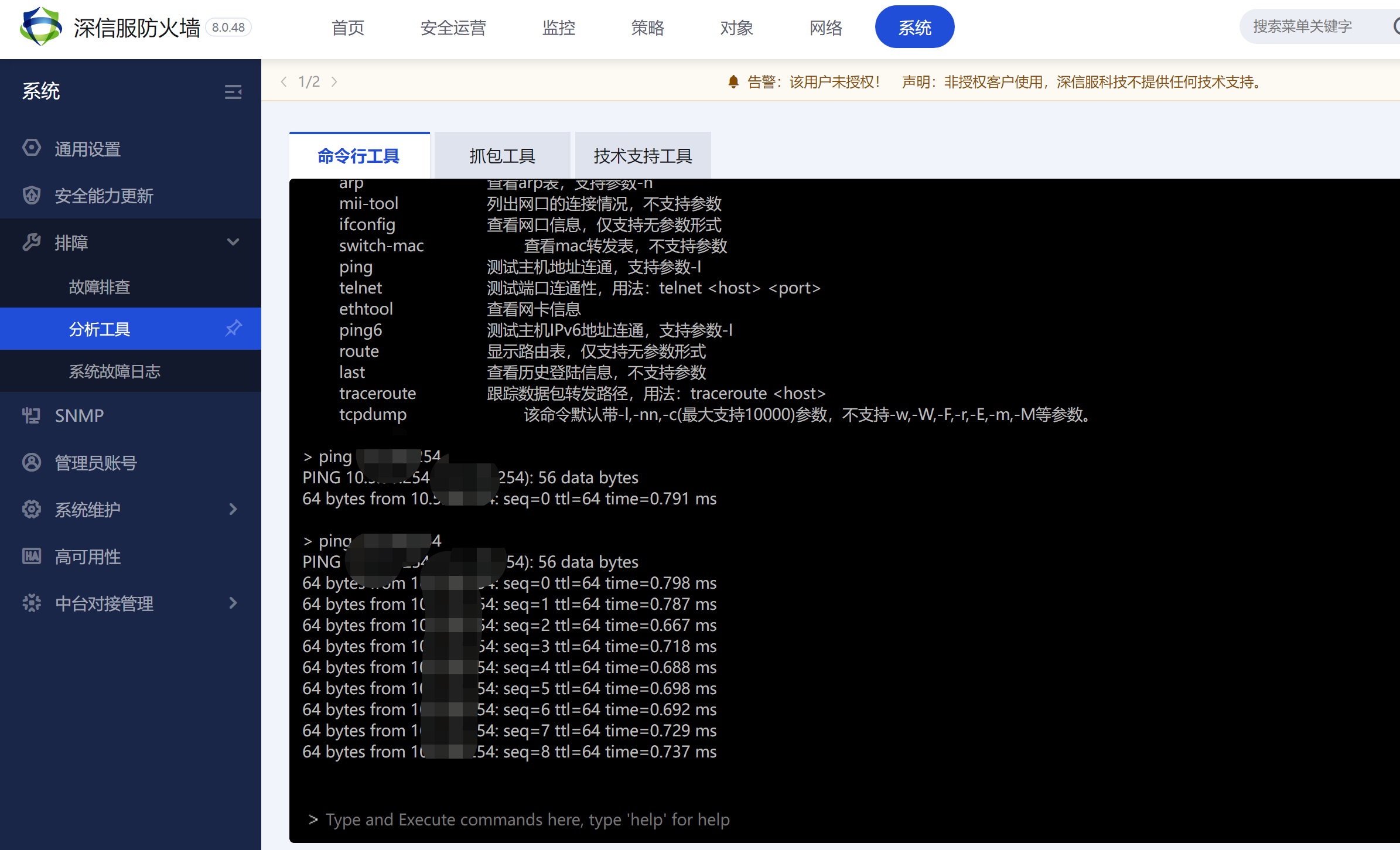
98666350f0f5bc667.png (240.94 KB) - Use the Critical address and source IP address on the core switch to ping the management address of Local. Found that it is not accessible either. Check the aggregation configuration of the aggregation switch and Local and find that everything is normal. It is suspected that Critical switch is configured to block the traffic. After checking the ACL configuration of the Critical switch, no configuration is found. Check arp Info. It was found that the Local management address had a corresponding MAC Address and the MAC Address was manually bound. It can be suspected that Critical switch has IP+MAC Address binding. After confirming with the customer, I asked him to delete the configuration, and the Local address could immediately access the management address.
565366350f65540b6c.png (409.31 KB)
Root cause
The customer has bound the IP and MAC Address on the Critical switch
solution
Communicate with the customer and ask them to delete the original IP and mac binding relationship and rebind it.
Suggestions and Conclusion
To troubleshoot Network type problems, it is recommended to refer to the lower three layers of the OSI seven-layer model for troubleshooting, first checking the physical layer, cables, interfaces, Interfaces flashing lights, modules, etc. At the link layer, detect the switch mac, as well as the binding of ip and mac, etc. At Network layer,
Original Link
https://support.sangfor.com.cn/cases/list?product_id=13&type=1&category_id=1916&isOpen=true