
[AF] SANGFOR VPN cannot be connected because the VPN transmission mode is not supported and the peer version is too low
Problem Description
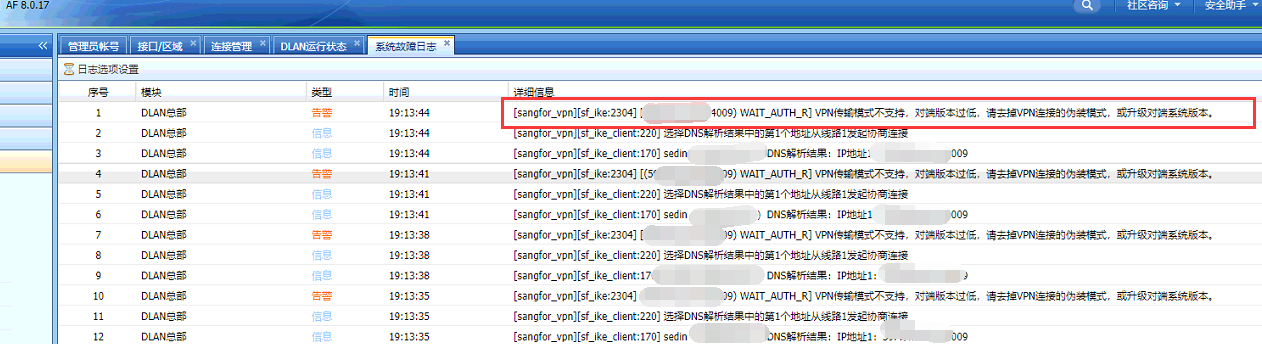
The branch AF8.0.17 and the headquarters SSL6.2 cannot be connected to the SANGFOR VPN. The AF System fault log is shown in the following figure:
174095e9ee03e6b3d2.png (211.08 KB)
Process——
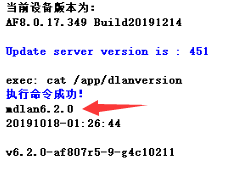
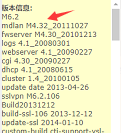
- Check the dlan version of AF and SSL. AF8.0.17 is dlan6.2, and SSL6.2 is dlan4.32. Confirm that it can be connected to sangforvpn;
811555e9ee0b9503e0.png (12.29 KB)
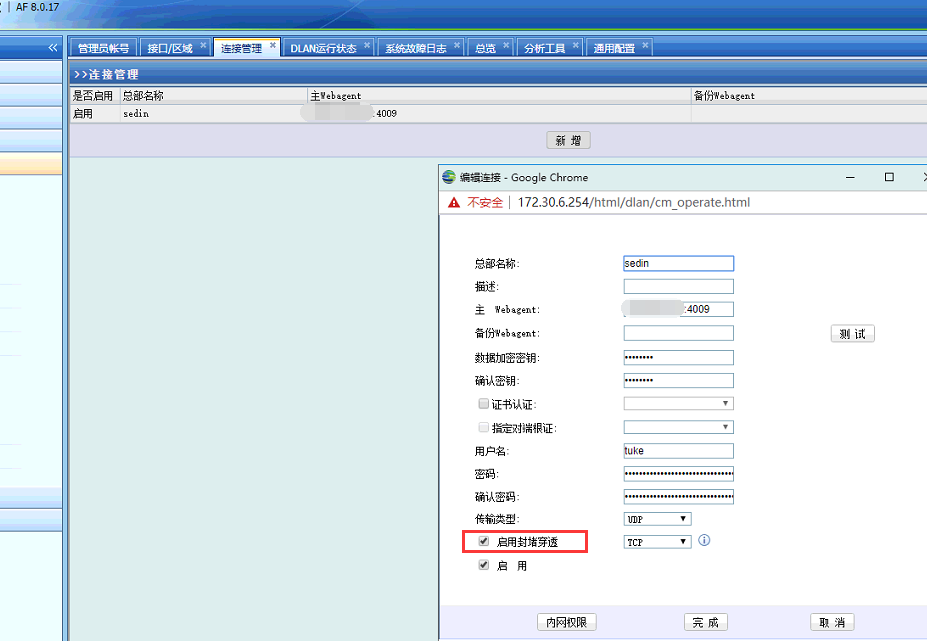
19025e9ee0dd3d5d8.png (21.49 KB) - Check in AF [Network] – [IPSec VPN] – [VPN Connection] that the UDP transmission mode used has blocking penetration enabled, as shown in the following figure:
977045e9ee178d7ee5.png (101.17 KB) - Log in to the SSL device, check VPN Connection, and confirm that the UDP mode of the SSL6.2 version VPN Connection does not support the blocking penetration function, as shown in the following figure:
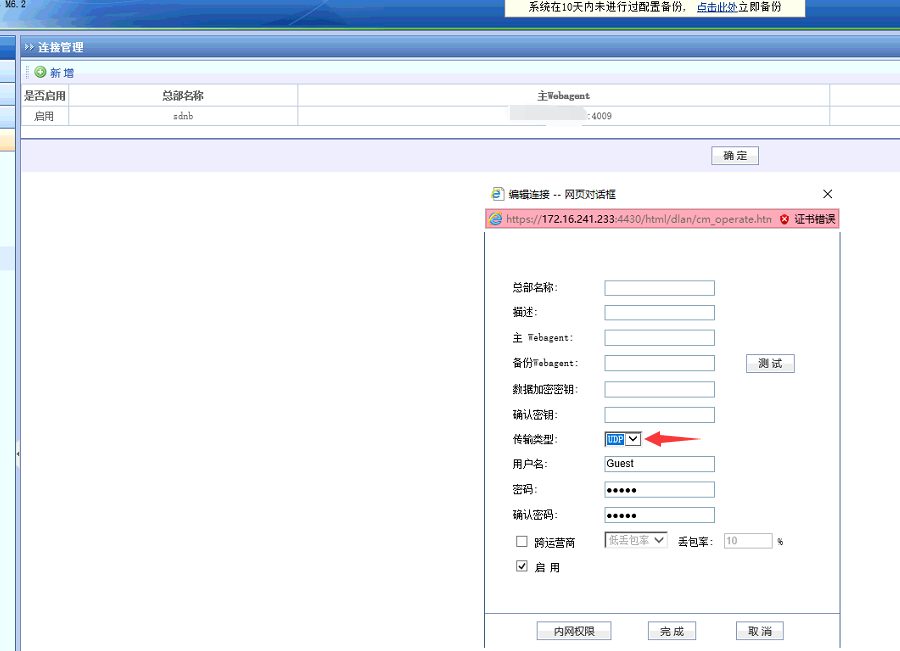
926315e9ee23796f90.png (81.86 KB)
Root cause
Low-version SSL devices do not support UDP transmission mode to enable blocking penetration
solution
In AF [Network] – [IPSec VPN] – [VPN Connection], change it to TCP transmission mode, or use UDP transmission mode without enabling the blocking penetration function.
Original Link
https://support.sangfor.com.cn/cases/list?product_id=13&type=1&category_id=878&isOpen=true