
[AF] sangfor vpn connection failed, System log prompts: The Network Segment of the other end to be connected conflicts with the Network Segment that the local end has already connected to
Problem Description
AF failed to connect to the headquarters' sangfor VPN, but connected to another headquarters normally.
Process——
- Check System-System fault log Logs it will prompt "The Network Segment of the other end to be connected conflicts with the Network Segment that the local end has already connected to"
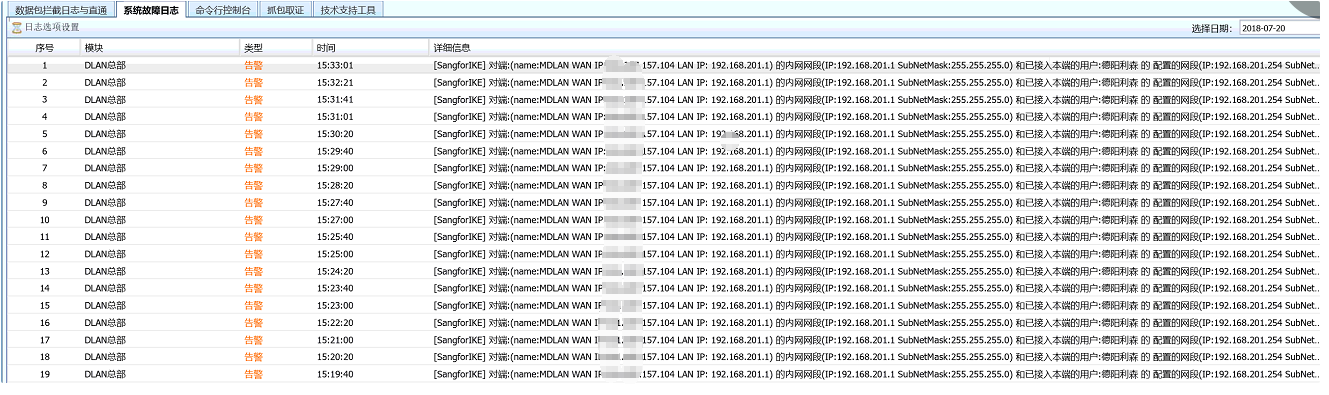
891865b5b1202a31c6.png (307.99 KB) - Check the intranet segment of the peer that has been connected to the VPN
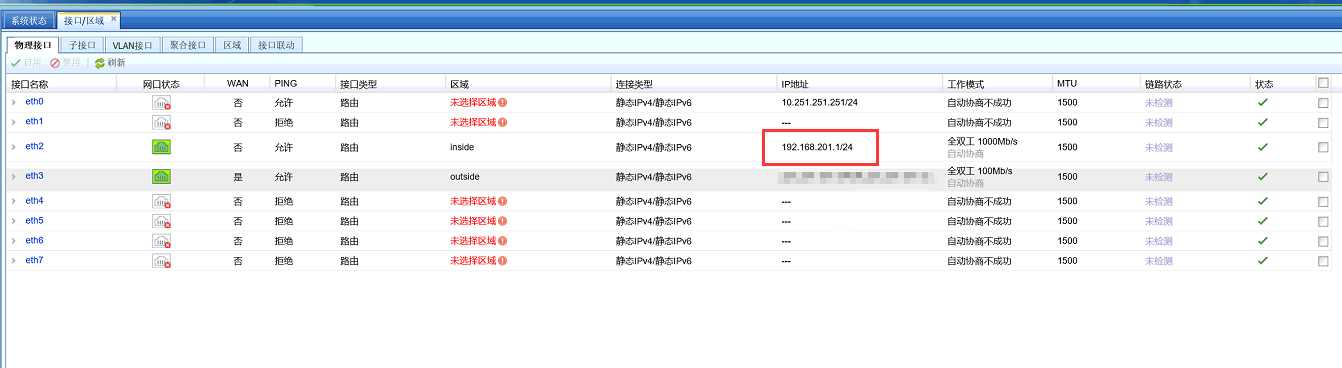
102805b5c352844c1a.png (111.42 KB) - Check the intranet segment of the peer VPN to be Network Segment. This Network Segment conflicts with the VPN segment of the peer that has been connected.

323435b5c353cd01fa.png (22.11 KB) - Solve the problem by enabling inter-tunnel NAT for users at the headquarters
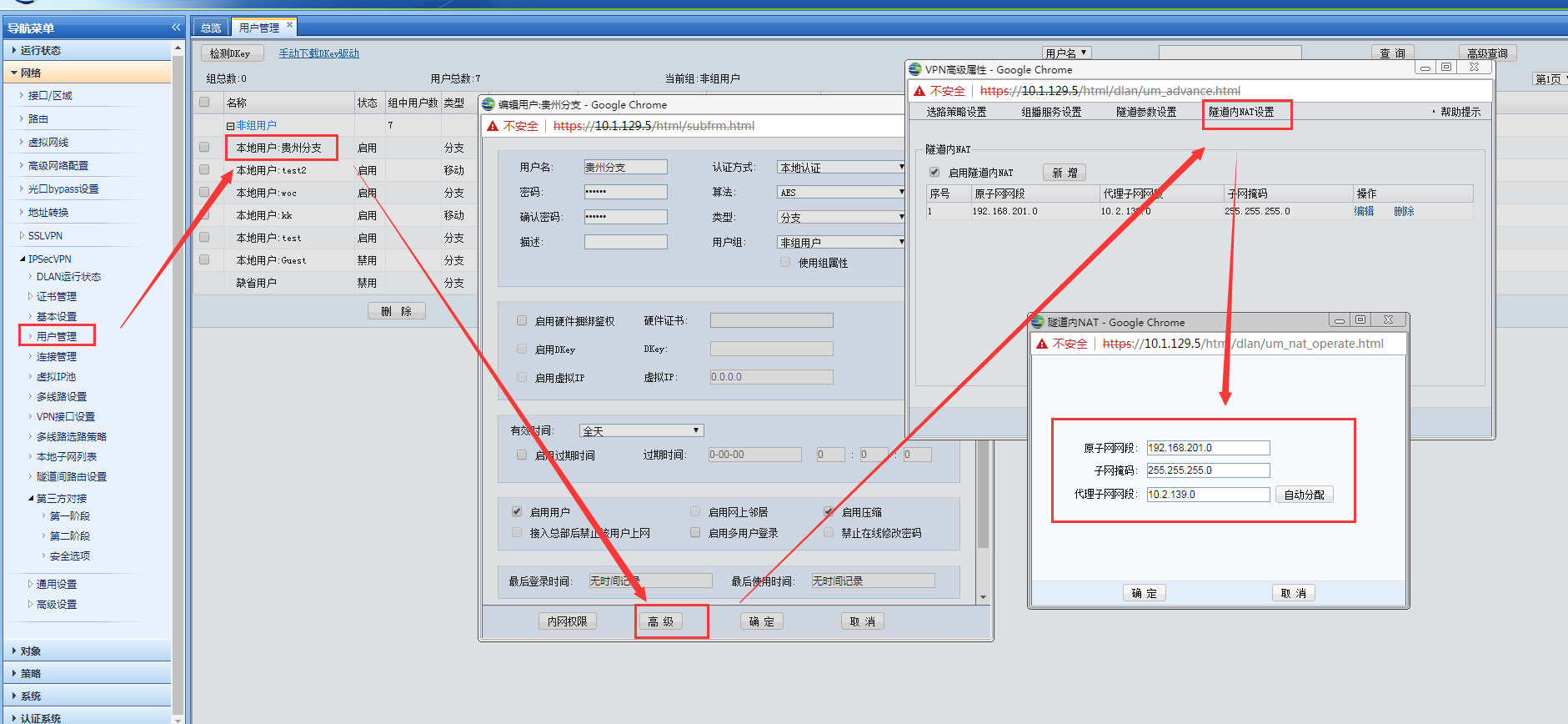
689065b5c3556ab9fe.png (170.42 KB) - Check that both tunnels are established successfully
Root cause
The intranet segment of the peer VPN to Network Segment conflicts with the intranet segment of the already established peer VPN.
solution
The headquarters enables inter-tunnel NAT for a specified branch to avoid address conflicts with another branch.
Suggestions and Conclusion
VPN problems can be found by checking the DLAN Logs Medium System-Troubleshooting-System Fault Logs.
Original Link
https://support.sangfor.com.cn/cases/list?product_id=13&type=1&category_id=145&isOpen=true