
[AF] sangforvpn cannot connect to the branch connection webagent address error
Problem Description
The branch AF connects to the headquarters AF's sangforvpn. Only this branch AF fails to connect successfully. The Logs indicates that the headquarters refuses to connect.
Effective troubleshooting steps
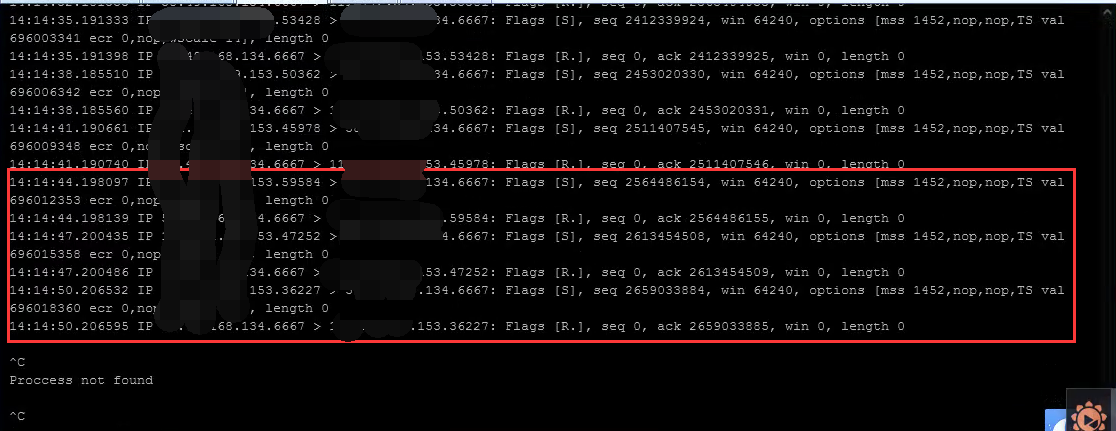
- Capture packets on both the headquarters and branch AFs at the same time and find that the headquarters directly rsts the three-way handshake of the branch sangforvpn port;
-
The headquarters and branches both have direct whitelists enabled, but the same problem still occurs. Check if there is no address translation Policies. When NAT, only the external network port has packets, and the non-proxy replies to rst.
-
Check the headquarters configuration and find that the headquarters public network port is in an address segment. The webagent configured in the headquarters is not the first IP on Interfaces. This branch happens to be connected to the wrongly configured webagent, resulting in a failed connection.
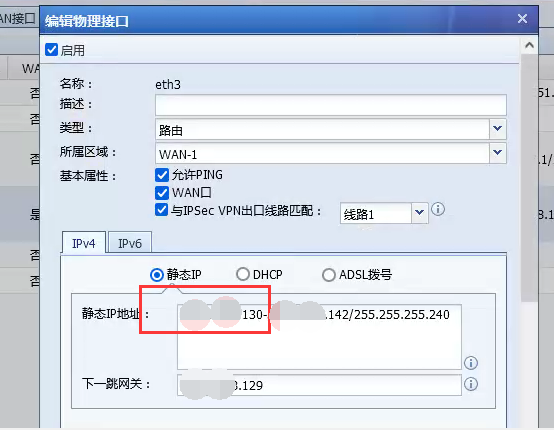
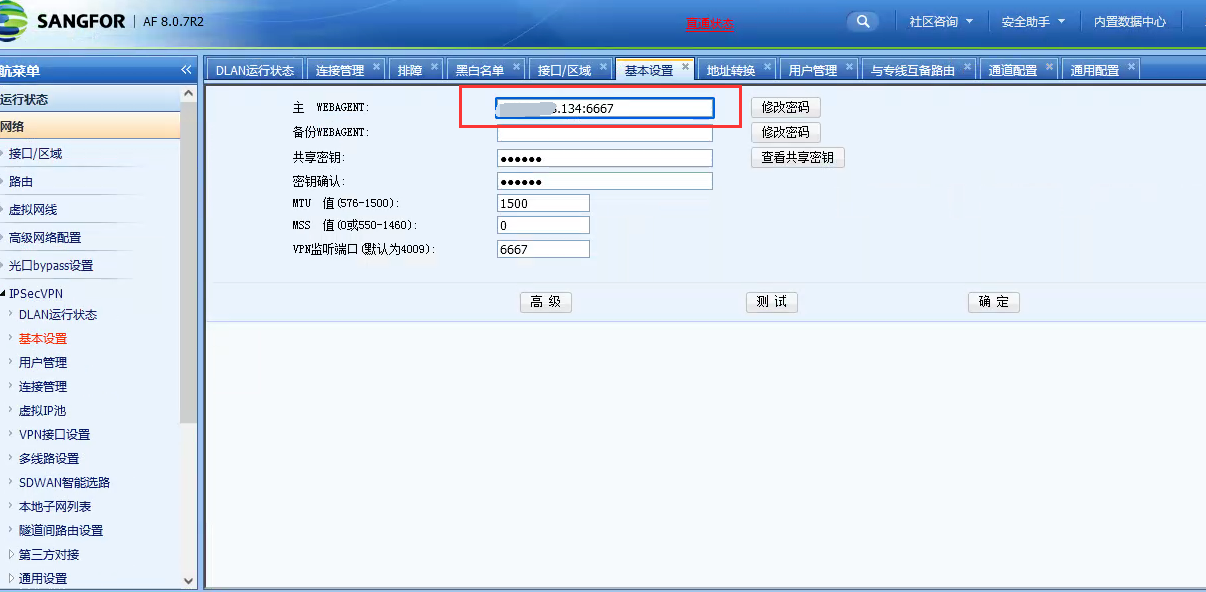
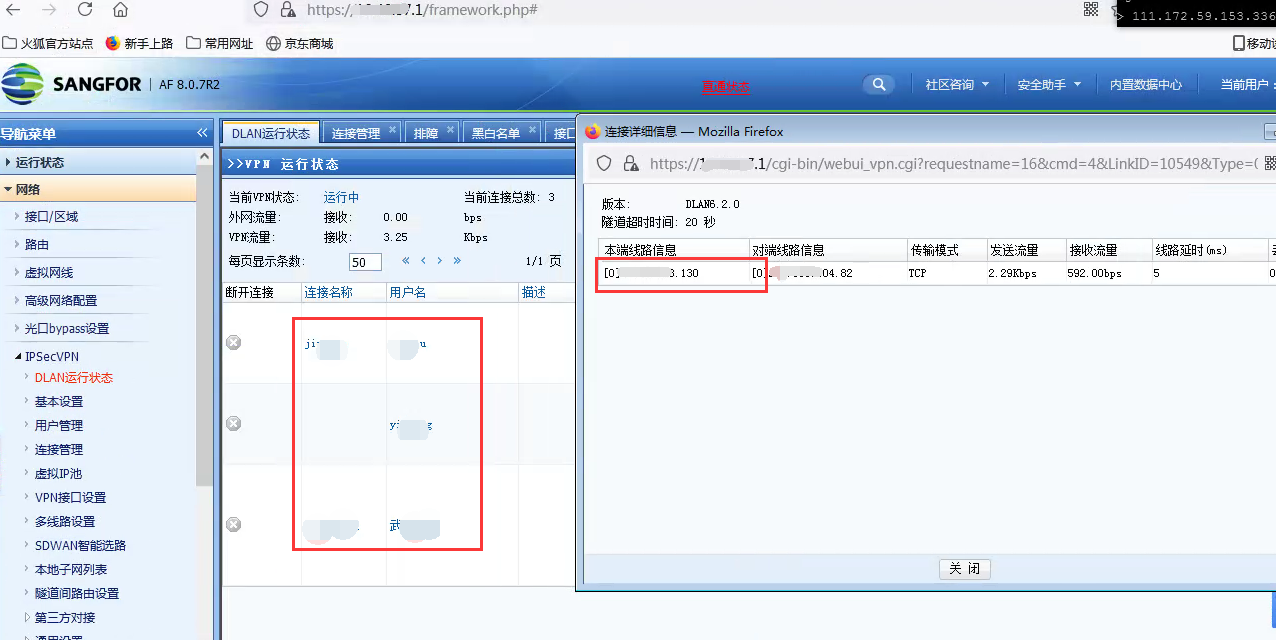
- The branch modifies the webagent connection configuration. After connecting the first IP of the Interfaces, the VPN connection is normal.
Root cause
The default listening port of sangforvpn is the first IP of the Interfaces. The branch needs to connect to the first IP in the IP range of the headquarters Interfaces.
solution
After changing the headquarters webagent Medium the branch VPN Connection to the first IP Medium the headquarters Interfaces, the connection is normal
Suggestions and Conclusion
If the port is not accessible and the headquarters directly replies to rst, you can use netstat -npl |grep 4009 (sangforvpn port) in the background to check the port monitoring status
Original Link
https://support.sangfor.com.cn/cases/list?product_id=13&type=1&category_id=1239&isOpen=true