
[AF] sangforvpn System failure system fault log error line is not activated
Problem Description
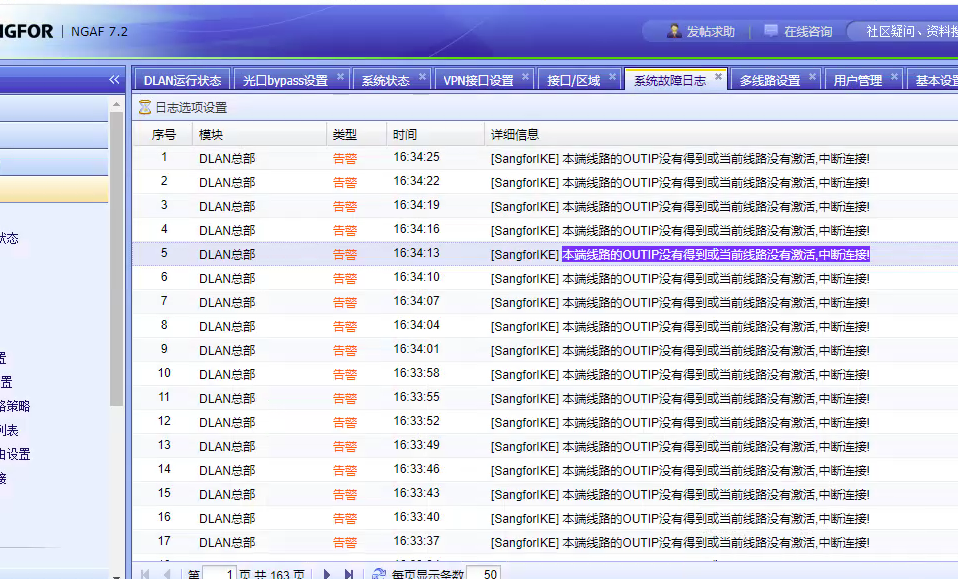
The sangforvpn connection failed, and the System fault log reported an error as shown below:
Effective troubleshooting steps
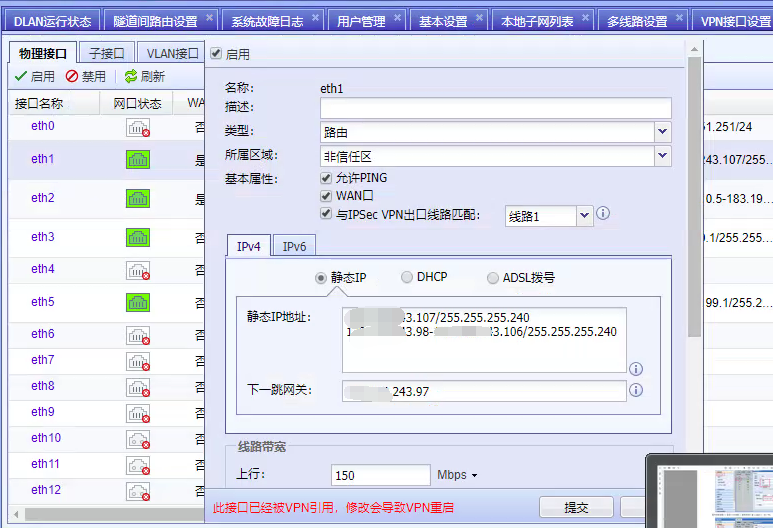
- Check the System line information according to the error information in the system fault Info. It is found that the customer configured an IP segment and did not put the IP to be used in the first place. After assisting in modifying the first IP to be placed at the top, it still does not work;
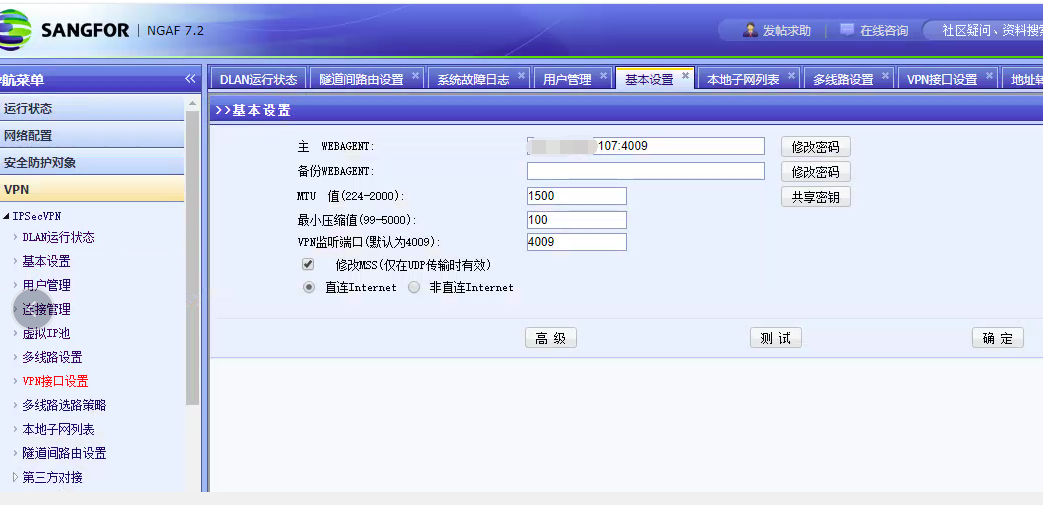
- Analyze the webagent configuration and find that the customer uses IP 107. This IP needs to be placed at the top. After modification, it returns to normal;
Root cause
The Interfaces IP address that needs to be used is not placed at the top of Interfaces configuration.
solution
Put the IP address you need to use at the top of Interfaces configuration.
Original Link
https://support.sangfor.com.cn/cases/list?product_id=13&type=1&category_id=1059&isOpen=true