
[AF] sangforVPN’s pre-shared key is correct but it still prompts that the key is wrong
Problem Description
Both the headquarters and the branch are AF, but the branch reports an error when connecting to the headquarters – the pre-shared key is wrong.

932505b3f691d8957f.png (20.81 KB)
Process——
- Leave the pre-shared key settings of the headquarters and branches blank and test, the problem still exists.
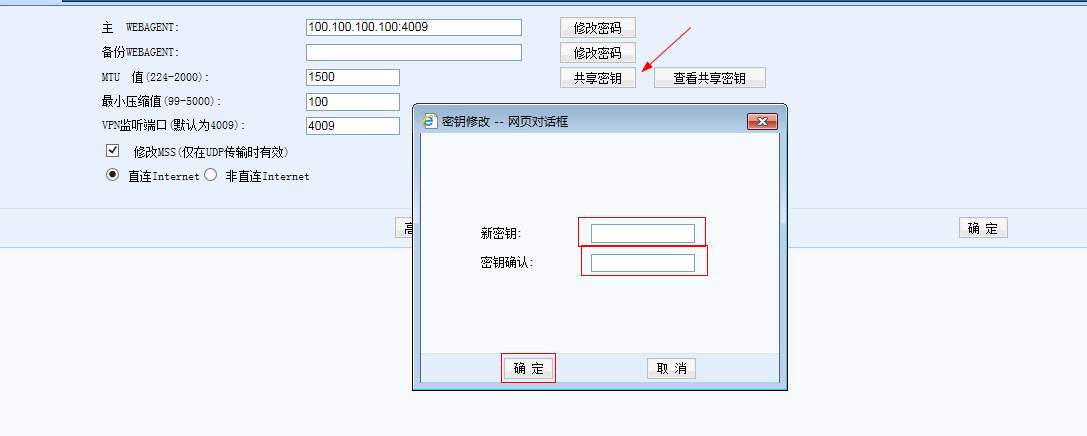
475795b3f6bbab1514.png (32.19 KB)
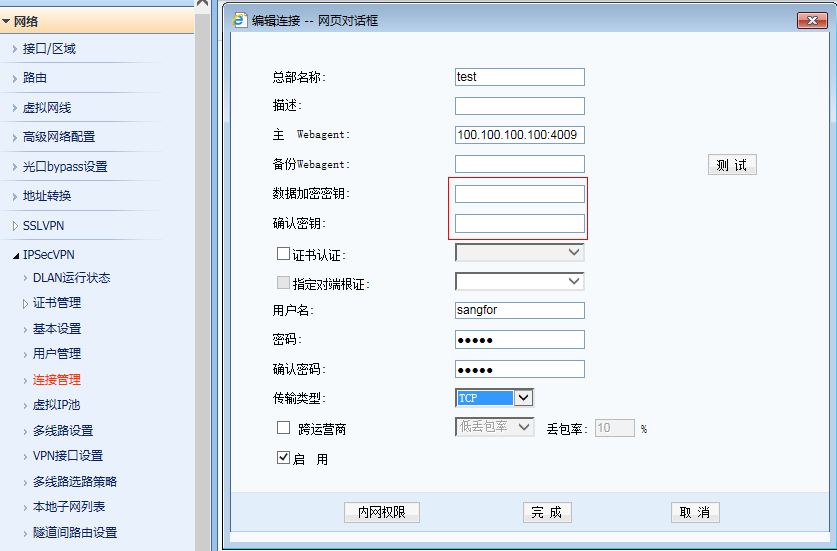
44315b3f6c0151f95.png (52.17 KB) - Capture the packet at the headquarters and confirm that the data packet is sent to the intranet
Packet capture and forensics support started from the standard version NGAF6.8
① Take the standard version AF7.3 as an example: View and operate in [System Maintenance] – [Maintenance and Forensics]
② Take the standard version AF7.4 as an example: View and operate in [System] – [System] – [Packet Capture and Forensics]

73355b3f6fda71da2.png (32.21 KB) - Check the device NAT, disable the mapping of port 4009, and then test it normally.

646585b3f703831a76.png (15.34 KB)
Root cause
The address is mapped to 4009, causing the port to be occupied and the key to connect to other devices is incorrect.
solution
Disable the conflicting NAT Policies or modify the port used by VPN.
Suggestions and Conclusion
Before configuring SSL VPN and a company VPN, it is recommended to check the device NAT to confirm that there is no port conflict.
Original Link
https://support.sangfor.com.cn/cases/list?product_id=13&type=1&category_id=83&isOpen=true