
[AF] Security protection Policies does not take effect due to inconsistent Interfaces types
Problem Description
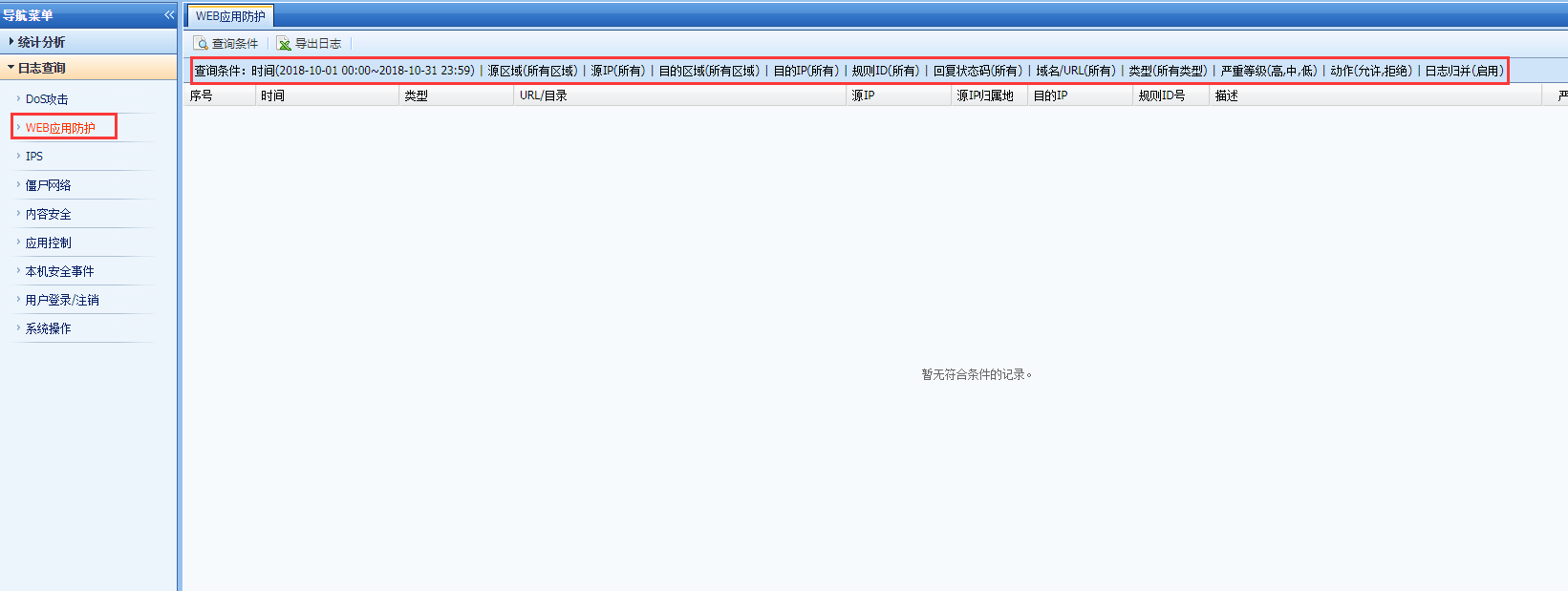
Taking the Web App Firewall Policies as an example, there is no WAF log in the built-in data center.
Warning Info
384425bd98a63500f4.png (24.01 KB)
Process——
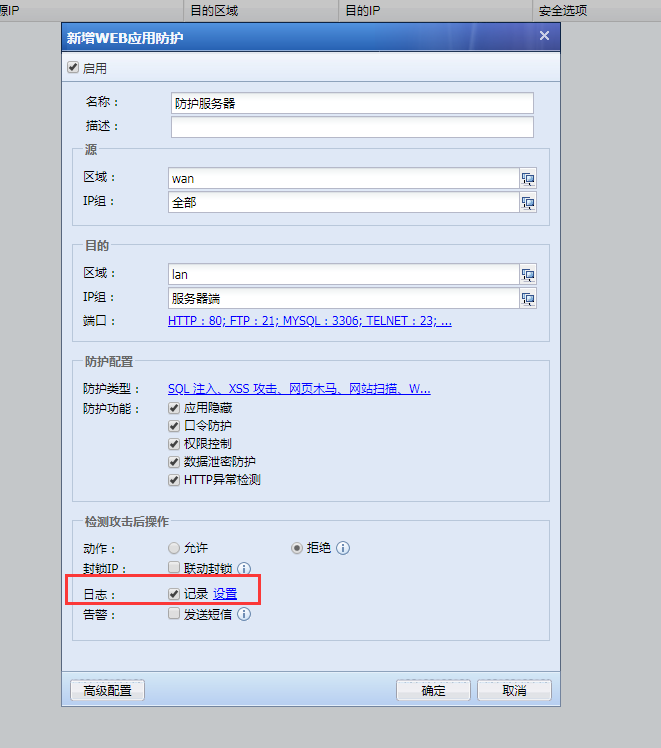
- Check that the policy configuration Medium correct and that Policies is checked in [Logs Protection];
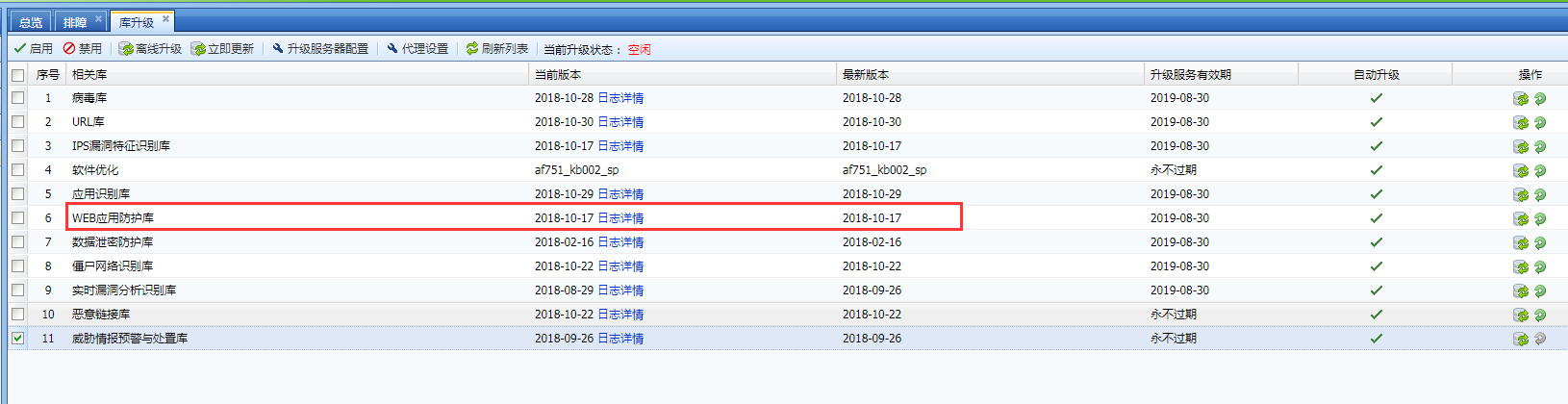
818405bd989d8a6d73.png (39.25 KB) - Check whether the Maintenance Web App Firewall protection library is the latest version in [System Maintenance] – [Library Upgrade];
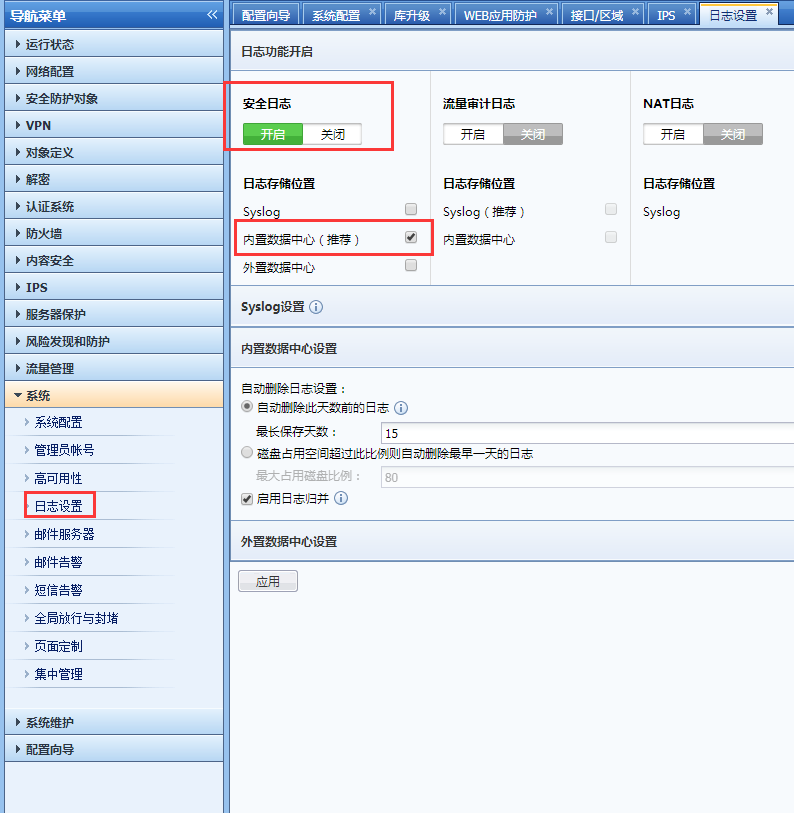
866225bd9883620593.png (47.6 KB) - In [System] – [Logging Options] – Security Logs Check that the Logs is recorded in the built-in data center;
367845bd98a2be4436.png (47.55 KB) - Check the built-in data center's log Log Database Medium [System] – [Log Log Database] to see if there are Logs.

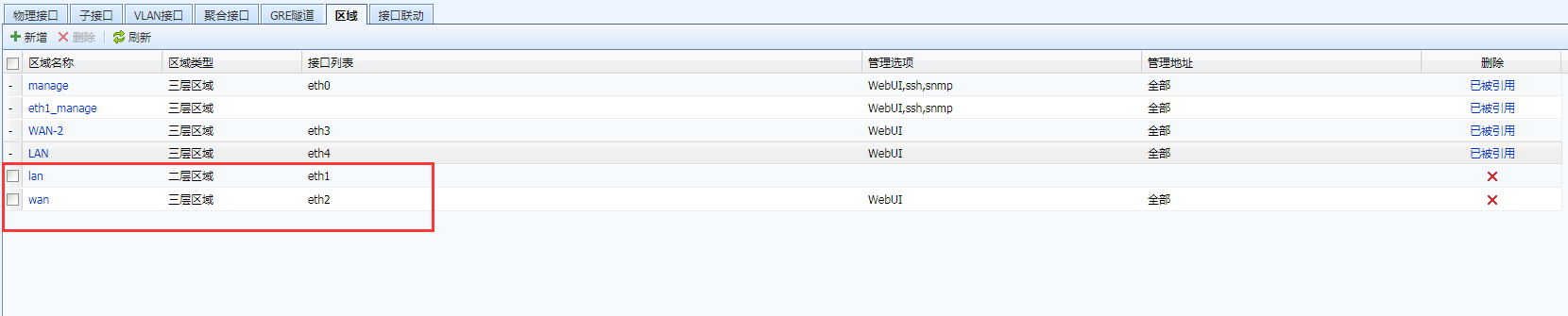
632985bd98a9ae7546.png (20.78 KB) - Check the zone where Network located in [Network Configuration] – [Interfaces/Zones] – [Zones] and find that wan is a Layer 3 and lan is a Layer 2:
393535bd98e2c84c19.png (20.57 KB)
Root cause
AF Policies only support the same type of Zones, that is, Layer 2 can only make Policies with Layer 2, and Layer 3 can only make Policies with Layer 3. The Policies between Layer 2 and Layer 3 is ineffective.
solution
Solution 1: Configure a VLAN on the Layer 2 interface and set policies between the Layer 3 where the VLAN Layer 3 Policies;
Solution 2: Change the interface of the WAN Zones to a Layer 2 port, and reconfigure the Policies between Layer 2 and Layer 2.
Original Link
https://support.sangfor.com.cn/cases/list?product_id=13&type=1&category_id=454&isOpen=true