
[AF] Sensitive address conflict between the two branches of sangfor vpn, and they need to access each other. After configuring the inter-tunnel routing, it does not work.
Problem Description
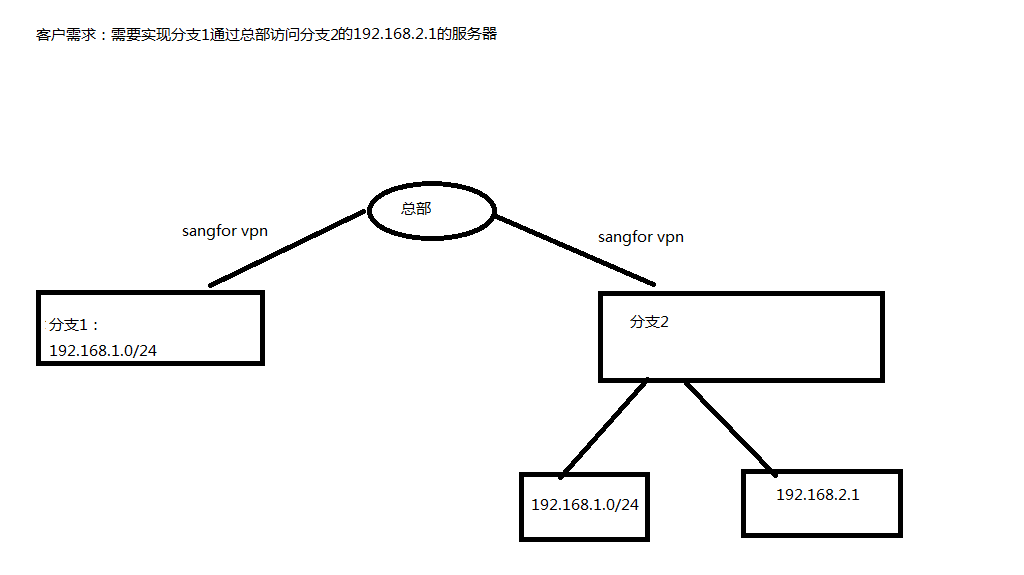
- Sensitive address conflict between the two branches of sangfor vpn, and they need to visit each other. After configuring the inter-tunnel routing, the vpntun port of branch 2 cannot capture the packet. The topology is shown in the figure:
551175e9d908496dfc.png (25.99 KB)
Process——
- Check the headquarters [Network] – [IPSec VPN] – [Local Users], Medium find that the users of the corresponding branch have not configured inter-tunnel NAT. Branch 2 has not published the local subnet of the 192.168.1.0 Network Segment, but only published the local subnet of 192.168.2.1/24.
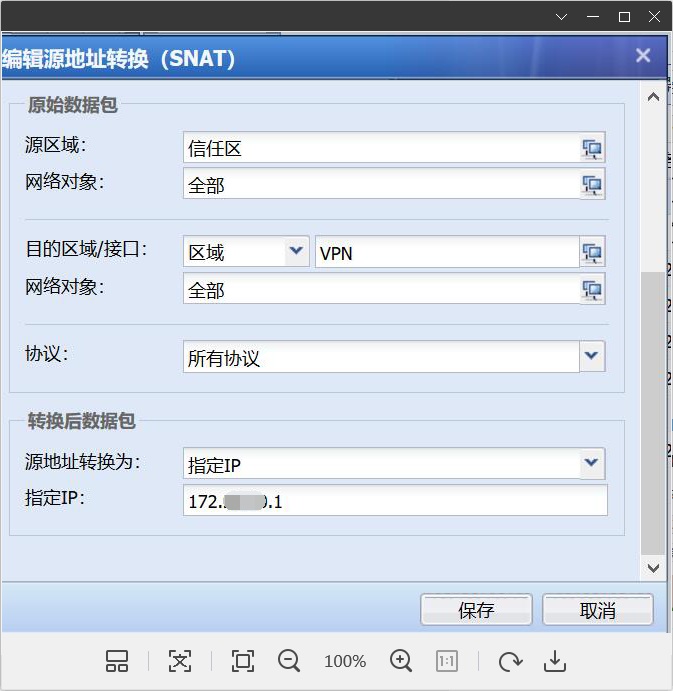
- Check branch 1 [Policies] – [NAT] Medium configure an NAT for the VPN Zones. When the intranet PC accesses the VPN peer, it is converted to 172.*.*.1 to access
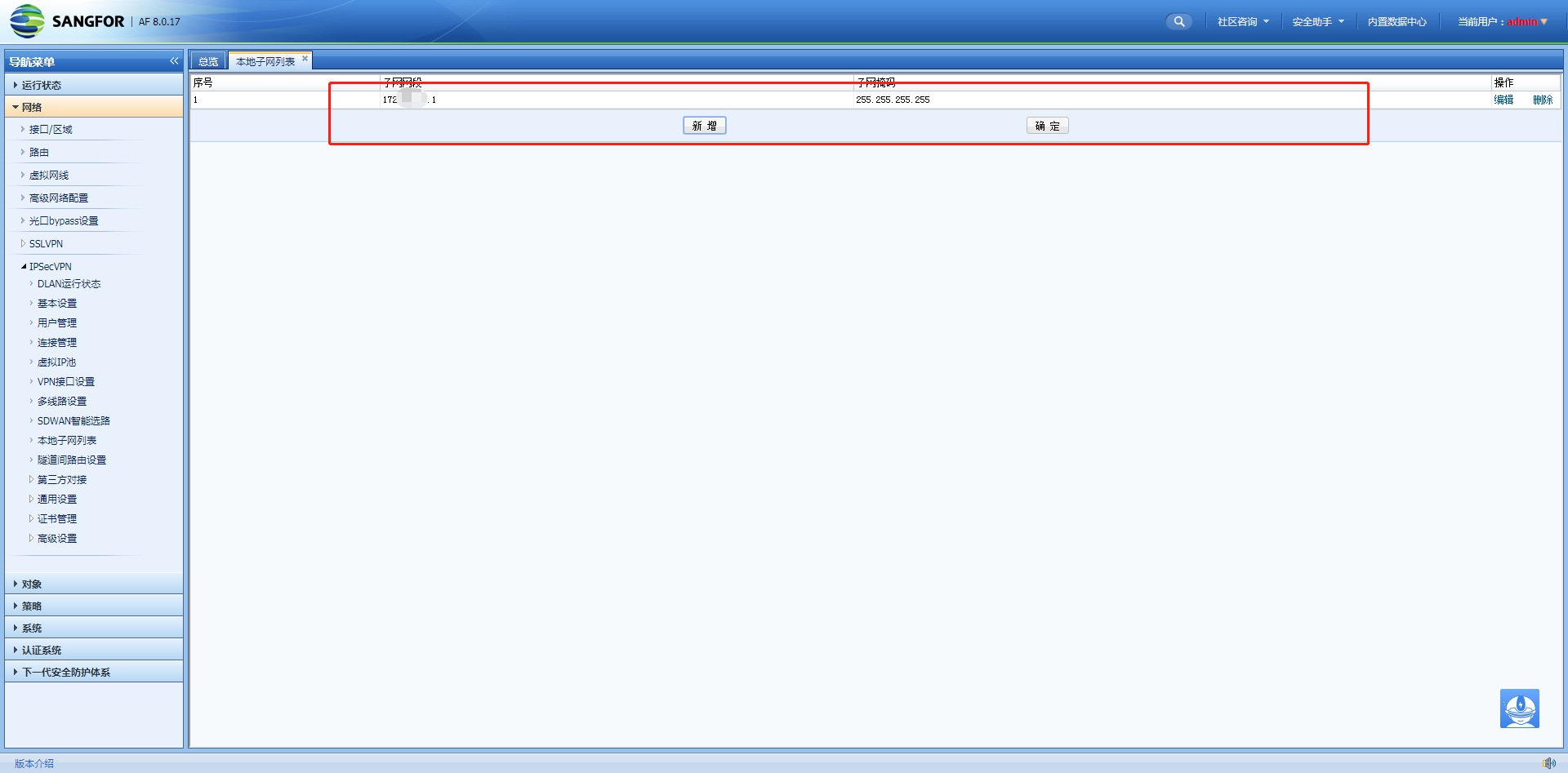
540285e9d91646735d.png (199.79 KB) - Check the [Network] – [IPsec VPN] – [Local Subnet List] of branch 1 to see that the local subnet 172.*.*.1 is publishedSubnet
837595e9d91b5b6c70.png (130.67 KB) - Use the command tcpdump -i vpntun host 192.168.2.1 and icmp -nn in [System] – [Troubleshooting] – [Branch Tools] of branch 1 and branch 2 respectively to capture packets. It is found that the data packets can be captured on the vpntun port of branch 1, but not on the vpntun port of branch 2. Inference: The data packet is not encrypted properly when it is sent out at the tunnel entrance
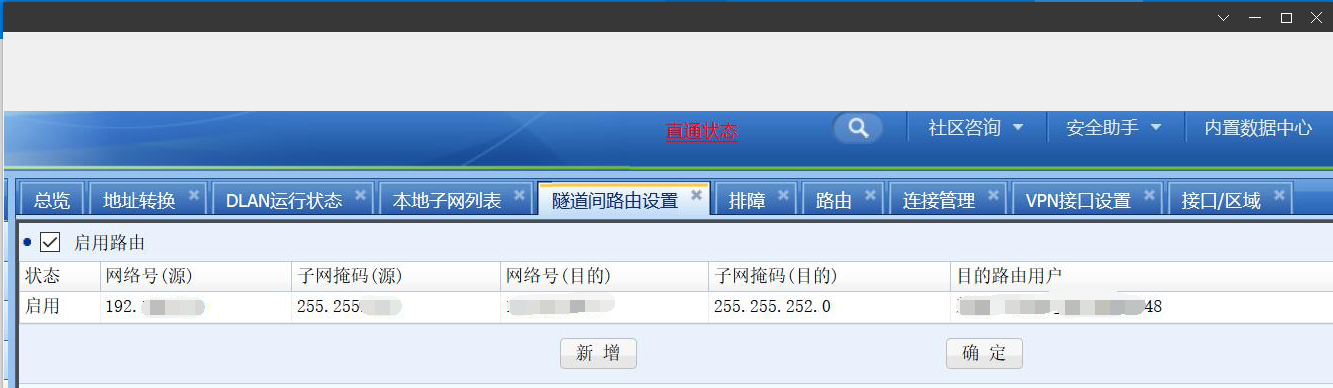
- Check the Network (192.168.1.0) in [Network] – [IPsec VPN] – [Inter-tunnel Layer 3 Settings] Medium Objects 1. The configuration is wrong and it is configured with the IP Address before the source conversion:
227855e9d9359b72cf.png (264.76 KB)
Root cause
The source network Objects Network is configured incorrectly and needs to be configured with the IP Address after address translation.
solution
Modify the source network object Medium the inter-tunnel Network to: 172.*.*.1 and solve the problem:
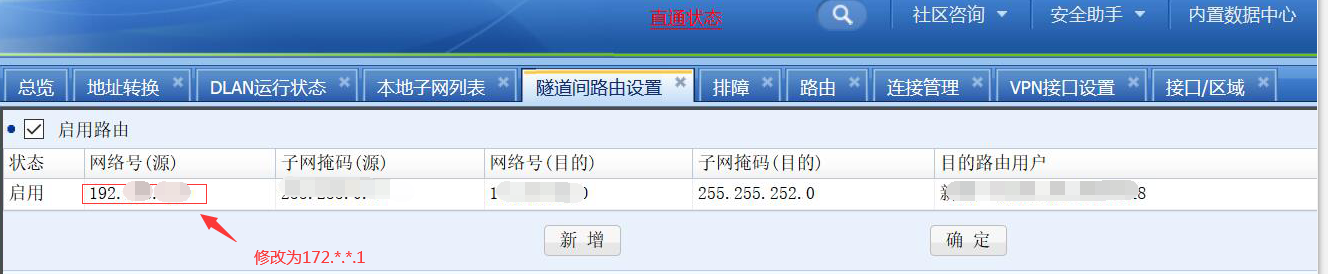
316825e9d946103ef7.png (252.62 KB)
Original Link
https://support.sangfor.com.cn/cases/list?product_id=13&type=1&category_id=874&isOpen=true