
[AF] Service Policies the application control policy allows specific addresses to be connected in both directions
Problem Description
After AF uses the application control Policies allow specific addresses in both directions, services are unavailable. However, services are available after the source and destination addresses are changed to any.
Warning Info
N/A
Effective troubleshooting steps
-
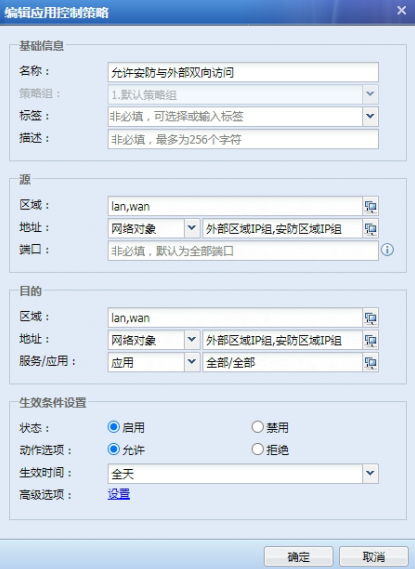
Virtual deployment of Local; check that there are no abnormalities in the Policies, the Zones division and Interfaces Zones configuration are consistent, and the IP Address configuration is consistent with that provided by the customer.
-
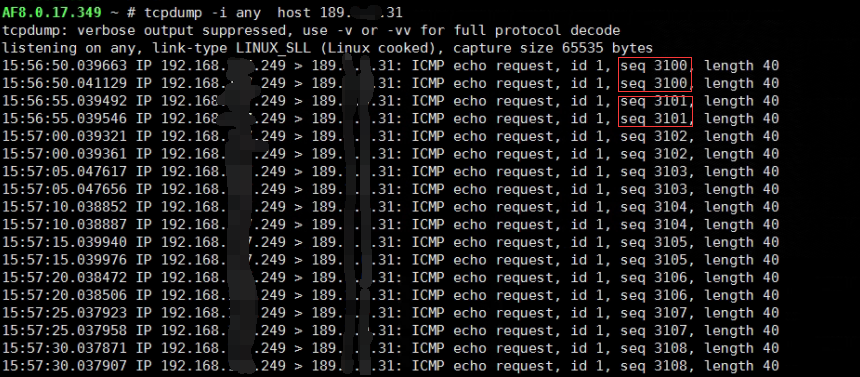
The IP Address captured and analyzed is consistent with the one provided by the customer. The request packet of the terminal address is forwarded out of Local normally, but the reply packet is not received on the Local.
-
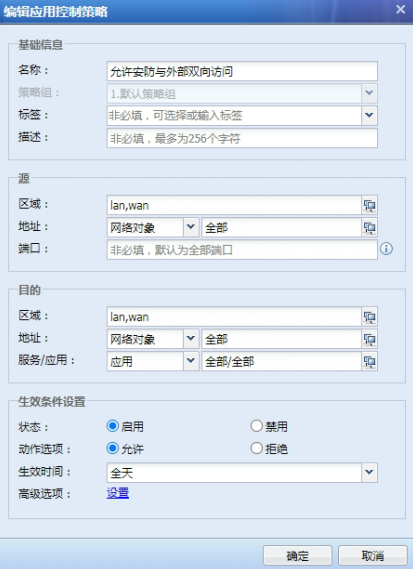
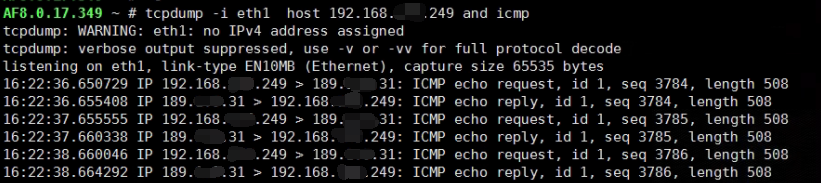
After changing to any to access any, test that the icmp interaction is normal.
-
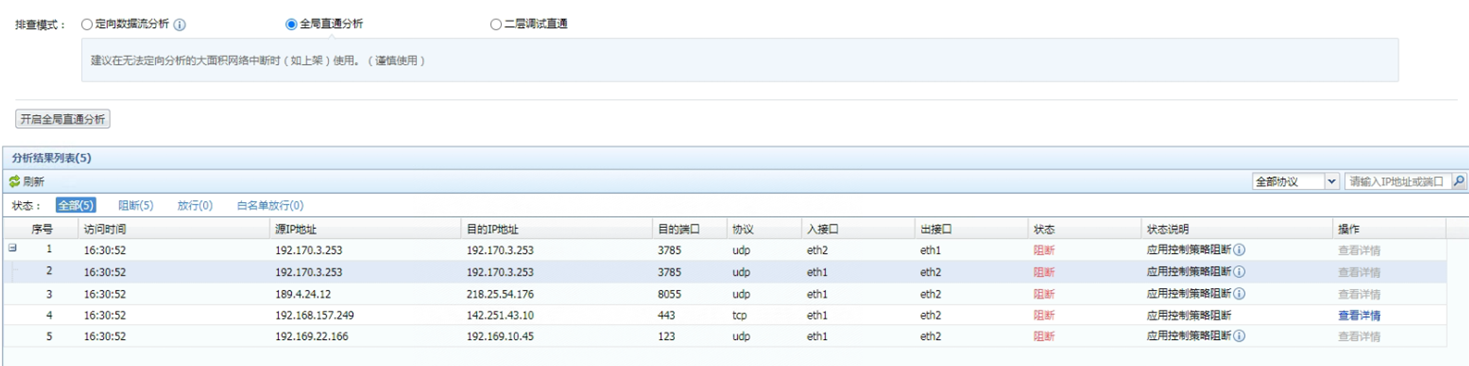
Enabling directional direct access has no effect and no Logs are generated. Enabling global direct access works normally, but too many Logs are generated to be analyzed.
-
Add the port numbers that frequently appear in log analysis to the entries released by the application Policies to reduce the generation of log analysis.
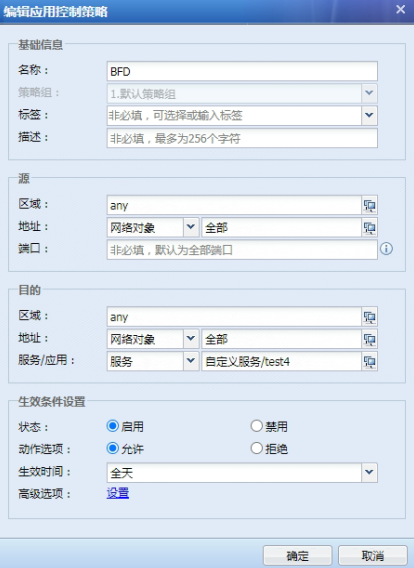
After testing step by step, we added the subsequent port numbers to the policy one by one, and finally located that the BFD generated by other devices was intercepted, resulting in the destination address not replying to the data packet.
Root cause
The BDF of other devices is intercepted, resulting in the destination device not replying to the Reply data packet.
solution
Locate the log analysis and restore after release. The operation may be cumbersome but the direction is correct.
Operation Impact Scope
It is necessary to communicate with the customer whether global direct access can be enabled and whether the result port numbers of log analysis can be added one by one. The customer needs to accept this operation.
Original Link
https://support.sangfor.com.cn/cases/list?product_id=13&type=1&category_id=2411&isOpen=true