
[AF] Some operation logs are missing in Syslog
Problem Description
Services Syslog server only has login and logout operation Logs, but no other operation Logs
Effective troubleshooting steps
- Test the connectivity with the server, normal
- Check the related process sysklogd in the background: ps axu | grep sysklogd, the process is normal;
- Packet capture analysis: perform some related operations while capturing packets, such as adding a new IP group or a new user;

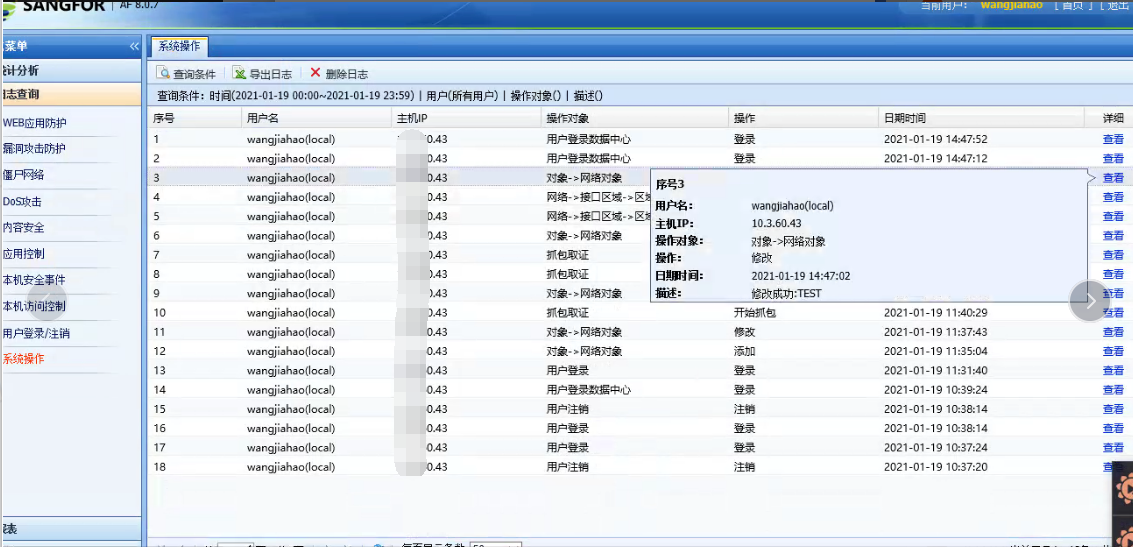
From the data packet, we can see that the operation log has been sent, indicating that af sending is normal. Check the Syslog server and it is recorded normally.
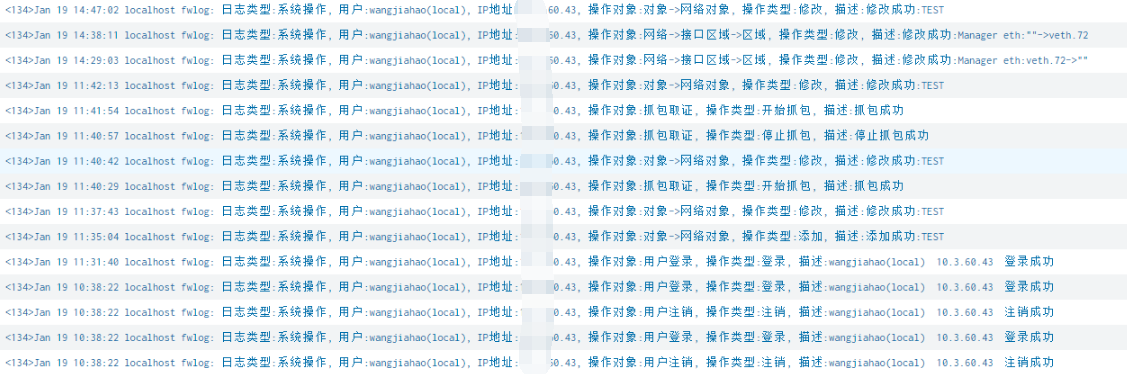
solution
- Syslog is transmitted via UDP. There may Sensitive Network fluctuations and other issues that may cause the server to fail to receive data.
- To troubleshoot such transmission problems, you can capture packets on the af and server, and check whether the log is sent and received by the peer end based on the content of the data packet. If the af has sent the log but Services server has not received it, it is recommended to check the link problem; if the af has not sent the log, it is recommended to check whether Sensitive abnormalities in the configuration and process.
- There is no separate check button for the Admin Operation Logs Logs. If you check the synchronization button for any type of Logs, Admin Operation Logs Logs can be synchronized.
Original Link
https://support.sangfor.com.cn/cases/list?product_id=13&type=1&category_id=1106&isOpen=true