
[AF] SQL missed judgment: Enable the function SQL Injection preventing SQL injection misjudgment
Problem Description
Topology: external network—AF—DMZ switch—DMZ server area, STA traffic probe is deployed on the DMZ switch.
Customer AF has correctly enabled the WAF security Policies, which enables WEB protection and records attack logs. The traffic detected by STA is the intranet traffic after AF filtering, but on Session Initiation Protocol, STA detects an attack on the server.
Warning Info
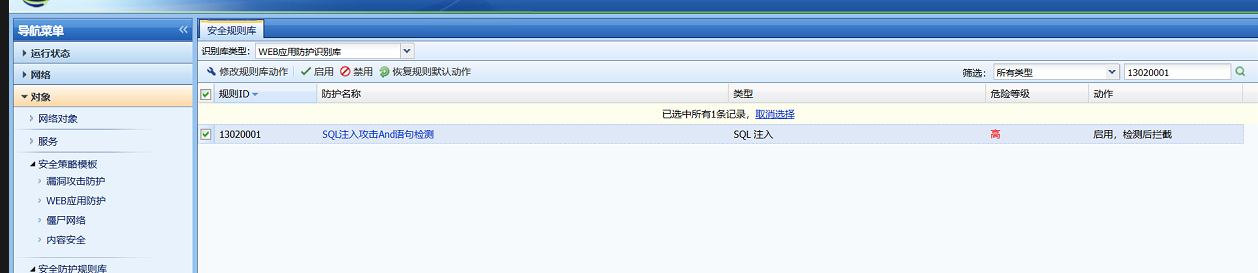
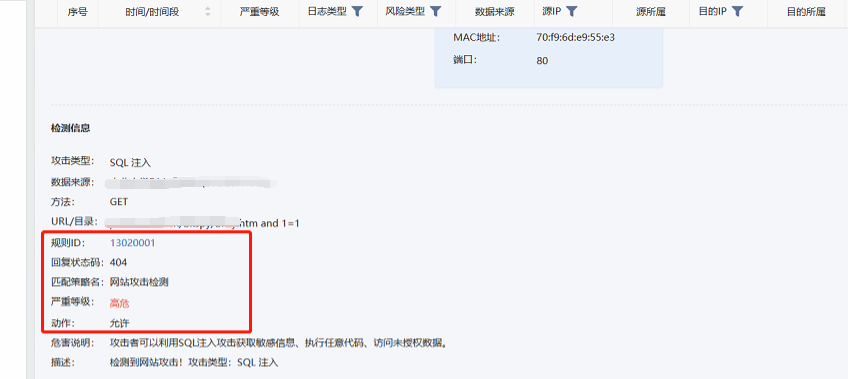
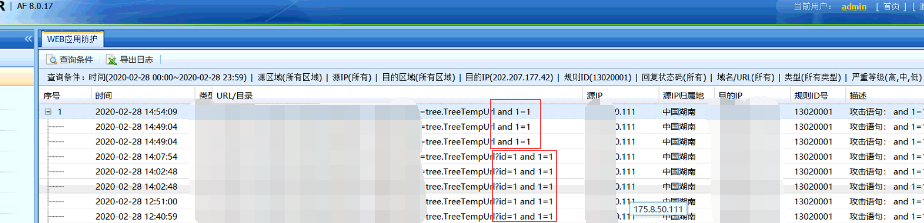
- AF's WAF rule 13020001 will detect and block the "and 1=1" parameter. The attack traffic passed AF, but the SQL injection attack with the attack parameter and 1=1 was still detected on Session Initiation Protocol, as shown in the following figure:
Effective troubleshooting steps
- Check that the WAF-related Policies configuration of the device is normal, add the attack parameter "and 1=1" to the website to perform an access test, and capture the packet to confirm that the traffic passes AF. The attack test was detected on Session Initiation Protocol.
- Add attack parameters to the website "? id=1 and 1=1" The access test prompts "The connection is reset". Check the device WAF log and find the corresponding attack interception Logs. However, Session Initiation Protocol did not record the attack, confirming that the attack was blocked.
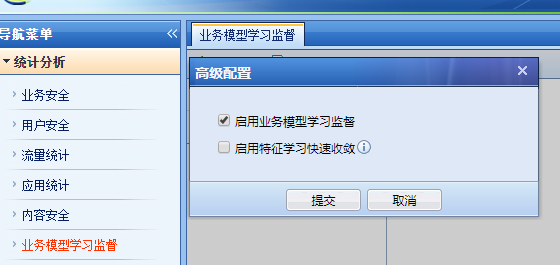
- AF has a built-in SQL Injection injection prevention function. Check Data Center -> Statistics Analysis -> Signature Model Training -> Advanced Configuration -> "Enable Business Model Supervision" and find that anti-misjudgment is enabled. After turning it off, I tested it again by adding the attack parameter "and 1=1" and the prompt "Connection reset" appeared. The WAF Logs found the corresponding attack interception log.
Root cause
Anti-misjudgment itself does not completely rely on learning about user business, and has its own native regular expression library and fingerprint library. Some attack parameters will be allowed.
solution
Disable the built-in SQL Injection injection prevention function of AF. The operation method is as follows:
For versions AF8.0.5-AF8.0.17, you can disable it in [Built-in Data Center] – [Statistics Analysis] – [Signature Model Training]. AF8.0.19 can be disabled in [Policies] – [Security Policies] – [Signature Model Training].
Note: Versions below AF8.0.5 need to be closed in the background. File operations have certain risks. You can upgrade the version first. If you cannot upgrade, you can contact an expert to shut it down.
Suggestions and Conclusion
If SQL Injection missed, and the protection rules are confirmed to be effective, you can give priority to considering that it is caused by the anti-false positive function and try turning it off first.
Original Link
https://support.sangfor.com.cn/cases/list?product_id=13&type=1&category_id=849&isOpen=true