
[AF] SSL VPN cannot Obtain virtual IP Address when publishing L3 resources
Problem Description
SSL VPN publishes L3 resources that cannot be accessed and the virtual IP Address cannot be obtained
Effective Troubleshooting Steps
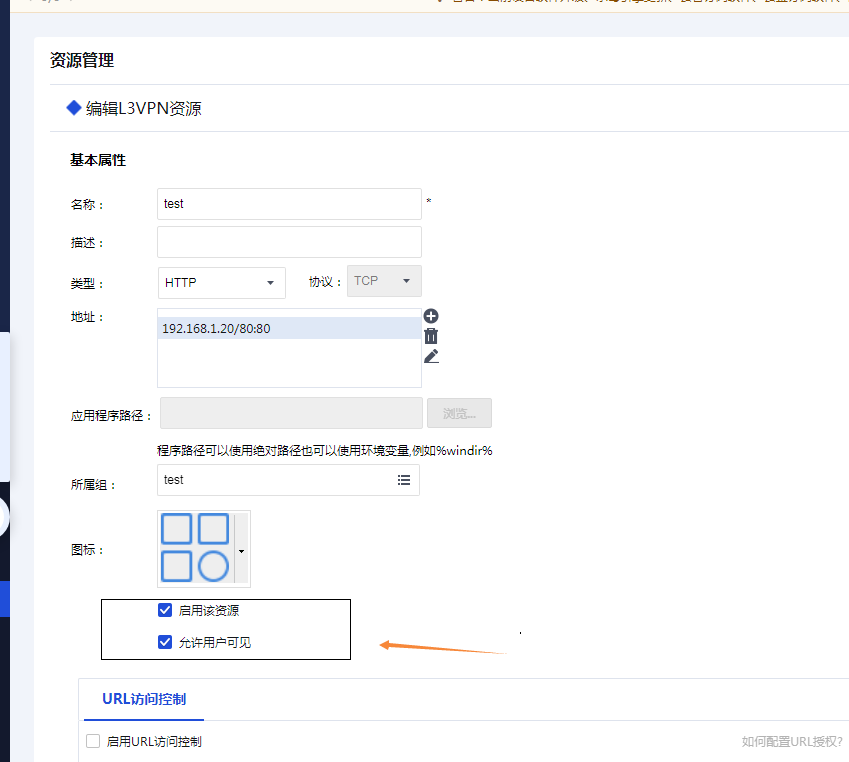
- Check whether the resource is an L3 resource and whether it is enabled
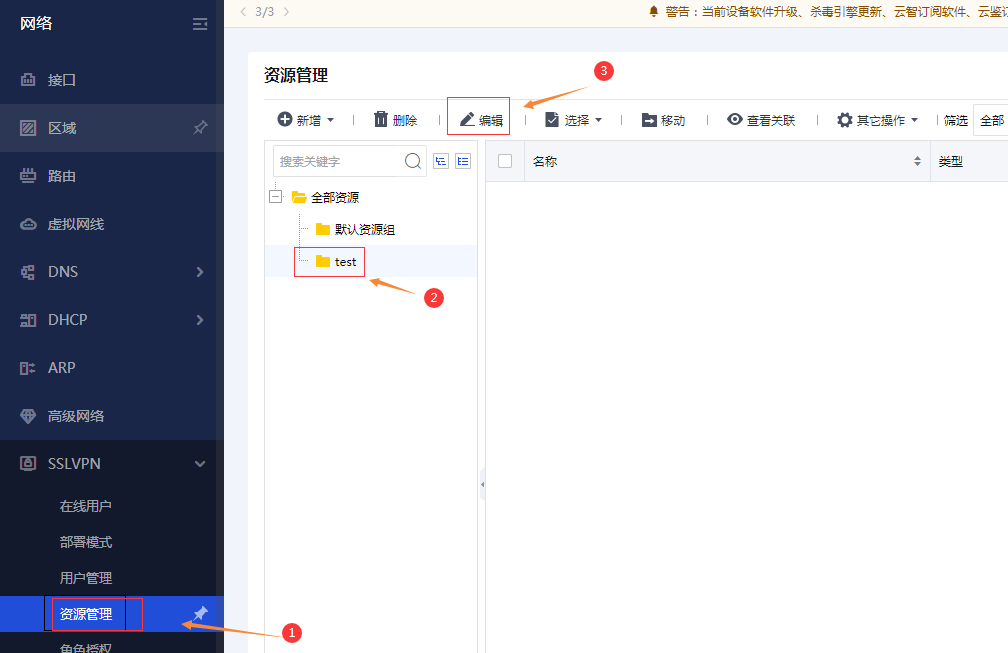
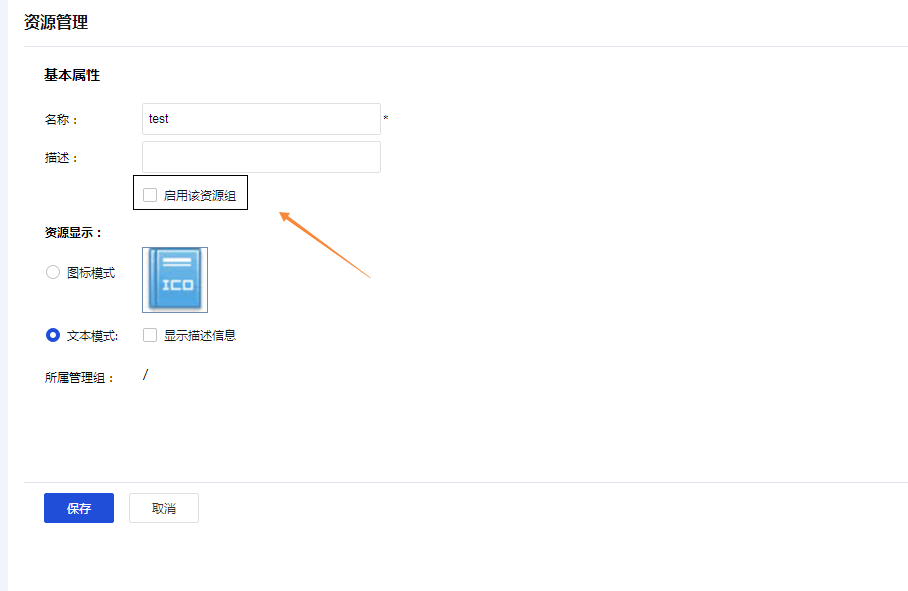
- Check the resources under the group to see whether the corresponding group has enabled the resource group
Path: View and configure in [SSL VPN]-[Resources]
Root cause
The resources in the SSL VPN resource group are enabled, but the group to which the resources belong is not enabled. The group has higher permissions than the individual resource.
solution
Enable the corresponding resource group resources
Original Link
https://support.sangfor.com.cn/cases/list?product_id=13&type=1&category_id=2047&isOpen=true