
[AF] SSL VPN release: Inaccessible internal network resourcesDeployment configuration error
Problem Description
After publishing the SSL VPN intranet port resources, they cannot be accessed
Effective troubleshooting steps
- The released resources are L3 resources. After troubleshooting according to typical scenarios, it was found that the client did not learn Layer 3.
Typical scenarios for the AF product line: https://support.sangfor.com.cn/cases/list?product_id=13&type=2
Typical scenarios of the SSL product line: https://support.sangfor.com.cn/cases/read?product_id=20&category_id=5708
Layer 3 exception screenshot:
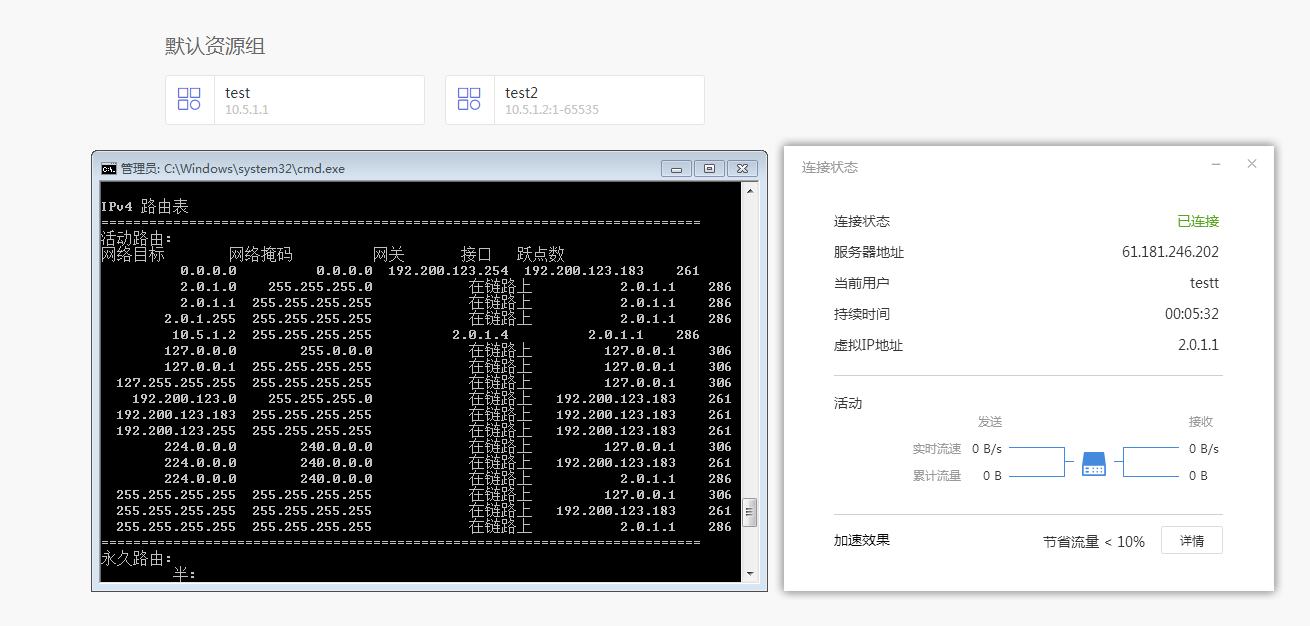
After trying to manually add the Layer 3, you can access the resource normally
route add 10.5.1.1 mask 255.255.255.255 2.0.1.1 - SSL VPN does not support publishing the SSL VPN login address (i.e. external network port address), which will cause a Layer 3 loop. If the corresponding resources are released, System will process them and not send the Layer 3. The phenomenon is similar to this problem.
- Check the AF configuration and find that the internal and external Deployment selected in the SSL deployment mode.
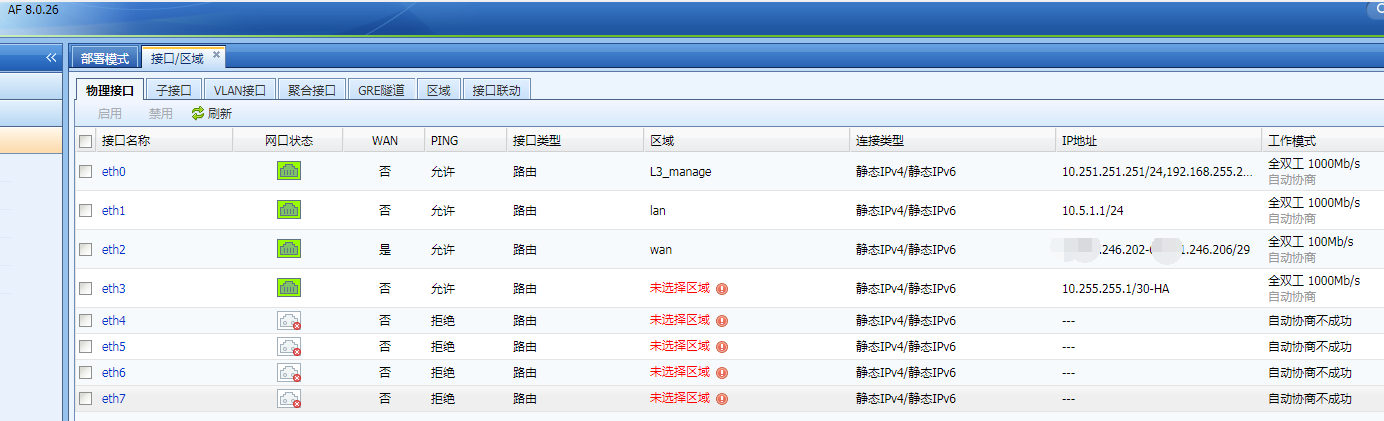
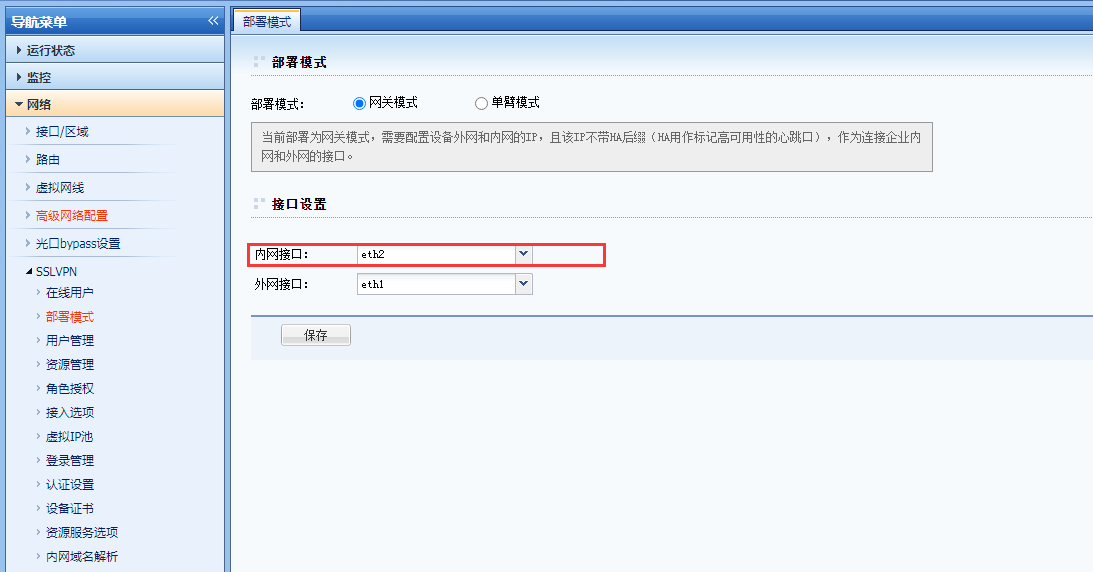
eth1 corresponding to 10.5.1.1 is the intranet port, but the external network port is selected in the Deployment, resulting in the address of the external network interface in the resource not being sent to the client when it is sent to the client.
Root cause
Wrong selection of internal and external network ports Deployment
solution
Select the correct internal and external network ports.
Suggestions and Conclusion
The SSL version corresponding to AF8.0.23 and above is 767R1, which is the SSL dedicated line version. Typical scenarios and robots can first go through the SSL product line.
Original Link
https://support.sangfor.com.cn/cases/list?product_id=13&type=1&category_id=989&isOpen=true