
[AF] SSL VPN webagent cannot log in and prompts Medium there is no valid IP Address in the IP file
Problem Description
The resources published by AF's SSL VPN cannot be logged in through webagent. When webagent is opened, it prompts that there is no valid IP Medium the IP file.
Warning Info
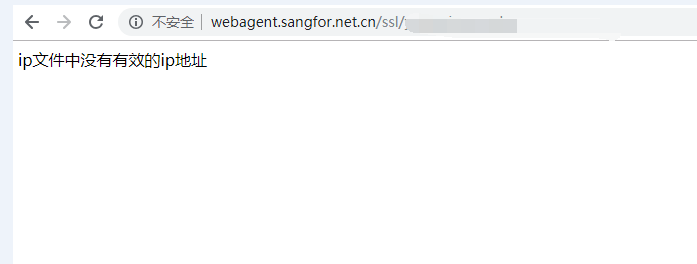
256605c011568702ec.png (5.11 KB)
Process——
- Check in [Network] – [Interfaces/Zones] whether the external network Interfaces is ADSL dial-up Internet access:
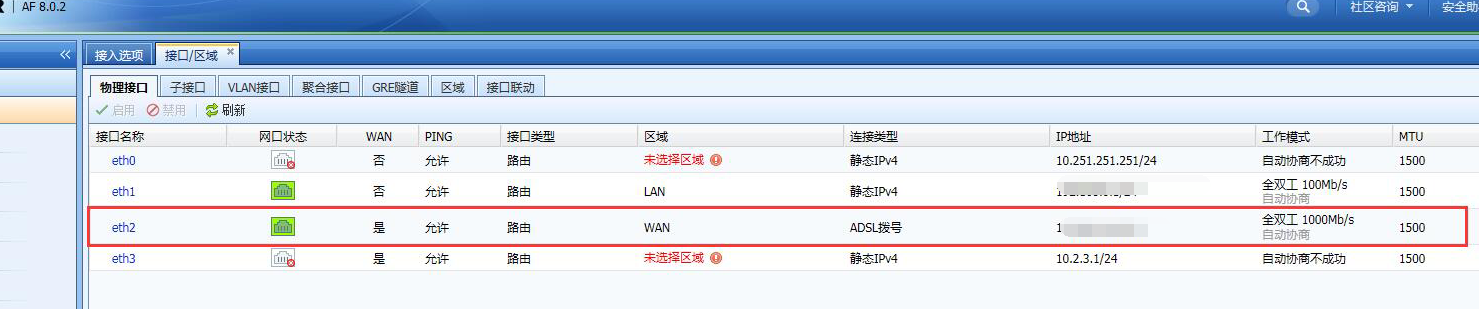
777925c01300361c6c.png (197.63 KB) - In [Network] – [SSL VPN] – [Login Options], it is found that webagent dynamic IP support has been enabled, but the status of several newly created webagents are all disconnected;
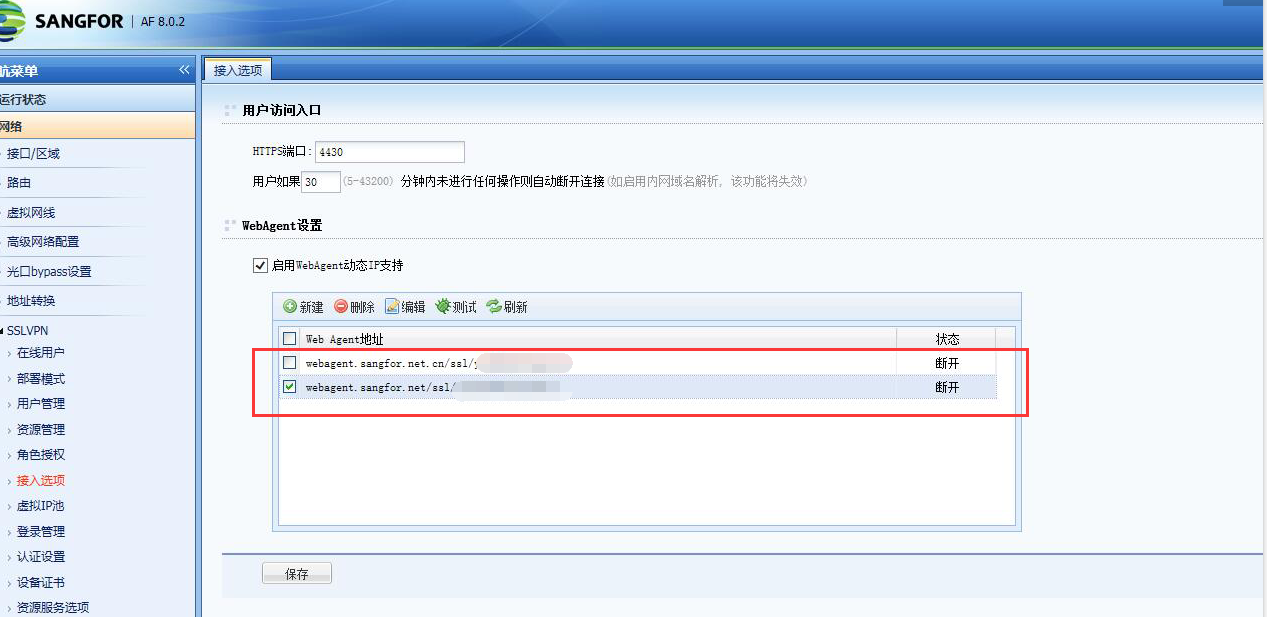
826415c0130781cf92.png (200.44 KB) - In [Network] – [SSL VPN] – [Deployment], it is found that the Deployment of SSL VPN is single-arm mode.
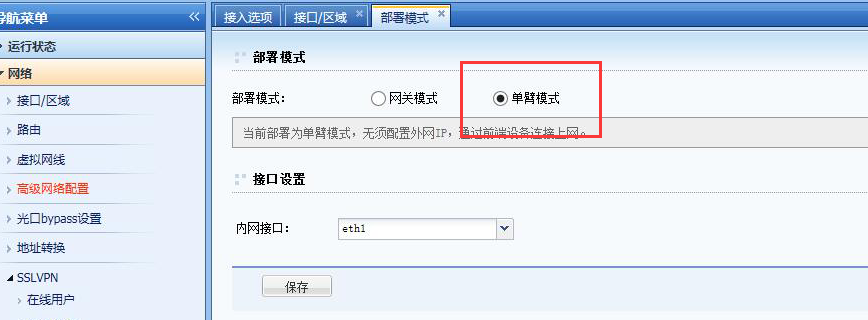
635995c0130473a540.png (98.1 KB)
Root cause
Single-arm mode deployment, external network is ADSL dial-up Internet access, webagent is not currently supported
solution
In [Network] – [SSL VPN] – [Deployment], change the Deployment of SSL VPN from single-arm mode to gateway Layer 3 mode.
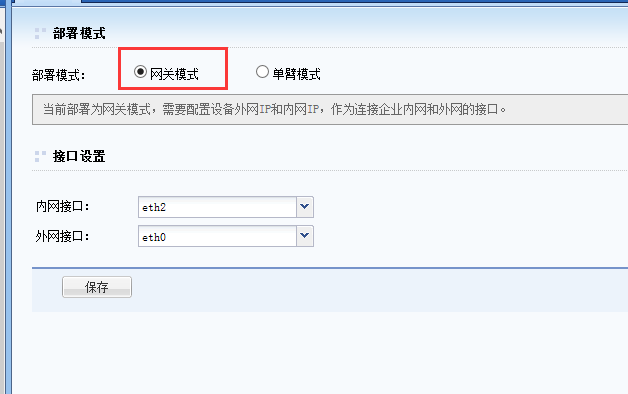
906045c0131b322cb1.png (7 KB)
Original Link
https://support.sangfor.com.cn/cases/list?product_id=13&type=1&category_id=543&isOpen=true