
[AF] Static Layer 3 is not effective, and the Layer 3 status is invalid.
Problem Description
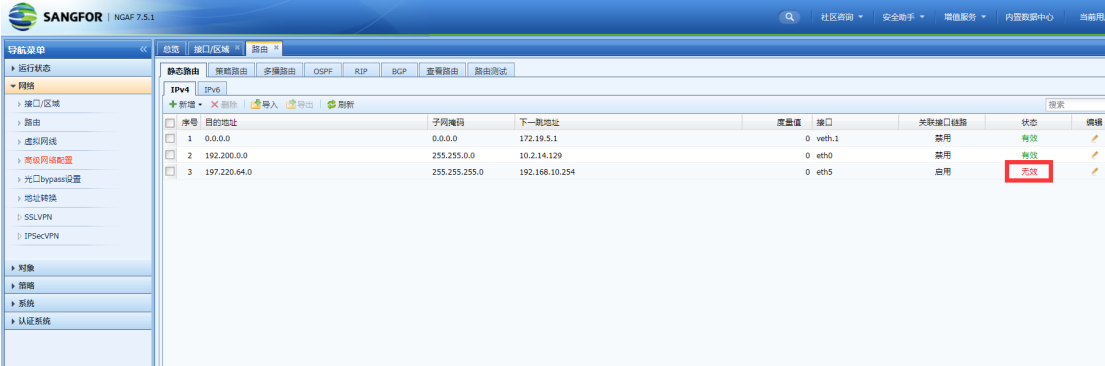
After configuring the static Layer 3 and saving it, it prompts that Layer 3 is not effective, as shown in the following figure
136805c236a6451ca9.png (91.32 KB)
Process——
-
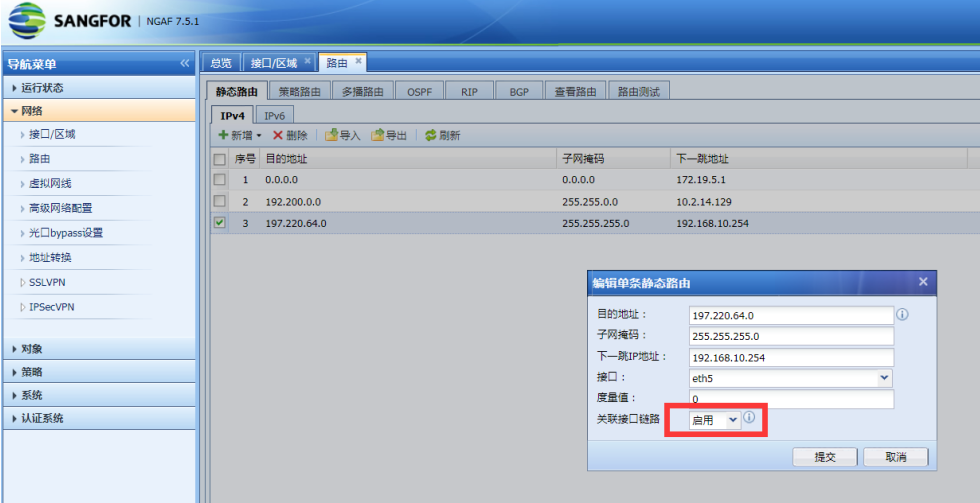
Check the configured static Layer 3, destination address, Subnet Netmask, and next hop IP Address are all correct, but the associated Interfaces link is selected to be enabled, as shown in the following figure
189185c236a83d5631.png (143.35 KB) -
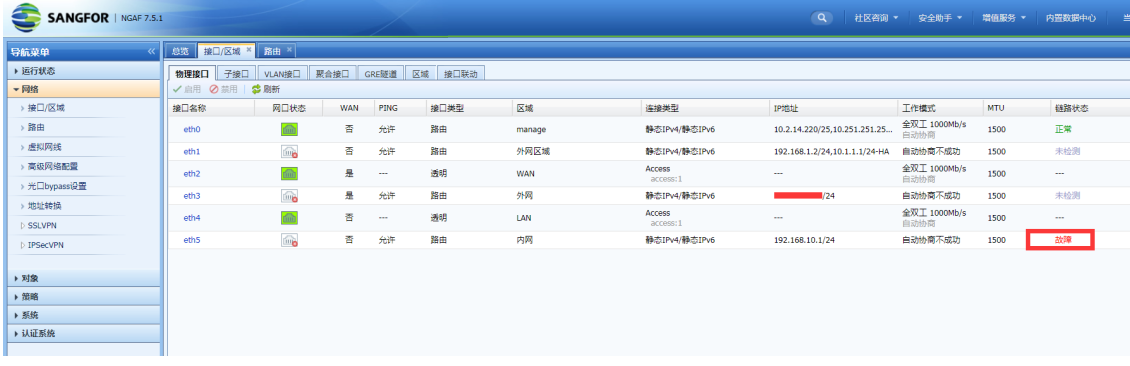
Check the Interfaces eth5 selected in the static Layer 3 and find that the link detection status of the Interfaces is faulty, as shown in the following figure:
53145c236b0f0e97a.png (124.94 KB)
Root cause
The associated interface of the AF static Layer 3. After it is enabled, when the selected Interfaces link fails, the route will be set to invalid and deleted from the Layer 3 table.
solution
Disable the associated Interfaces link or modify Link State Detection to make Link State normal
Original Link
https://support.sangfor.com.cn/cases/list?product_id=13&type=1&category_id=606&isOpen=true