
[AF] System fault log contains a large number of “Device already Sensitive (identification conflict)” alarm Logs
Problem Description
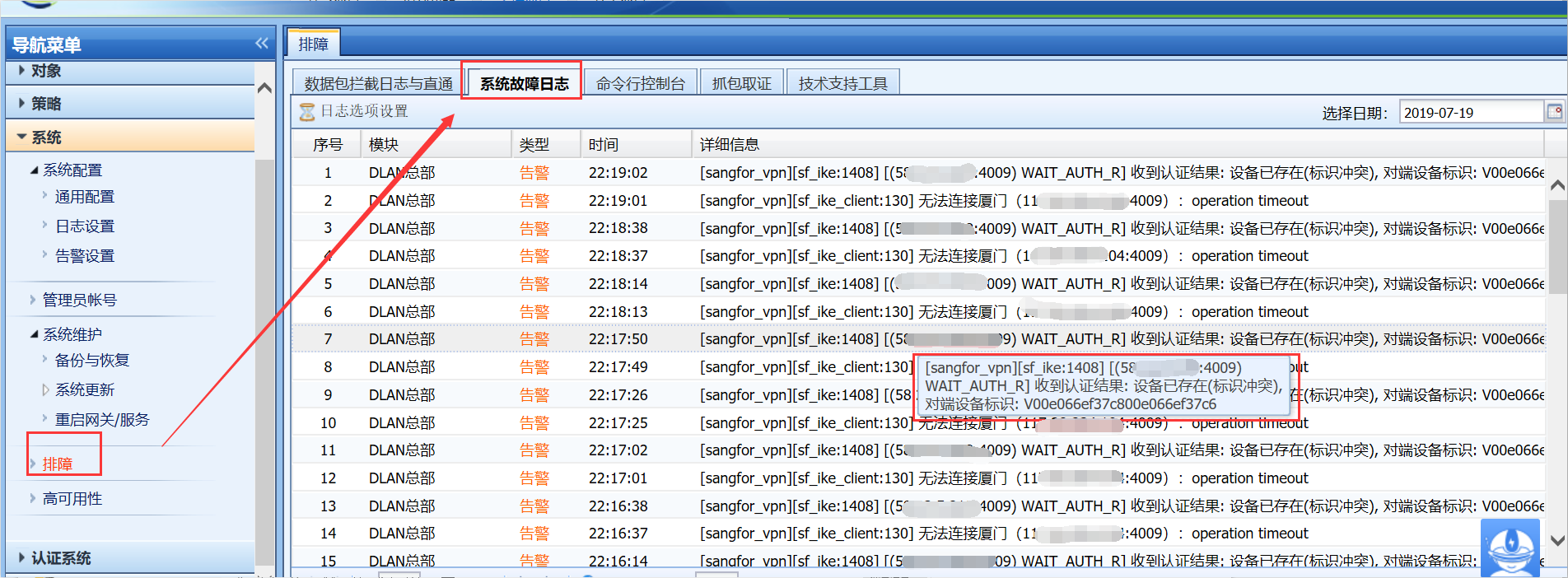
AF does sangfor VPN at the export and other areas, and its System fault Logs has a large number of "device already Sensitive (identification conflict)" alarm Logs.
Warning Info
432765d36afac11f7e.png (374.3 KB)
Process——
-
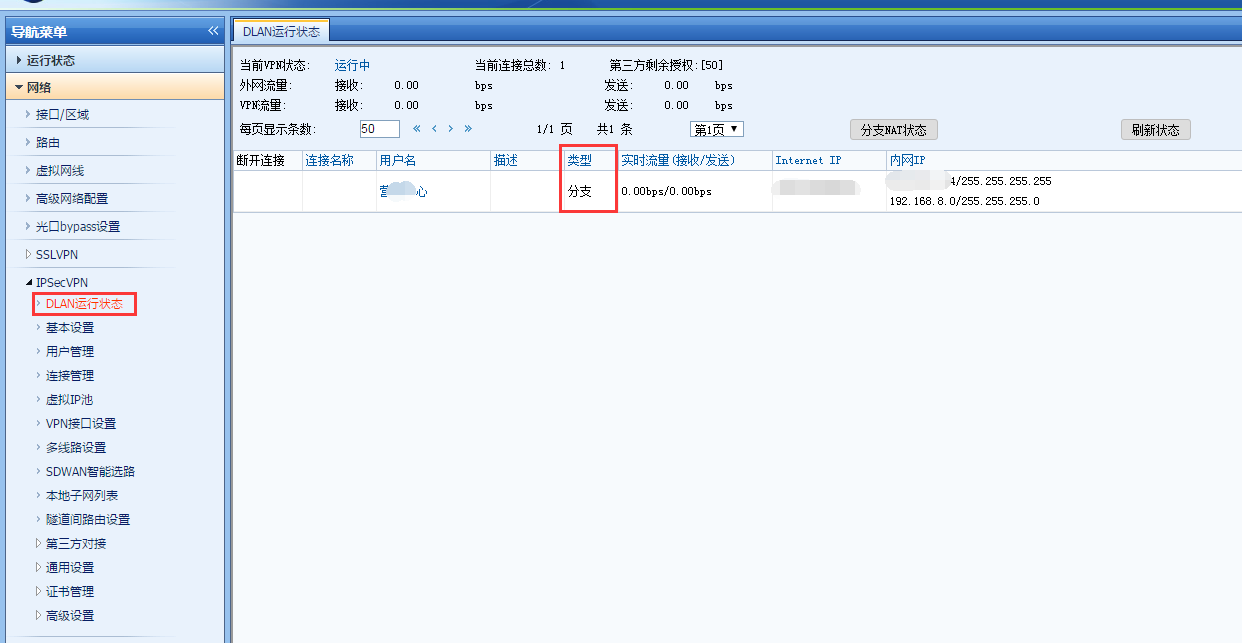
Check the [PDLAN Operation Status] of AF. A VPN tunnel already Sensitive and the other end is a branch role, as follows:
492555d351163eaee5.png (69.95 KB) -
Check the [VPN Connection] configuration and find that AF is configured with a branch connection Policies. The webagent address filled in is the public IP Address of the branch that has been connected, as follows:

787525d3512895b74c.png (17.25 KB)
Root cause
When two devices of a company are connected to each other using sangforvpn, there can only Sensitive one headquarters and one branch at the same time. Both devices cannot be configured with VPN Connection to act as branches.
solution
After deleting the VPN Connection Policies of the headquarters AF, System returns to normal. sangforvpn only needs to configure VPN Connection the branch devices, and the headquarters does not need to configure VPN Connection.
Original Link
https://support.sangfor.com.cn/cases/list?product_id=13&type=1&category_id=699&isOpen=true