
[AF] System fault log reports an error “[DHCP] Reserved IP [x.x.x.x] is not in the IP pool and has been disabled”
Problem Description
DHCP is configured, but the intranet PC cannot Obtain an address.
Process——
- Check the DHCP configuration and find no abnormalities.
① Take the operation path of the standard version AF7.3 as an example: You can view it in [Network Configuration] – [Advanced Network Configuration] – [DHCP].
② Take the operation path example of the standard version AF7.4: You can view it in [Network] – [Advanced Network Configuration] – [DHCP].
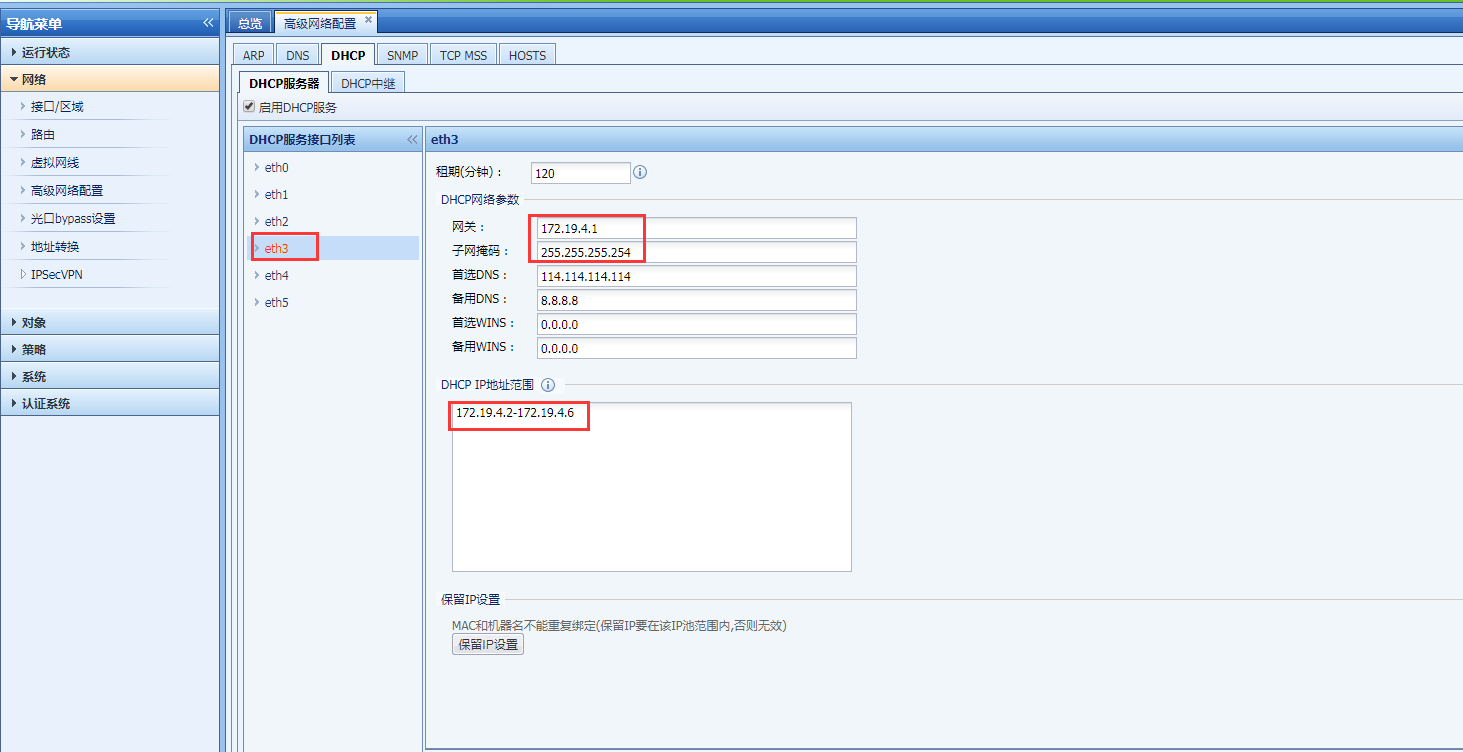
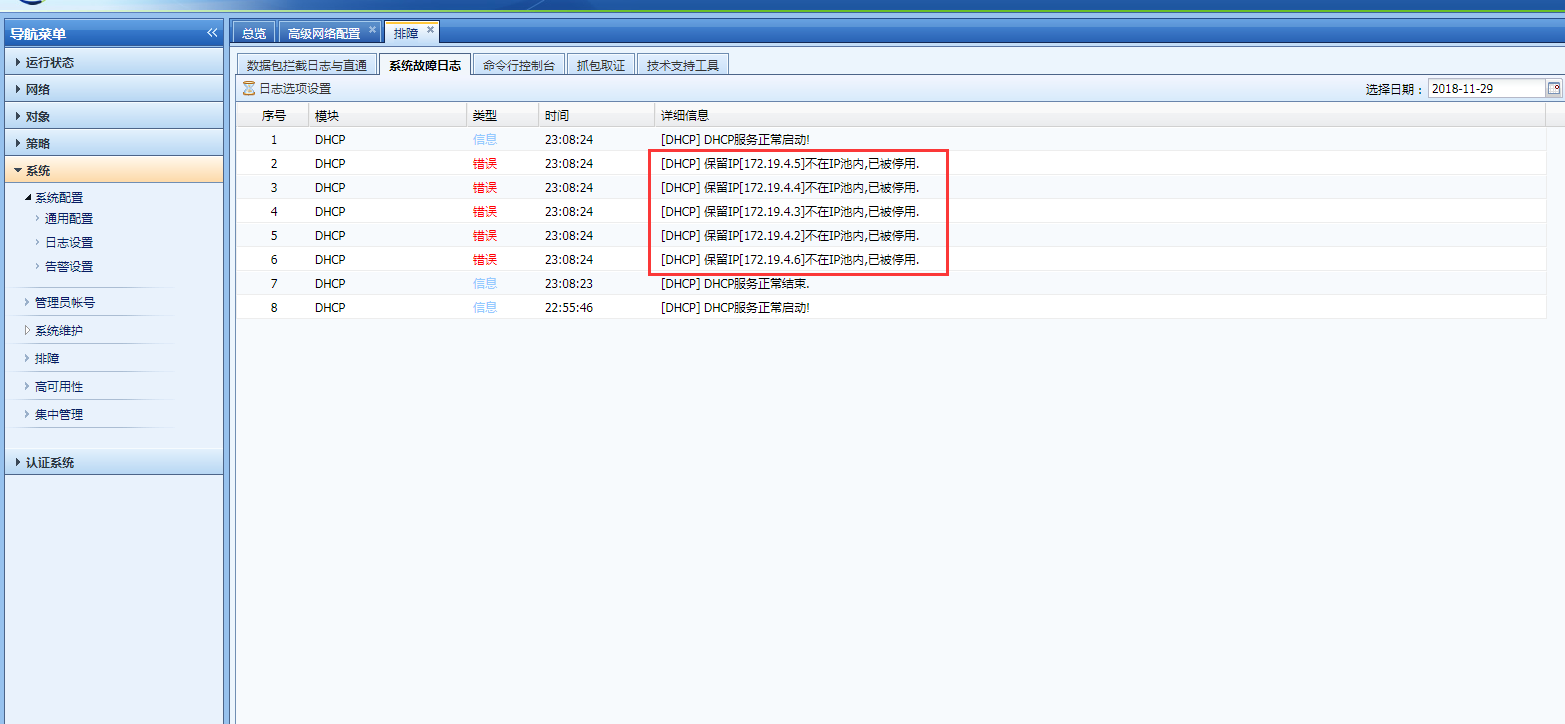
526745c00024d3b2a8.png (85.12 KB) - Check System fault log and select [DHCP] Medium [Log Option Settings]. It is found that all addresses in the DHCP address pool are configured as reserved addresses.
① Take the operation path of the standard version AF7.3 as an example: it can be viewed in [Maintenance] – [System Fault Logs].
② Take the operation path example of the standard version AF7.4: You can view it in [System] – [Troubleshooting] – [System Fault Log].
786415c0002e8cb1cd.png (97.96 KB)
Root cause
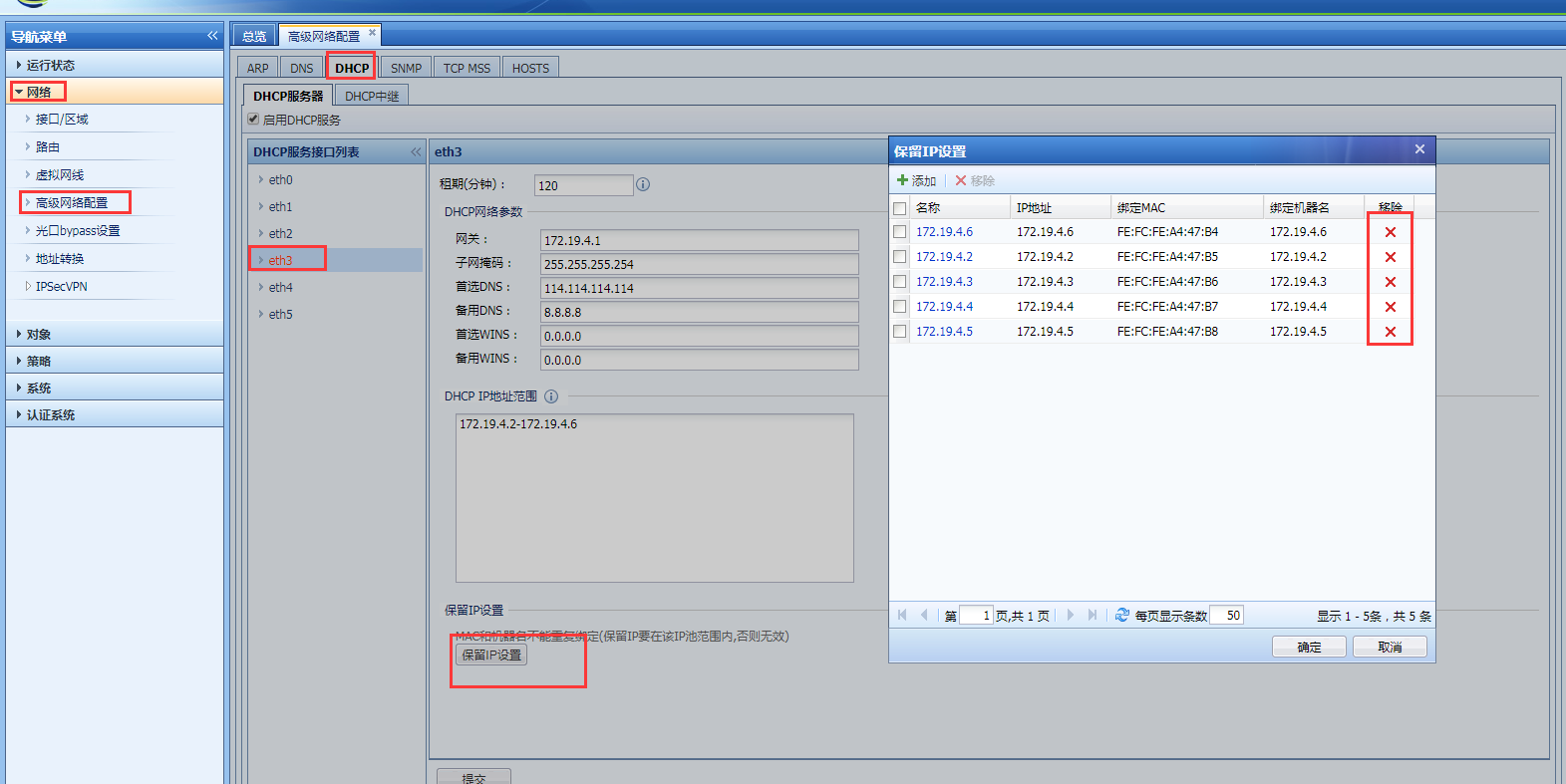
All addresses in the DHCP address pool are configured as reserved addresses, resulting in no allocatable addresses in the DHCP address pool.
solution
Delete all reserved addresses Medium the DHCP configuration.
323155c0004469f131.png (133.39 KB)
Suggestions and Conclusion
When configuring DHCP reserved addresses, configure them as appropriate. The number of reserved addresses should be configured according to needs. The more the better is not necessarily true.
Original Link
https://support.sangfor.com.cn/cases/list?product_id=13&type=1&category_id=515&isOpen=true