
[AF] System fault log reports error “[DHCP] IP pool is tight”
Problem Description
After AF is configured with DHCP, some PCs in the intranet may not Obtain from time to time.
Network topology: external network – AF – Layer 2 switch – internal network PC
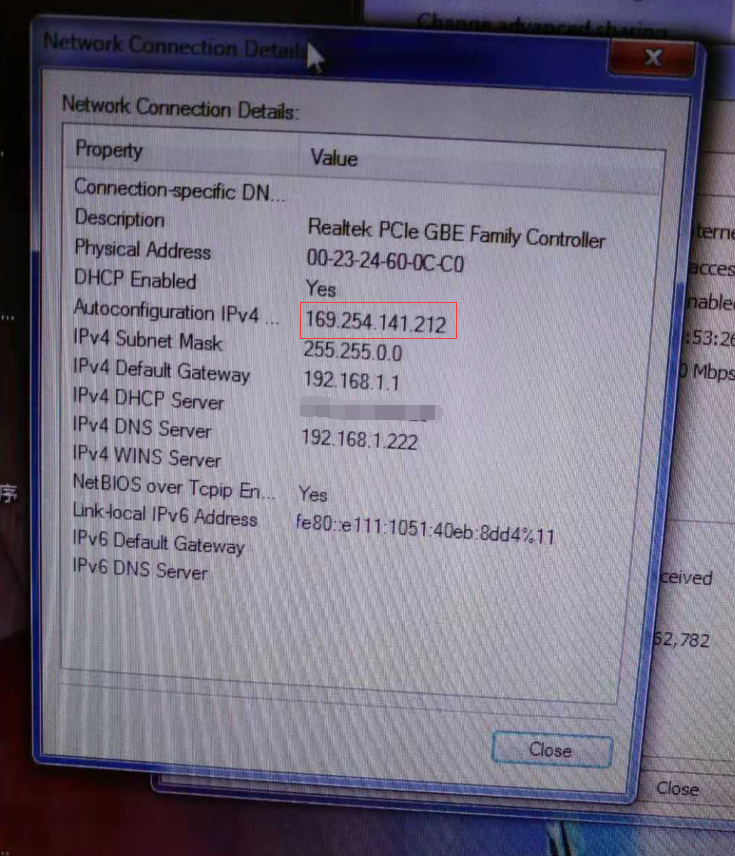
910035c0545bf0bbe0.png (904.57 KB)
Process——
- Check the DHCP configuration and the corresponding Interfaces configuration and find no abnormalities.
① Take the operation path of the standard version AF7.3 as an example: you can view it in [Network Configuration] – [Advanced Network Configuration] – [DHCP].
② Take the operation path example of the standard version AF7.4: You can view it in [Network] – [Advanced Network Configuration] – [DHCP].
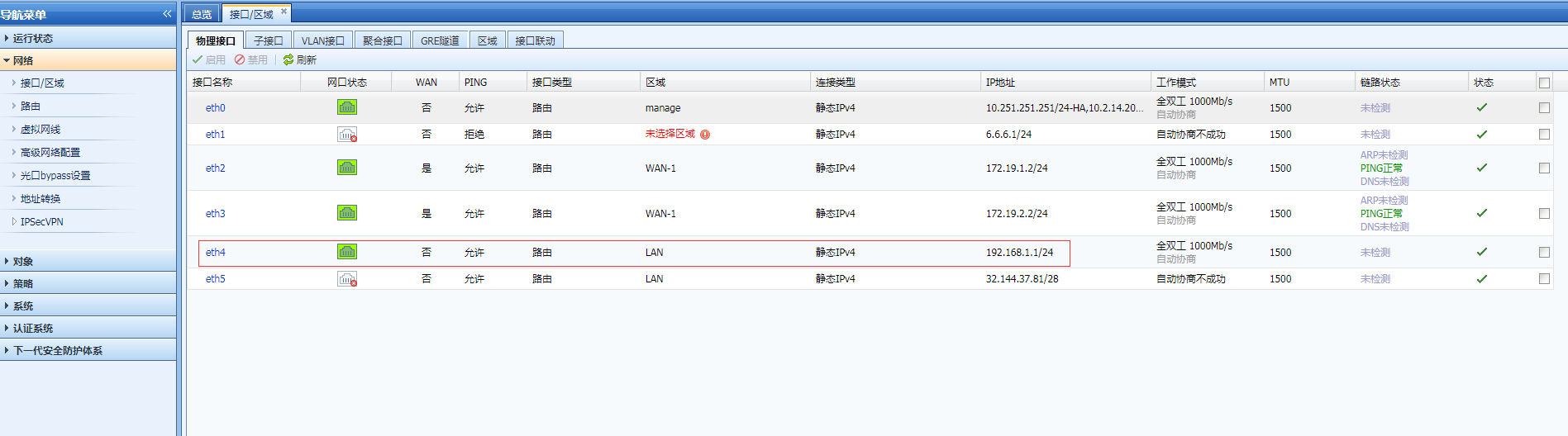
293925c0547851a6e4.png (106.52 KB)
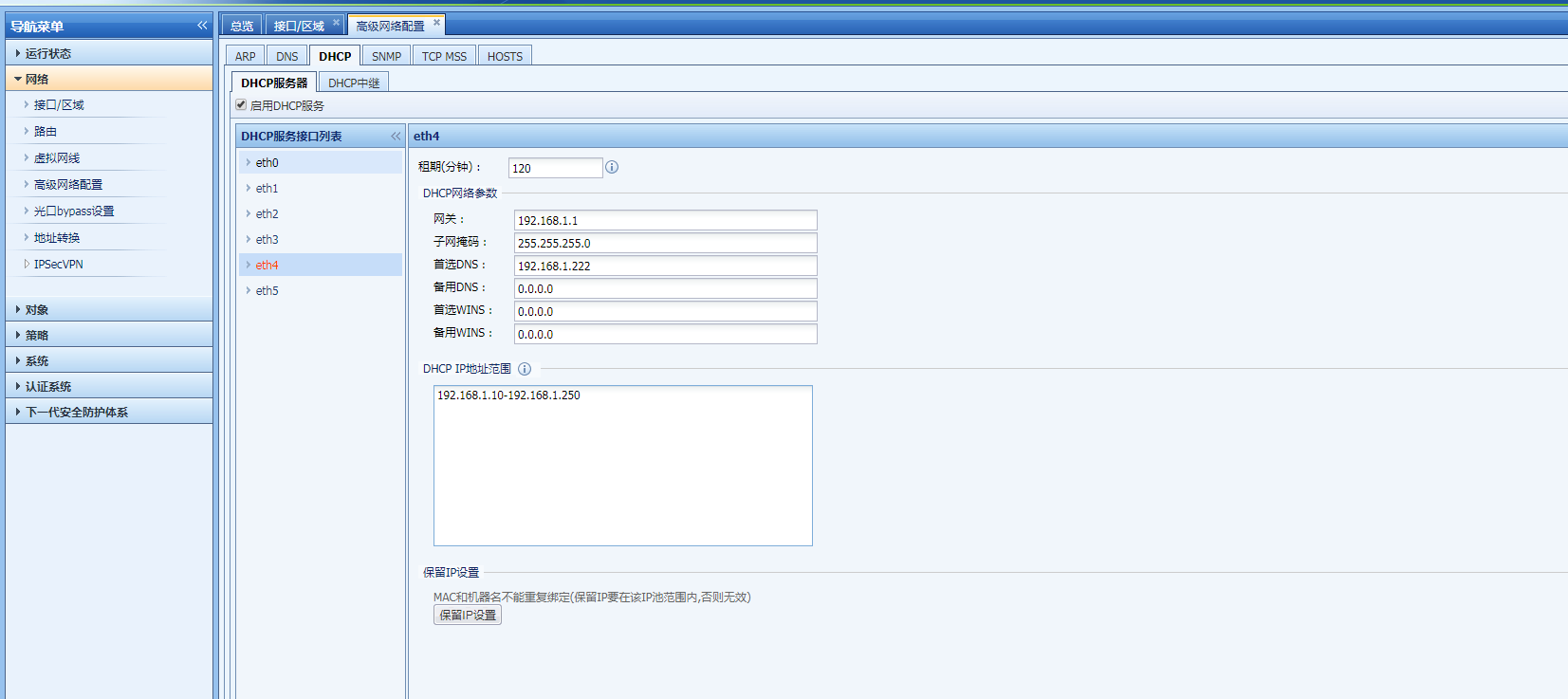
236565c054801eeb9c.png (94.03 KB) - Check the System fault Logs, filter [DHCP] in [Logs Option Settings] Medium view the Logs, and find that the error [DHCP] IP pool shortage is reported.
① Take the operation path of the standard version AF7.3 as an example: it can be viewed in [Maintenance] – [System Fault Logs].
② Take the operation path example of the standard version AF7.4: You can view it in [System] – [Troubleshooting] – [System Fault Log].
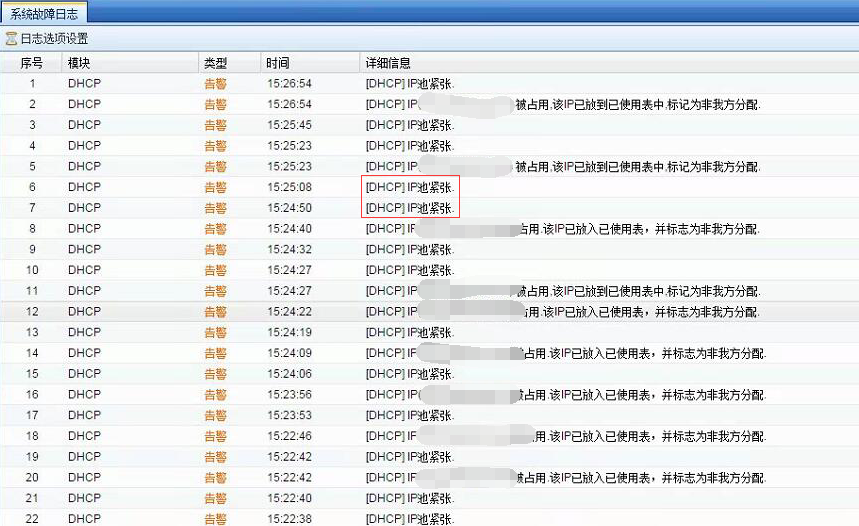
354075c05497257891.png (380.6 KB)
Root cause
The DHCP address pool is insufficient, resulting in the inability to allocate addresses to the additional PCs in the intranet.
solution
Expand the corresponding DHCP address pool and change the corresponding Interfaces Netmask accordingly. as follows:
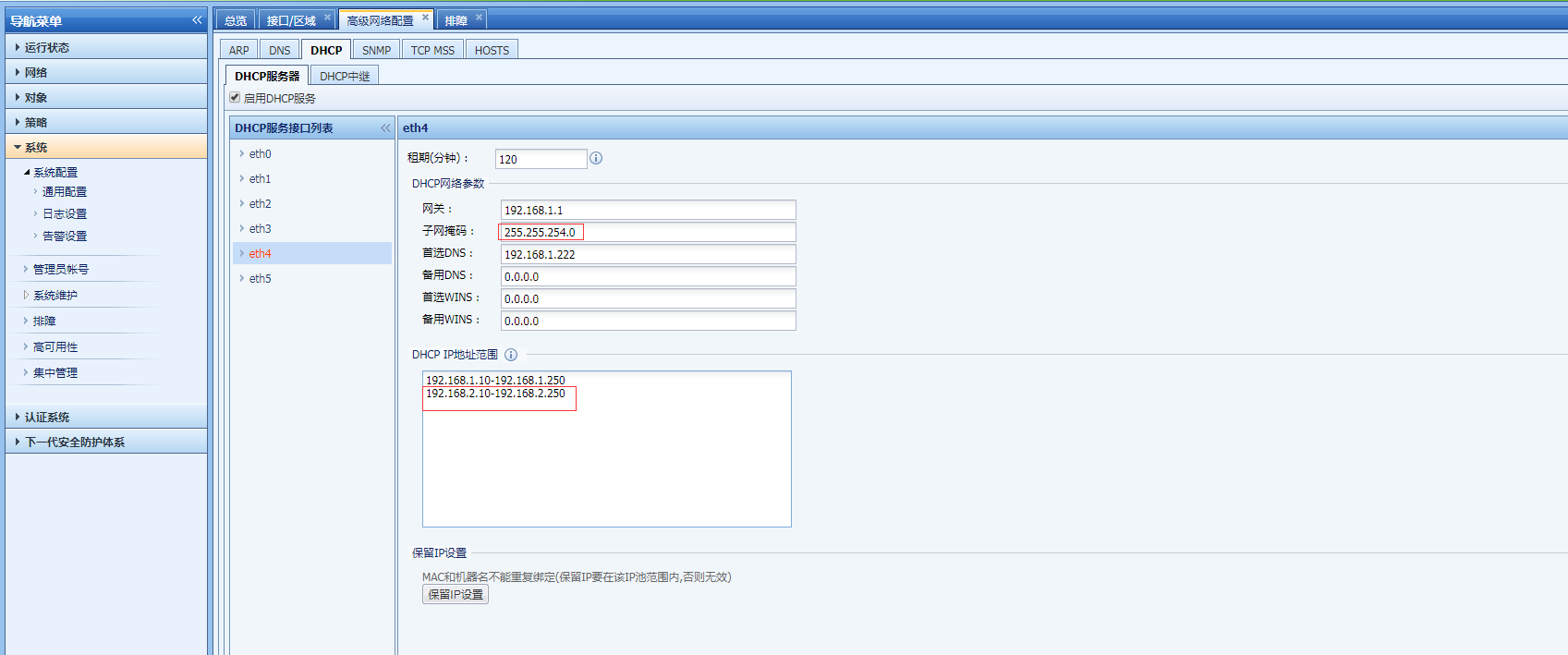
733775c054a399099e.png (93.37 KB)
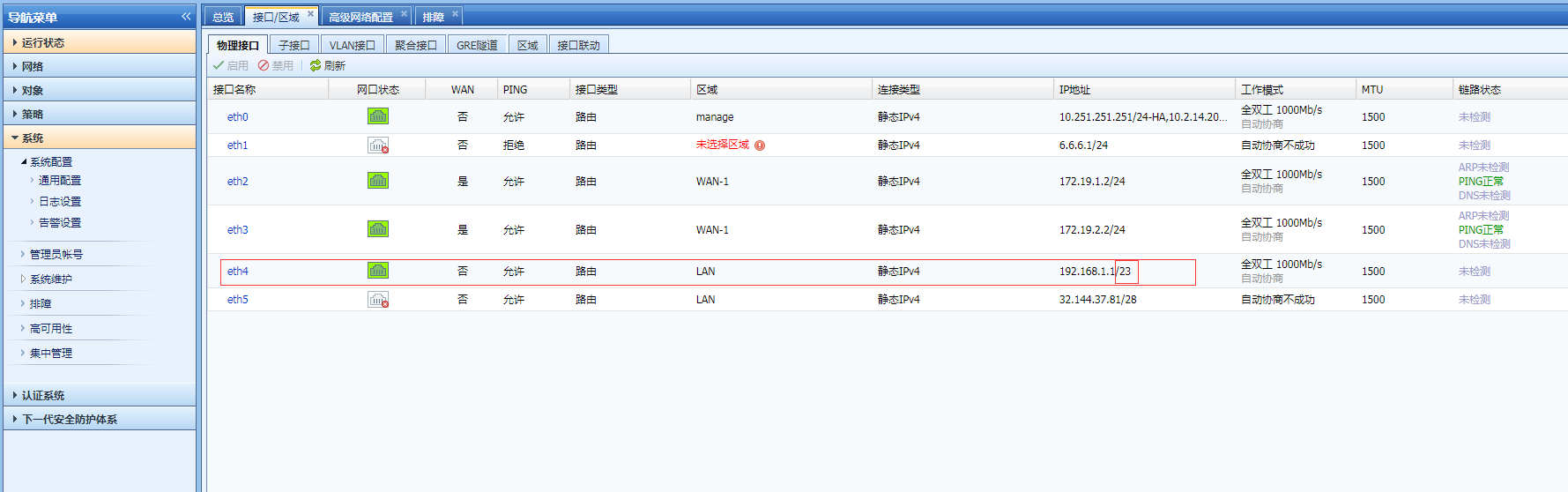
461235c054a682a7e1.png (107.11 KB)
Suggestions and Conclusion
When configuring DHCP to automatically assign IP Address, you need to select an appropriate DHCPD address pool based on the scale of intranet terminals.
Original Link
https://support.sangfor.com.cn/cases/list?product_id=13&type=1&category_id=546&isOpen=true