
[AF] The 4009 port of the public IP connected to the branch was not monitored, resulting in the failure of SANGFOR VPN establishment
Problem Description
The branch AF and the headquarters AF failed to establish a SANGFOR VPN tunnel
Effective troubleshooting steps
- Both the branch AF and the headquarters AF are in Layer 3 mode as export. The branch intranet test found that the WEBAGENT address 4009 port in the VPN Connection was not accessible. The headquarters AF captured the packet and found that the headquarters received the SYN packet of the TCP three-way handshake and then sent an RST packet to disconnect the connection.
- The headquarters AF background shows that port 4009 is only listening on 222.X.X.X, while the branch AF is connected to the headquarters AF's 116.X.X.X address to establish SANGFOR VPN
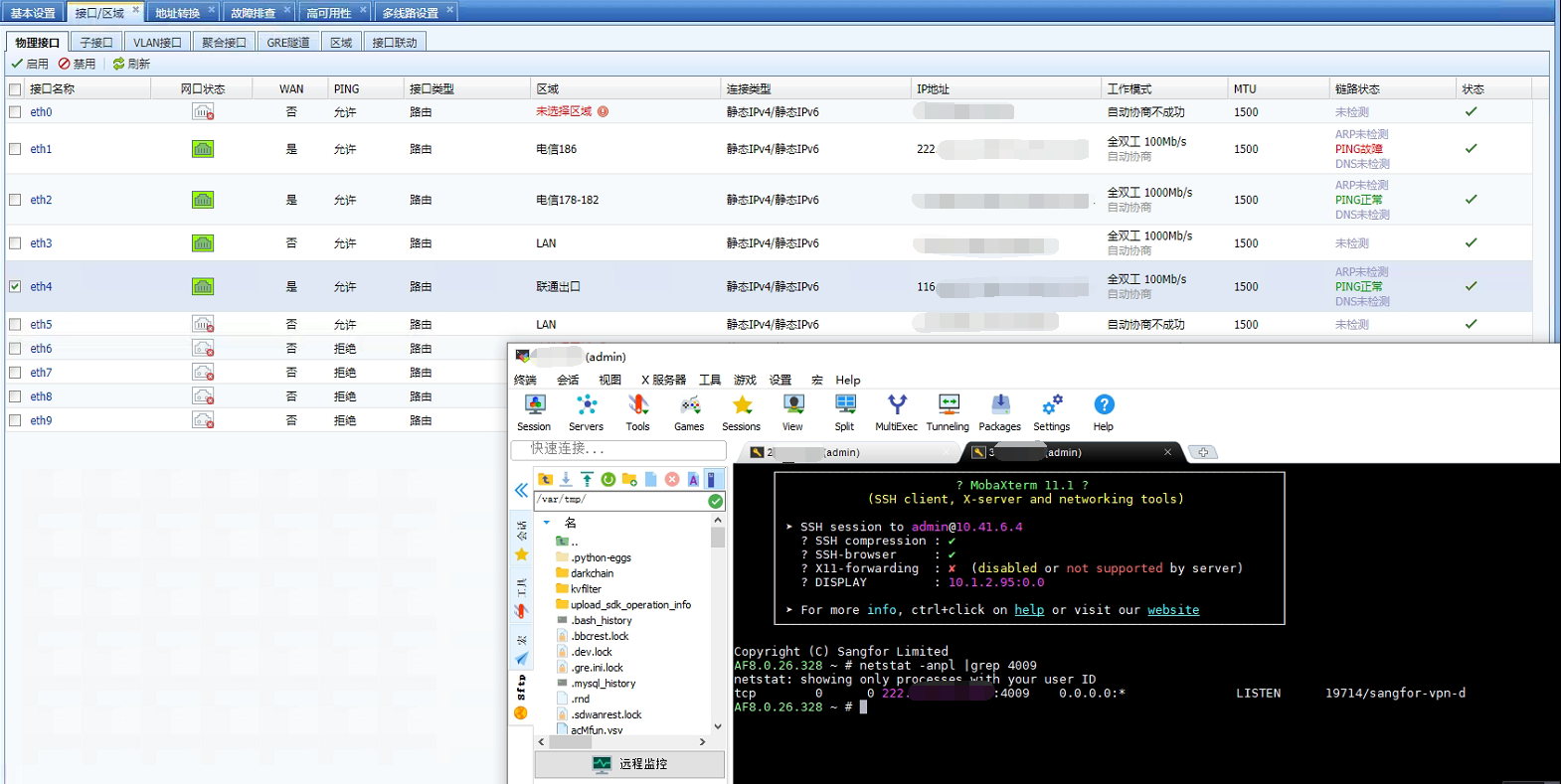
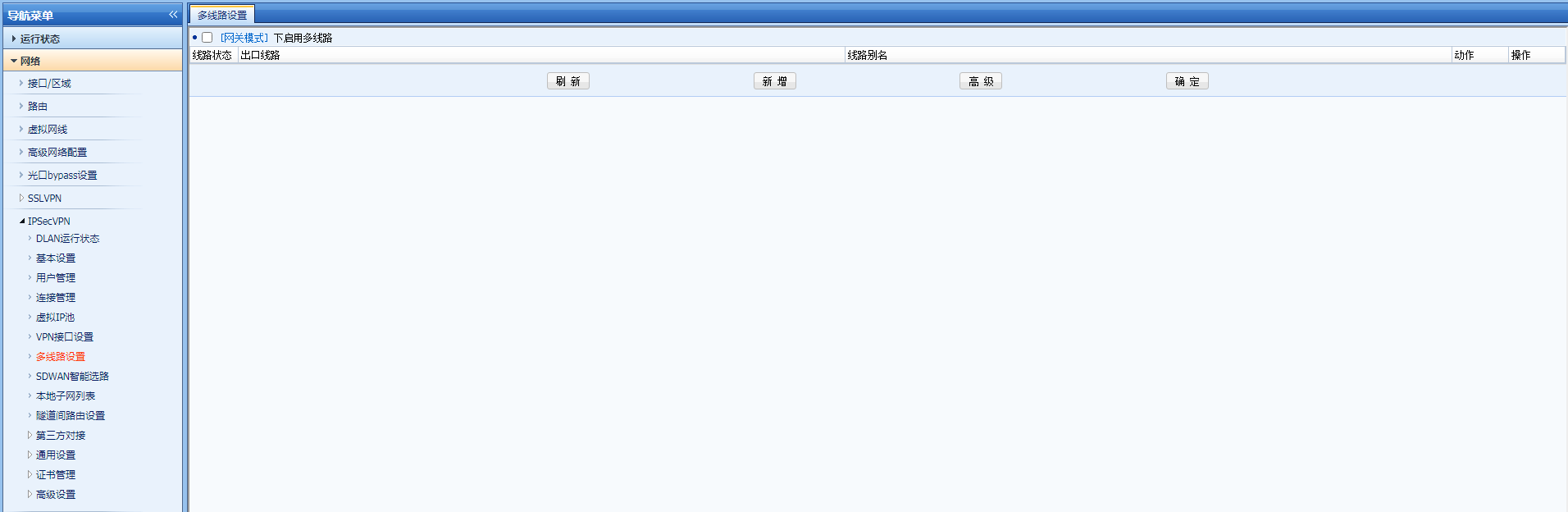
- Currently, 222.X.X.X is bound to IPSec VPN export line 1, and 116.X.X.X is bound to IPSec VPN export line 2. Checking the IPSec VPN multi-line configuration of the headquarters AF is not done, so 116.X.X.X will not monitor port 4009
Root cause
The IPSec VPN multi-line configuration of the headquarters AF is not done, and the IP of the IPSec VPN export line 2 will not monitor port 4009
solution
Solution 1: Headquarters AF configures IPSec VPN multiple lines (this solution is recommended if the customer needs line redundancy)
Solution 2: Establish a SANGFOR VPN tunnel between the branch AF and the headquarters AF line 1 address
Solution 3: The headquarters AF modifies the network port IPSec VPN egress line binding and changes the physical network port corresponding to 116.X.X.X to bind IPSec VPN egress line 1
Original Link
https://support.sangfor.com.cn/cases/list?product_id=13&type=1&category_id=1270&isOpen=true