
[AF] The client’s FIN ACK response is too slow, resulting in an abnormal application control Policies match
Problem Description
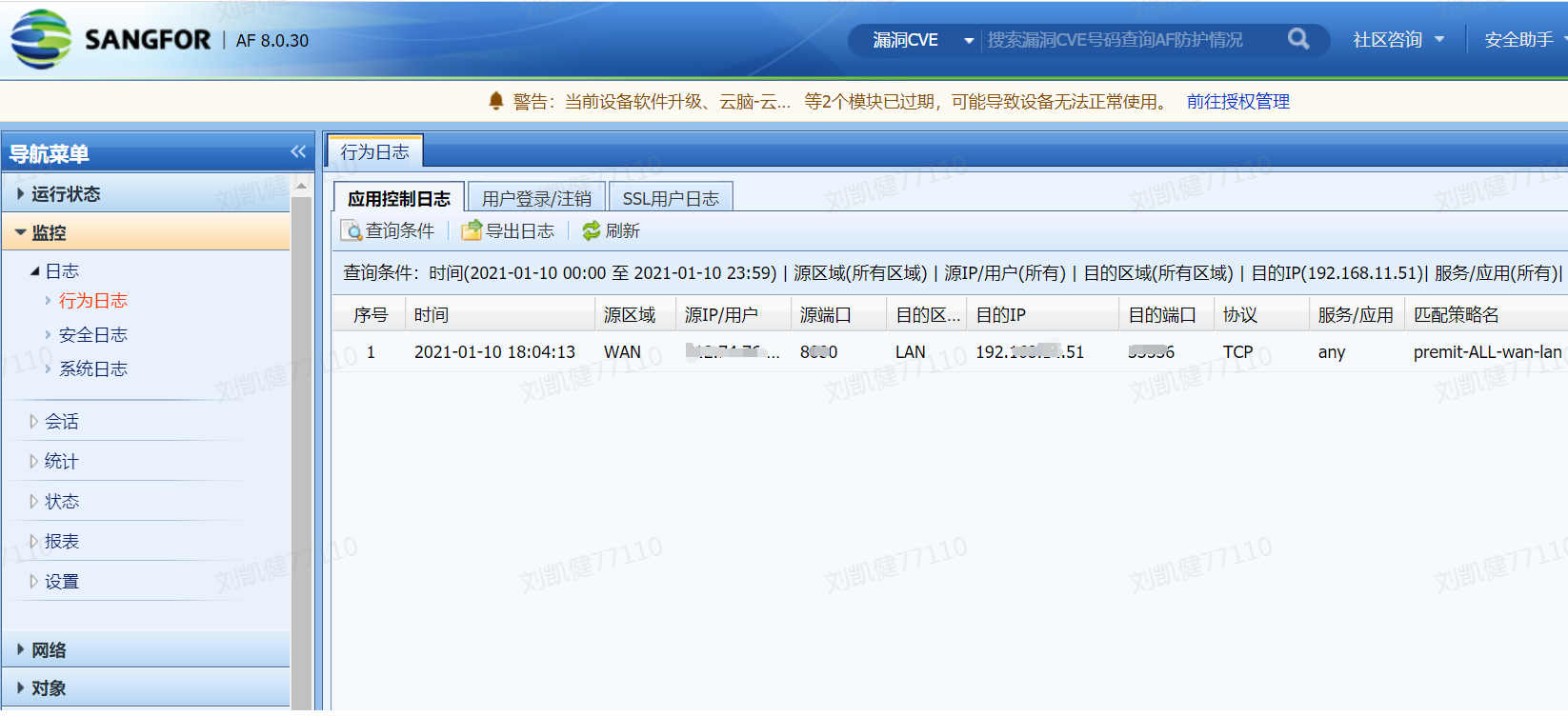
- The customer reported that the application control policy was configured to allow access from inside to outside. When checking the log records, it was found that there was an application control Policies match record for external network access to the internal network. The configuration was checked and it was found that the address mapping was not configured. Here, the customer reported that the internal network client accessed the 8030 port of the external server. It can be seen that Policies matching direction is abnormal.
Effective troubleshooting steps
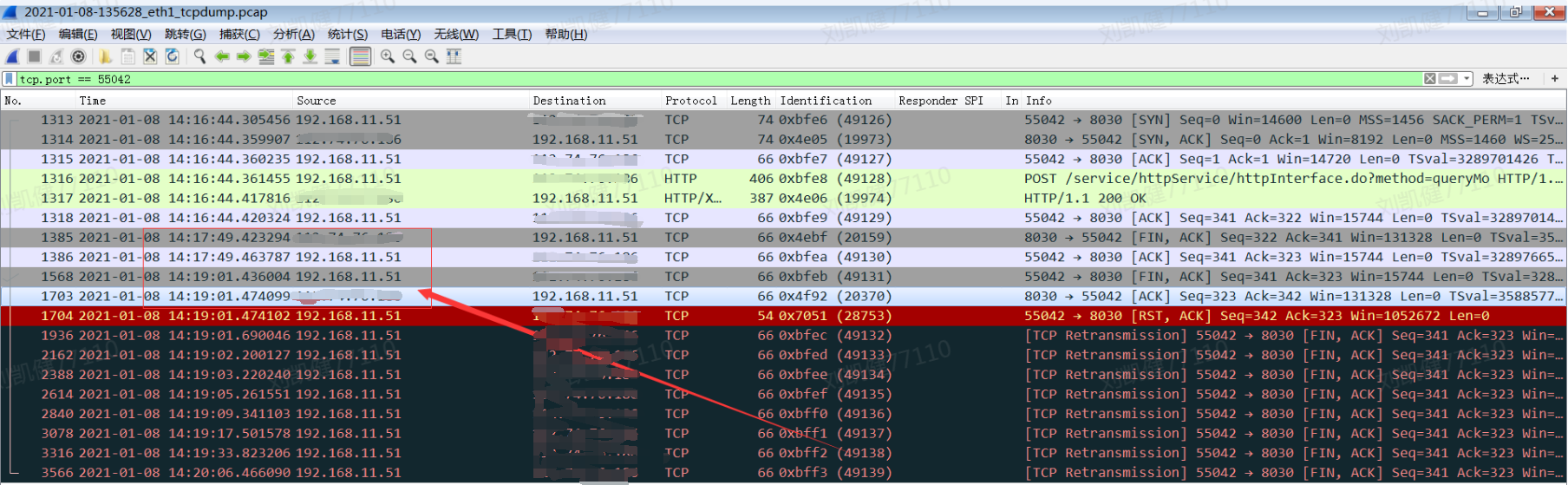
- Since Logs are generated irregularly, place a packet capture script to capture packets. When abnormal Logs are generated, analyze the data packets at the time point corresponding to the log record (the filtering port here can quickly locate the data packets). It is found that when the corresponding data flow is waving four times, the intranet client responds to the FIN ACK waving message of the external server too slowly. It can be seen that the time difference is about two minutes.


Root cause
- The default Sessions mechanism of the Local is to destroy Sessions 10 seconds after receiving the FIN or RST packet. In the above data flow, the client replies to the FIN ACK packet after a delay of nearly 120s. However, the FIN packet does not create a new Sessions. This causes the ACK packet of the server in response to the client's FIN packet to be considered as a new Sessions, and thus will not match the inside-to-outside policy matched by the client's connection Policies. Instead, the policy is re-matched according to the five-tuple, resulting in seemingly abnormal log records.
solution
- Install the Sessions time optimization package to solve the problem. The optimization package here will extend Sessions time to 120s after receiving the RST or FIN message.
 KB-AF-20200713-SetTcpFinRstTimeout120-ALL.tgz (5.73 KB)
KB-AF-20200713-SetTcpFinRstTimeout120-ALL
Operation Impact Scope
The packaging will be modified to the Sessions KeepAlive (secs). It is recommended to clarify the phenomenon, confirm the requirements, and then proceed after confirmation by experts.
Original Link
https://support.sangfor.com.cn/cases/list?product_id=13&type=1&category_id=1123&isOpen=true