
[AF] The console cannot log in because the computer IP conflicts with the device login IP
Problem Description
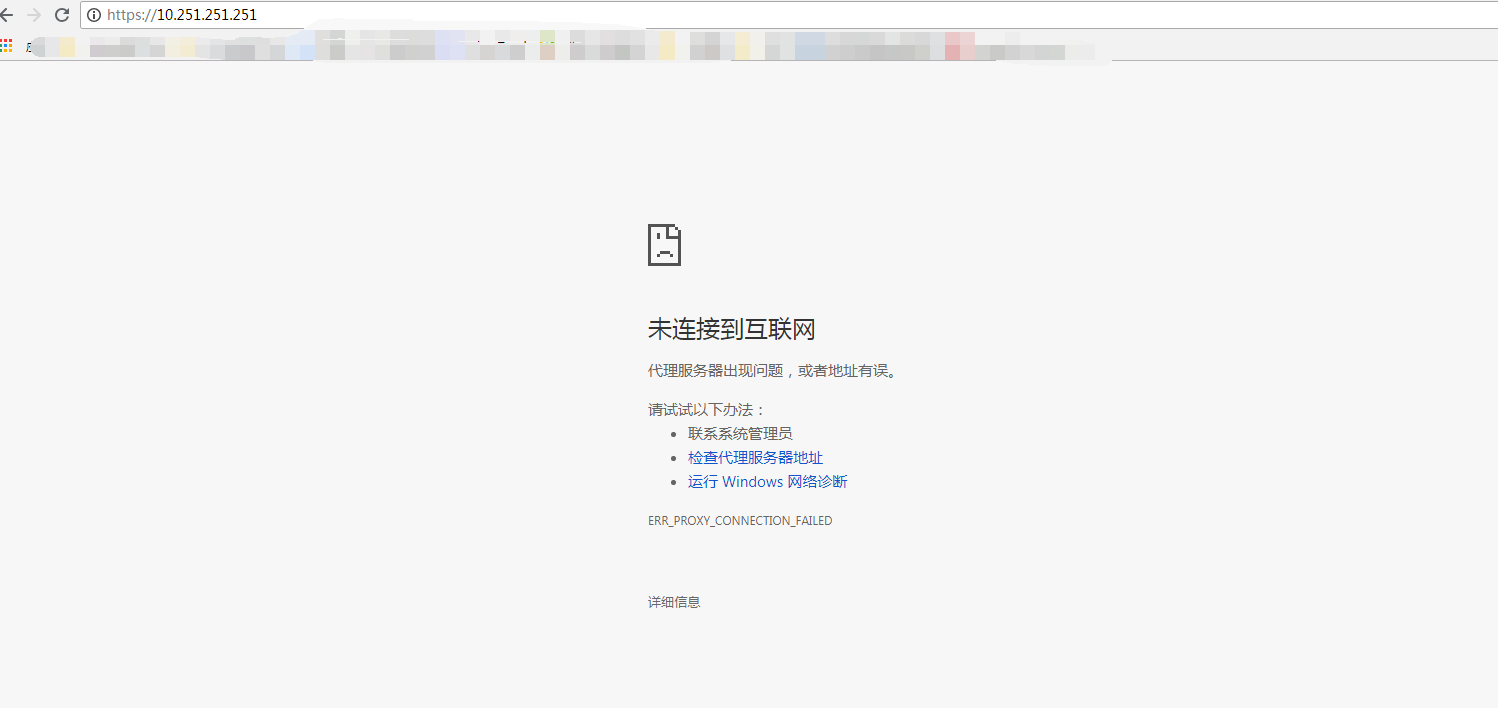
The new device cannot log into the console through the Management Interface directly, but can be pinged. However, ports 443, 51111, and 22345 are all blocked. Logging into the device through other network ports is normal.
Warning Info
692625c9efc18ed174.png (45.51 KB)
Process——
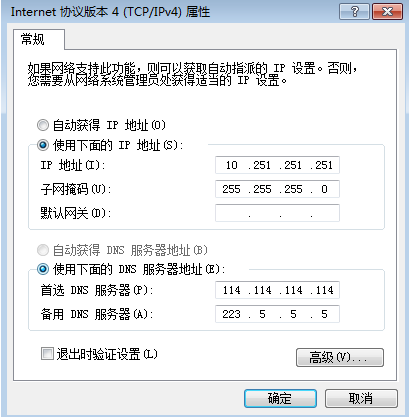
When checking the computer network card configuration, an IP Address conflict was found
303675c9efc526a259.png (24.83 KB)
Root cause
The computer network card IP setting conflicts with Local Management Interface IP
solution
By changing the computer IP Address, it is recommended to configure it to 10.251.251.25/24.
Original Link
https://support.sangfor.com.cn/cases/list?product_id=13&type=1&category_id=668&isOpen=true