
[AF] The console cannot log in because the TLS protocol is not supported
Problem Description
The new versions of Google Chrome and Firefox no longer support TLS1.0/1.1. When using these browsers to log in to lower versions of AF, you will be prompted that the TLS protocol is not supported.
Currently, this can be solved by using JG package, JG21 and later JG packages can solve this
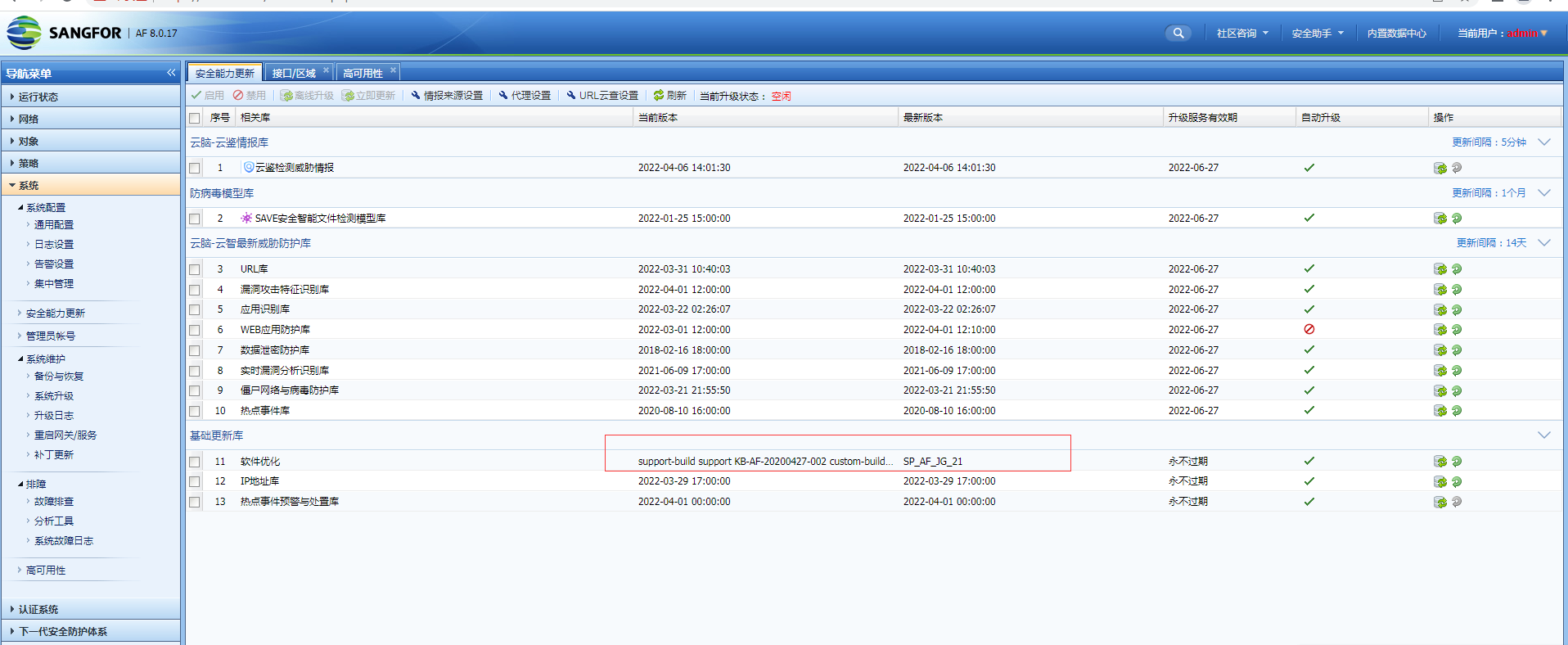
JG package is issued in the form of sp package. You can click update in [Security Capability Update] – [Service Pack Update], or you can use acheck tool to open
Root cause
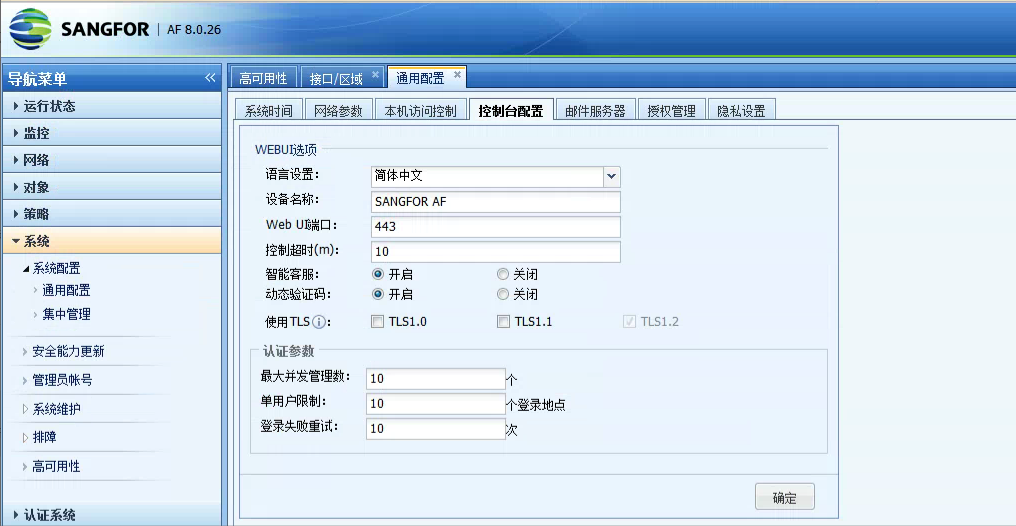
7.3 <=AF version <=8.0.23 does not support TLS1.2. AF8026 and later versions can enable TLS1.2 on the page
solution
1. It is recommended to use JG package first, and upgrading to a High version can also solve the problem. If there is no other solution, use KB package;
//As of 2023-8-17, the mainline versions of Local have covered JG25, and this problem can be solved through inspection packaging (WAF/IPS/FW are also covered)
-
The patch package Restart sangfor_waf, which affects the console Services but does not affect the Network service. In a dual-machine scenario, it is recommended to restart the backup machine first and then the master machine;
-
Check and confirm whether this device has JG19 and previous JG packages to be installed (usually vaf, single product). You need to install JG19 and previous JG packages first, and then Obtain patch package upgrade. The existing version packages are in ssu format and can be upgraded using the update tool.
PS: Because both TLS and JG packets will be changed to sangfor_waf, if you first type the TLS packet and then type the JG19 or earlier packets, sangfor_waf will be changed back to not support TLS1.2. Therefore, if the device needs to type the JG packet before JG19, first type the JG packet and then the TLS packet. If the device has JG21 or later packets, directly type the JG packet without the need to type the KB packet.
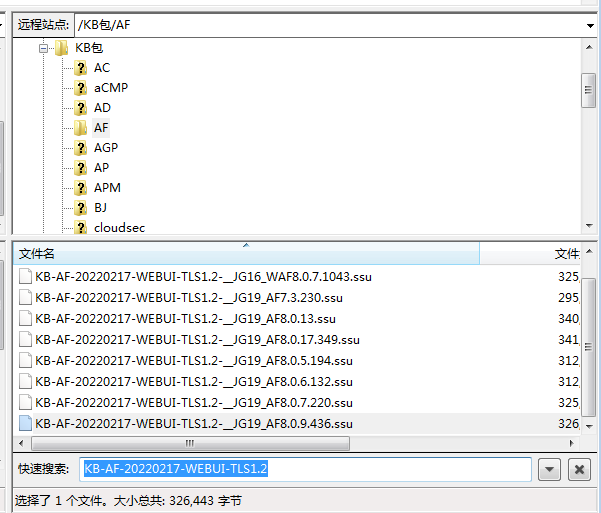
Correspondence of regular patch packages: Package name: KB-AF-20220217-WEBUI-TLS1.2 plus version
Note: Except for AF8.0.23, which needs to be confirmed by R&D, all other AFs below 23 are switched to Chinese. You can directly send the FTP package
Original Link
https://support.sangfor.com.cn/cases/list?product_id=13&type=1&category_id=1464&isOpen=true