
【NGAF】 SSL VPN Unable to Access Resources
Issue Description
Client have some PC able to log in and access to SSL VPN but unable to access resources.
Handling Process
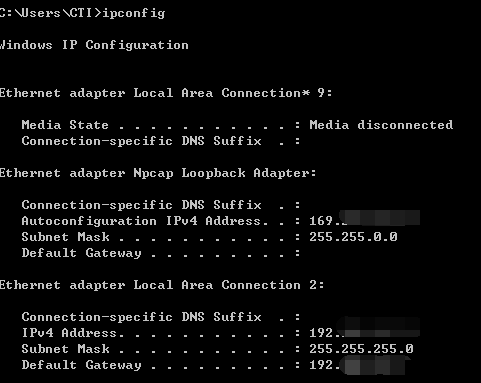
- Check the ipconfig on the PC, found that the PC unable to get the the virtual IP.
- Check the online users, found that the user already online and the NGAF already assign the virtual IP to the user.
- Check the user PC does not have other SSLVPN installed.
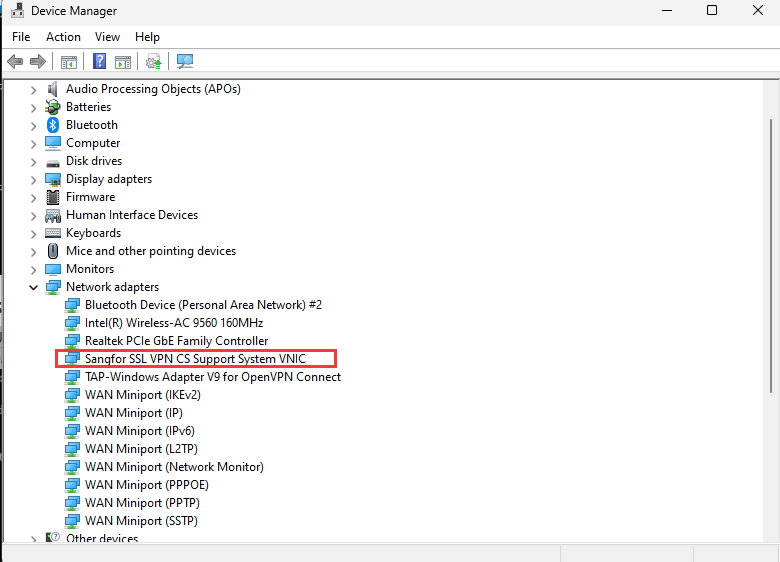
- Open the Device Manager, check if the Sangfor SSLVPN VNIC status is normal or not.
- Try to reinstall the EasyConnect.
Root Cause
The issue cause by the virtual NIC, the PC unable to get the virtual IP.
Solution
Uninstall the EasyConnect, access to SSLVPN login page and download the easyconnect installer. After the easyconnect installed, the PC able to get the virtual IP.