【NGAF】1.1.1.0/24 Network Segment Cannot Access Internet
Issue Description
A new 1.1.1.0/24 network segment is added to the intranet, and users cannot access the Internet through NGAF.
Handling Process
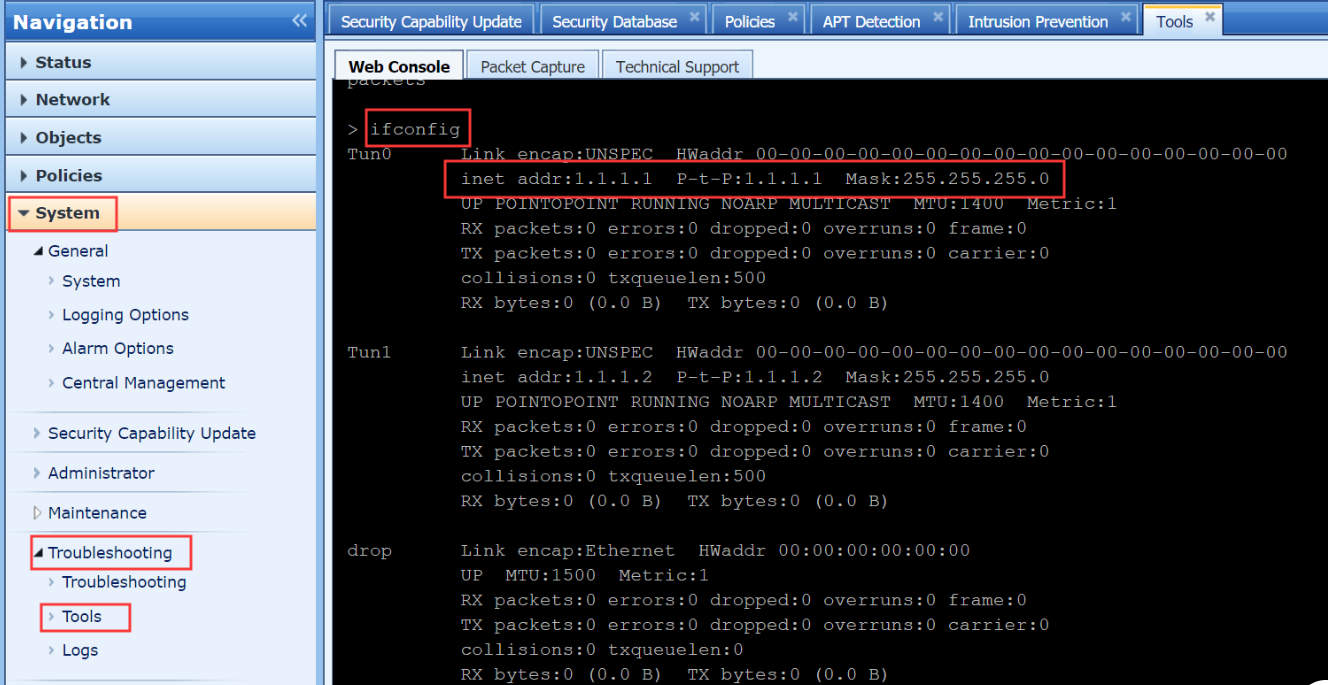
Go to System > Troubleshooting > Tools enter ifconfig command found that the IP address of Tun0 is 1.1.1.1.
Root Cause
1.1.1.0/24 and NGAF interface network segment conflict.
Solution
Solution 1: Change 1.1.1.0/24 to other network segment.
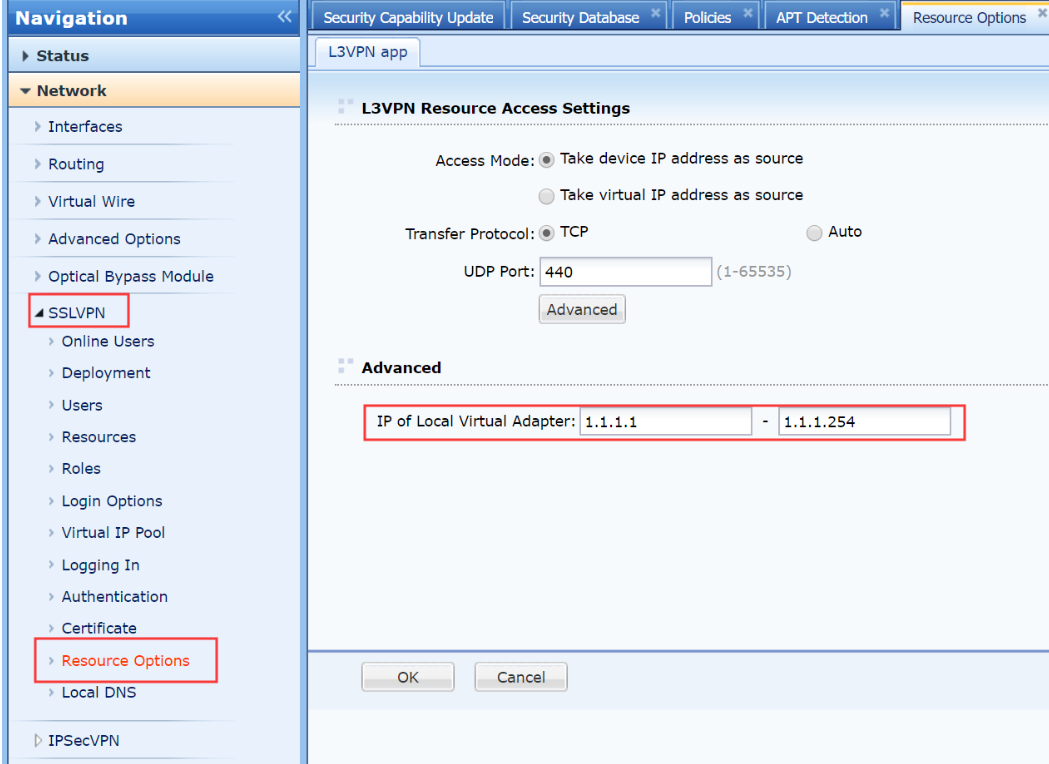
Solution 2: Go to Network > SSLVPN > Resource Options, change NGAF interface interface network segment.